
How to Find Remote UX Design Jobs in 2026
To find remote UX design jobs, you need a portfolio that proves you can solve real user problems, not just make pretty screens. This guide shows you which UX roles exist, what employers expect in a portfolio, where the genuine remote jobs are listed, and how to prepare for the interview. It covers salaried remote jobs only. If you would rather work for yourself, read our guide on how to work as a freelance UX designer instead.
In this guide
- Remote UX job titles explained
- Skills employers ask for
- Tools to learn
- Building a portfolio that gets interviews
- Where to find remote UX design jobs
- How to read a remote UX job advert
- CV and cover letter
- Interview preparation
- Salary expectations
- The beginner route to a first remote UX job
- What it costs and what to expect
- Common mistakes
- Risks and scams to watch for
- Frequently asked questions
- Conclusion
Remote UX job titles explained
UX design, short for user experience design, is the work of making a product easy and pleasant to use. Job titles in this field overlap, so read the advert carefully. The table below explains the main titles you will see.
| Title | What the work focuses on | Who it suits |
|---|---|---|
| UX designer | Research, flows, wireframes, and testing | People who like solving user problems |
| UI/UX designer | UX work plus the visual interface | People who also enjoy visual design |
| Product designer | UX, UI, and product decisions together | Designers who want ownership of a product |
| UX researcher | Interviews, surveys, and usability tests | People who like talking to users and analysing data |
| Interaction designer | How screens respond, move, and behave | People who enjoy detail and motion |
| UX writer | Words inside the product, such as buttons and errors | Writers with a design eye |
A UX researcher is a distinct track, not a junior designer role. Researchers spend most of their time with users and data. If you love talking to users more than drawing screens, aim for research roles. If you love the full process, aim for product designer roles. UI design, short for user interface design, is the visual layer: colours, type, and layout. UX is the whole experience. Check the duties list, not just the title.
Skills employers ask for
Employers want designers who can think, test, and communicate, not just draw. The core skills are user research, information architecture, wireframing, prototyping, usability testing, and accessibility.
User research means learning what users need through interviews, surveys, and observation. Information architecture means organising content so people can find it. Wireframing means drawing simple layouts before you design the final screens. Prototyping means building a clickable version to test with real users. Usability testing means watching people use your design and noting where they struggle. Accessibility means designing so people with disabilities can use the product, and it is now a hiring requirement at many companies. The W3C Web Content Accessibility Guidelines set the standard, with 13 guidelines under four principles, and WCAG 2.2 is the current version. Learn the basics: colour contrast, clear labels, keyboard navigation, and text alternatives for images.
Soft skills matter because remote design is a team sport. You must explain your decisions in writing, take feedback without taking it personally, and work across time zones with developers and product managers. You must also present your work clearly on a video call.
Tools to learn
Figma is the tool most remote teams expect you to know. It is a browser based design tool where teams design, comment, and share work in the same file, and Figma is used by most large product companies. Learn its core features: frames, components, auto layout, and prototyping. Add Miro or FigJam for workshops, Maze or UserTesting for remote tests, Notion for research notes, and Loom for video walkthroughs. You need one design tool done well, one research tool, and one way to present your work.
Building a portfolio that gets interviews
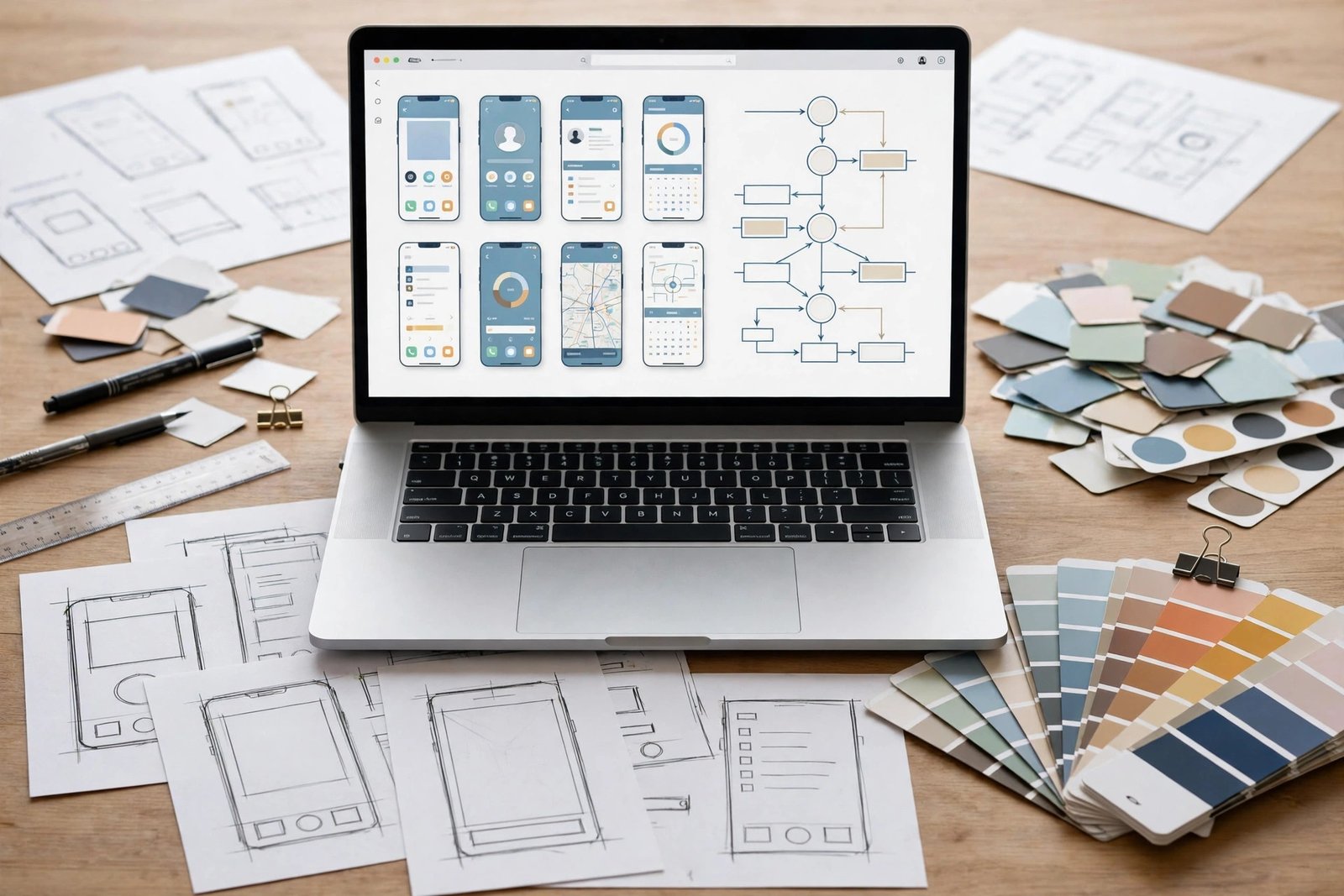
Your portfolio is your interview ticket. Hiring managers spend a few minutes on it, so it must show process, not just finished screens.
Include three to five case studies, each following the same shape: the problem, who the users were, what you learned, the options you tried, the final design, and the result. Show your thinking with sketches, wireframes, and test notes, not only the final screens. Give honest numbers where you have them, such as the users you tested or the change in task completion. If you have no client work, redesign a real product you use, or design for a local charity, and say clearly that it is a self started project.
Present the work cleanly. Each case study should open with a one line summary, then show the process in order, with short captions under each image. Test your portfolio on a phone, because many hiring managers open it on one. Ask two people to review it: one designer and one non designer, who checks whether the story is clear.
Where to find remote UX design jobs
Use a mix of design specific boards, general remote boards, and company career pages. Design specific boards have fewer listings but less competition from people in other fields.
Start with UX Remote Talent, the design section of We Work Remotely, Remote.co, and Working Nomads. Add LinkedIn with a saved search for remote UX designer and remote product designer, and turn on alerts. Browse Dribbble and Behance job boards, and keep your own profiles updated, because recruiters search them. Then go direct: pick 20 product companies with remote design teams and check their careers pages weekly.
Apply within the first few days of a listing, and tailor each application. Link to the one or two case studies that match the role, not to your whole portfolio. Keep a tracker of where you applied and when.
How to read a remote UX job advert
Check four things before you apply. First, check whether the role is genuinely remote or hybrid, and whether it is limited to one country or time zone. Second, check whether it is a real job or a freelance contract dressed up as a job. If the advert mentions hourly rates or short contracts, ask the recruiter directly. Third, check the portfolio ask: a good advert says how many case studies to send. A vague advert that asks for unlimited free work is a warning sign. Fourth, check the seniority, and do not apply for a senior role with a beginner portfolio.
CV and cover letter for remote UX roles
Keep your CV to one or two pages. Put your portfolio link at the top, where nobody can miss it. List your three strongest case studies with one line each about the problem and the result. List your tools and research methods in plain words that match the advert. Use numbers where you can, such as the users you interviewed or the tests you ran.
Write a short cover letter for roles you really want. In three or four sentences, say which case study fits this role, what you would bring to the team, and that you can work the hours the role needs. Read our guide on how to write a CV for remote jobs for the full CV structure, and our guide on how to get hired for remote jobs on LinkedIn to make your profile work harder.
Interview preparation for remote UX roles
UX interviews usually have three parts: a portfolio presentation, a design exercise, and behavioural questions.
For the portfolio presentation, pick two case studies and practise talking through each one in 10 minutes. Start with the problem, explain what you learned, show the key decisions, and end with the result. For the design exercise, you may get a short task, such as improving a checkout flow, with an hour or two to work on it. Show your process: list your assumptions, sketch two options, pick one, and explain why. A clear process beats a polished final screen. For behavioural questions, prepare stories about feedback, conflict, and a project that went wrong, using the STAR method: situation, task, action, and result. Read our guide on how to pass a remote job interview for more preparation.
Salary expectations, with the sources named
Pay figures for remote UX design jobs disagree between guides, so treat every number here as a reported estimate, not a verified fact. DailyRemote, updated on 15 November 2026, gives the most detailed table. Remote Rebellion and VivaNomadia give lower ranges, and none of the three names an official source.
| Level | DailyRemote 2026 estimate, per year | Other guides, per year |
|---|---|---|
| Junior | 60,000 to 80,000 dollars | 45,000 to 70,000 dollars, Remote Rebellion |
| Mid level | 85,000 to 120,000 dollars | 70,000 to 100,000 dollars, Remote Rebellion |
| Senior | 120,000 to 160,000 dollars | 100,000 to 150,000 dollars, VivaNomadia |
| UX researcher | 90,000 to 140,000 dollars | Not listed separately |
| Product designer | 100,000 to 155,000 dollars | Not listed separately |
| Design lead or manager | 140,000 to 185,000 dollars | 100,000 to 140,000 dollars or more, Remote Rebellion |
| Principal or staff | 160,000 to 210,000 dollars | Not listed separately |
The gap between the guides is wide, especially at junior level, where the lowest figure is 45,000 dollars and the highest is 80,000 dollars. Pay varies by country, company size, and the product you work on, so check the advert and several sources, and read our guide on how to negotiate salary for a remote job before you name a number.
The beginner route to a first remote UX job
If you have no design job yet, follow a clear route instead of applying at random. First, learn the basics through a structured course or a free path, and practise Figma every day. Second, do three practice projects: redesign one real product, design one small app from scratch, and run one usability test with five real users. Third, write up each project as a case study. Fourth, apply for junior, associate, and internship roles, and for design roles at small companies and startups, where a good portfolio matters more than a long CV. Fifth, join a design community and ask for portfolio reviews.
Example only: building a portfolio in 30 days
This example shows how the time adds up. It is an example only.
A beginner could build four case studies in 30 days at two hours a day. That is 30 times 2, which is 60 hours in total. Split it like this: 15 hours on the first case study, then 12 hours each on the second and third, and 10 hours on the fourth, which leaves 11 hours for the portfolio site and a final review. After 30 days, the same person would have four finished case studies and a portfolio link for every application. That is a realistic pace for someone with a day job.
What it costs and what to expect
| Item | Typical cost | Notes |
|---|---|---|
| Figma | Free for starters | Paid plans exist for teams |
| A UX course | 0 to 500 dollars | Free paths exist, paid courses vary |
| Portfolio website | 0 to 150 dollars per year | Free options exist, custom domains cost more |
| Usability testing tool | Free trial, then 50 dollars or more per month | Test with friends first for free |
| Books and community | 0 to 50 dollars | Many communities are free |
Expect a slow start. Most beginners need three to six months to learn the basics and build a portfolio, then two to four months of applications before an offer. Junior remote roles are competitive, because many people want them and few companies offer them. Keep your current income while you prepare, and do not pay for an expensive bootcamp until you have tried the free paths and know the work suits you.
Common mistakes
- Do not show only final screens with no process.
- Do not include ten weak case studies instead of three to five strong ones.
- Do not apply for senior roles with a junior portfolio.
- Do not send the same portfolio link to every role.
- Do not skip accessibility.
- Do not copy another designer's portfolio.
- Do not give up after a month of applications.
Risks and scams to watch for
Job scams target designers too, often through fake design tests. A real employer never asks you to pay for a job, a course, or equipment before you start. A real employer never asks for your bank details or a copy of your ID in the first message. Be careful with design exercises: a fair exercise is short, clearly scoped, and uses a made up product. An unfair one asks for days of free work on the company's real product. If an exercise feels like free labour, ask how long it should take and whether the work will be used.
Watch for adverts that promise a high salary for no experience, that use a free email address, or that ask you to buy a starter kit. The US Federal Trade Commission guide to job scams explains these tricks and says that honest employers never ask you to pay to get a job. If a listing feels wrong, search the company name with the word scam, and read our guide on how to spot online job scams before you reply.
Frequently asked questions
Do I need a degree to find remote UX design jobs?
No, most adverts ask for a portfolio and skills, not a degree. A degree in design, psychology, or a related field helps, but a strong portfolio with three to five clear case studies matters more. Some large companies still ask for a degree, so check the advert.
How do I get a remote UX designer job with no experience?
Build a portfolio with practice projects, run usability tests with real users, and apply for junior, associate, and internship roles. Redesign a real product, design a small app from scratch, and write up each project as a case study. Small companies and startups are often the best first employers.
What should be in a UX design portfolio?
Include three to five case studies, each with the problem, the users, the research, the options you tried, the final design, and the result. Show sketches, wireframes, and test notes, not just final screens. Keep the whole portfolio easy to read on a phone.
How much do remote UX designers earn?
Reported 2026 estimates disagree. DailyRemote puts junior designers at 60,000 to 80,000 dollars a year and senior designers at 120,000 to 160,000 dollars, while Remote Rebellion puts entry level at 45,000 to 70,000 dollars and senior at 100,000 to 140,000 dollars or more. None of the guides names an official source.
Is UX design the same as UI design?
No. UX design covers the whole experience, from research to flows to testing, while UI design covers the visual layer, such as colours, type, and layout. Many roles combine both, so read the duties list to see what the job really involves.
Can I work as a remote UX designer from any country?
Not always. Many roles are open worldwide, but some are limited to one country or time zone for legal, tax, or meeting reasons. Always check the location line in the advert, and ask the recruiter if it is vague.
Conclusion
To find remote UX design jobs, learn the core skills of research, wireframing, prototyping, and testing, build a portfolio with three to five case studies that show your process, and apply for junior and mid level roles on design boards, general remote boards, and company career pages. Check each advert for genuine remote terms, prepare a 10 minute portfolio talk and a design exercise, and compare salary ranges from more than one source before you negotiate.
To go further, read how to work as a freelance UX designer if self employment suits you better, how to work as a freelance graphic designer for a related visual route, and how to spot online job scams before you trust any new board, then browse the full Online Jobs category for more guides. The facts in this guide were checked against Figma, the W3C, and the FTC in November 2026, and salary figures are reported estimates from DailyRemote, Remote Rebellion, and VivaNomadia.
Note for the reader: pay figures are in US dollars and reflect United States adverts as of November 2026. Rules and pay differ by country, and some employers only hire in certain regions, so check the location line in each advert before you apply. Earning results vary; nothing on this site is financial advice.