
How to Work as a Freelance UX Designer in 2026
Learning how to work as a freelance UX designer starts with one clear choice. You sell a service that helps clients make their apps and websites easier to use, not just prettier to look at. UX means user experience design, which is how easy and pleasant a product feels to use. This guide shows you the services to offer, the skills and portfolio you need, how to set prices, and how to find and keep clients.
In this guide
- What freelance UX design work is
- Services you can offer as a freelance UX designer
- Step 1: Build the skills and portfolio clients pay for
- Step 2: Choose your services and niche
- Step 3: Set your pricing
- Step 4: Find your first clients
- Step 5: Deliver great work and keep clients
- What it costs and what to expect
- Common mistakes
- Risks and scams to watch for
- Frequently asked questions
What freelance UX design work is
If you want to know how to work as a freelance UX designer, start with the job itself. A freelance UX designer works for clients on short projects or ongoing work, instead of working full time for one employer. You study how people use a product, find where they get stuck, and design a clearer path.
UX work is not the same as UI work, although many freelancers offer both. UI means user interface design, which covers the visual look of screens. UX covers the whole experience. The Nielsen Norman Group defines user experience as all aspects of the end user interaction with a company, its services and its products.
You also run a small business when you learn how to work as a freelance UX designer. You find clients, agree the scope, set prices, send invoices and keep records for tax. That business side often takes a quarter of your working week when you start. Your job is to turn a client problem into a plan, test it with real users where you can, and hand over designs a developer can build.
Services you can offer as a freelance UX designer
Clear services help clients understand what they buy. Do not sell vague design help. Sell named services with a clear result and time frame.
| Service | What the client gets | Typical time frame | | UX audit | A report on usability problems, with screenshots, priorities and fixes | 1 to 2 weeks | | User research | Interviews, surveys and a short report on user needs and pain points | 2 to 4 weeks | | Wireframing | Simple layouts that show structure and flow before visual design | 1 to 3 weeks | | High fidelity design | Polished screens that a developer can build, with states and notes | 2 to 6 weeks | | Prototyping | A clickable model that users and stakeholders can test | 1 to 3 weeks | | Usability testing | Test sessions with real users, plus findings and next steps | 1 to 3 weeks | | Ongoing retainer | Regular design help, reviews and small improvements each month | Monthly |
An audit is often the best first service. It is small, it has a clear end, and it can lead to larger work. Research and testing set you apart from designers who only make screens. Start with three services you can do well.

Step 1: Build the skills and portfolio clients pay for
The first step in how to work as a freelance UX designer is to build the skills clients check first. You need research skills to ask good questions and listen to real users. You need design skills in Figma to turn findings into wireframes, prototypes and final screens. You also need communication and basic business skills.
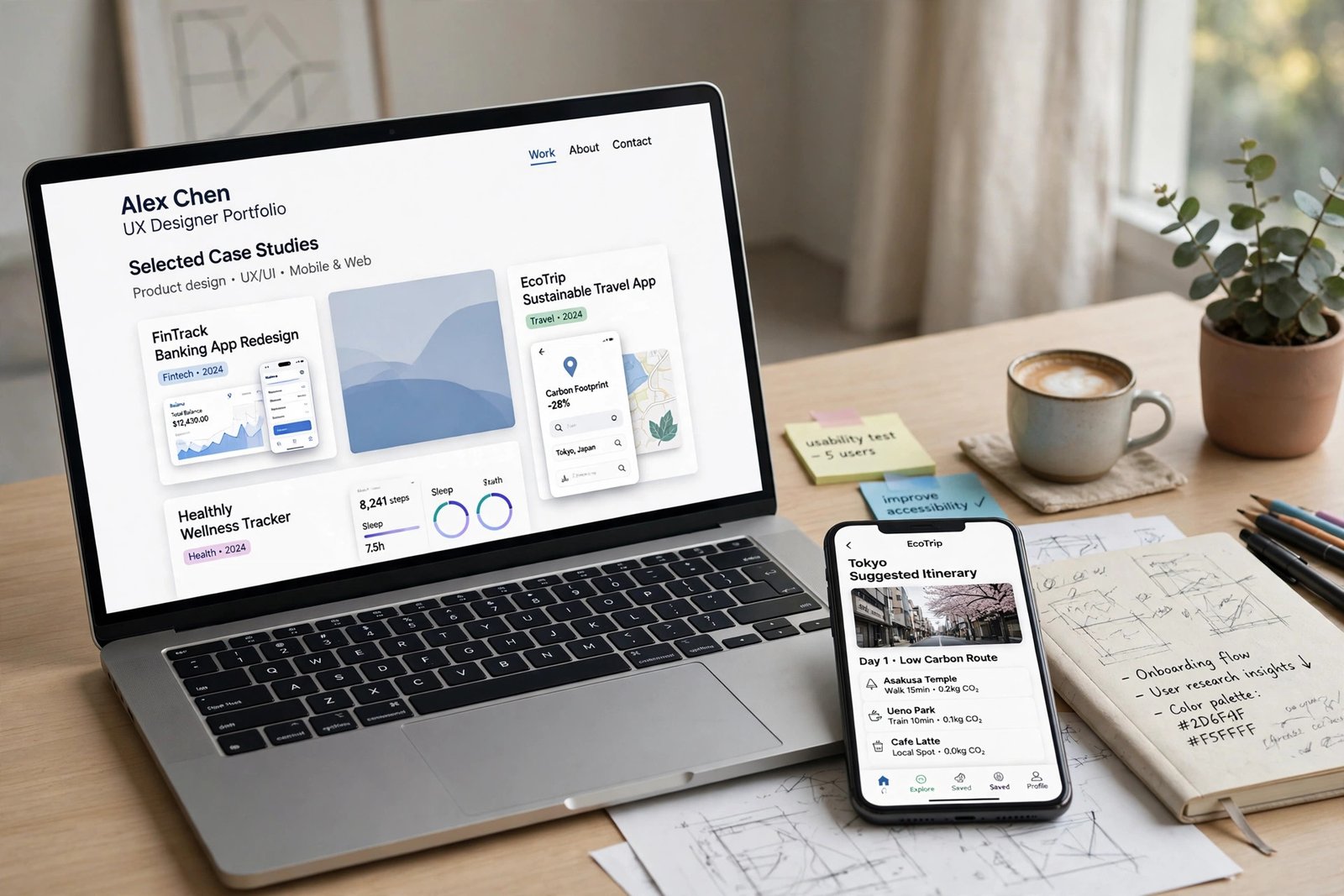
A degree is not required for most freelance clients. They care far more about your portfolio than your qualifications. A portfolio of pretty screens with no process will not win UX work. Clients want to see the problem, the research, the options you tried, and why you chose one option.
Build three to five case studies in the same clear shape. Start with the problem and the users. Show what you learned, the options you explored, and why you chose the final design. If you have no client work yet, use a real product you can improve or a volunteer project, and be honest that it was practice work.
Keep your portfolio site simple. Include a short introduction, your three best case studies, your services, and a clear way to contact you. Fix every spelling error. If you still need to learn the craft, start with our guide on how to learn UX design for beginners, then return to this guide for client work.
Step 2: Choose your services and niche
A niche is a small area you focus on, such as SaaS onboarding, fintech apps, health apps, or ecommerce checkouts. It helps you learn the users and rules faster, it makes your portfolio speak directly to the next client, and it lets you charge more for knowledge the client does not have to teach you.
Do not pick a niche only because it sounds profitable. Pick one where you have experience, interest or contacts. If you have no clear link, test two areas with small projects, then choose one to lead with after about three months.
When you learn how to work as a freelance UX designer, package your services around that niche. For example, a SaaS specialist might offer a 2 week onboarding audit and a monthly retainer. Named packages make your offer easy to buy, so write a one page sheet for each one, with the problem, what the client gets, and the price range.
Step 3: Set your pricing
Pricing is where many new freelancers lose money when they learn how to work as a freelance UX designer. They charge by the hour and work slowly, so they end with a low effective rate. Or they quote a low fee to win the job, then spend twice as long as planned. Price by value and scope, not by time alone.
Use three models. Hourly pricing suits small, unclear jobs, such as a short audit. Project pricing suits a defined job, such as a checkout redesign. Retainer pricing suits ongoing work, such as 20 hours a month for a startup.
Guides commonly report these typical ranges in US dollars per hour, not as a promise of what you will earn. Rates vary with experience, location, demand, niche and competition. Beginners are often reported at 50 to 90 dollars per hour, mid level designers at 90 to 150 dollars, and senior designers at 150 to 300 dollars. Full product fees are often reported from 3,000 to 8,000 dollars for beginners and from 15,000 to 50,000 dollars for senior designers.
Worked example
Example only: these numbers are not typical results. A designer quotes 4,000 dollars for a small app redesign. A 10 percent fee is 400 dollars, so the designer keeps 3,600 dollars before tax. At 40 hours, the effective rate is 90 dollars per hour, because 3,600 divided by 40 equals 90. At 60 hours, it falls to 60 dollars per hour. Agree screens, revision rounds, and extra work before you start.
Platform fees change, so check the fee on your own contract screen before you quote. Upwork now shows a variable freelancer service fee from 0 percent to 15 percent per contract, set when the contract starts. Our guide on how to make money on Upwork explains the platform, and our guide on how to make money on Fiverr covers a different model. Read how to raise freelance rates before your next review. Ask for a deposit of 30 to 50 percent, and put payment dates, scope and revision limit in a written contract.
Step 4: Find your first clients
Finding clients is a skill, not luck, and it is a core part of how to work as a freelance UX designer, so treat outreach as regular work. Start with people who already know your work. Tell former colleagues, former employers and local businesses that you now offer freelance UX design. Ask for a short call, and offer a small audit as a first step.
Use freelance platforms as a second channel, not your only channel. Upwork, Fiverr and Freelancer.com can bring first jobs, but they also bring strong competition and fees. On Upwork, apply only to jobs that fit your niche and where you can show a relevant case study. Write a short proposal that names the client problem and states your next step.
LinkedIn and design communities also help. Share one case study at a time, with a clear lesson. Direct outreach works when it is specific. Find a product with a clear UX problem, record a short video that shows the problem and one fix, and send it to the founder. Send ten thoughtful messages, and a reply rate of one in ten is a good start. For more ideas, see how to find high paying freelance clients.
Step 5: Deliver great work and keep clients
Good delivery is a core part of how to work as a freelance UX designer, and it starts before you design anything. Agree the goal in one sentence, such as reduce failed checkouts. Agree who decides, how fast they will give feedback, and what success looks like. Write those points in a short brief and ask the client to confirm it.
Work in small steps and share progress early. Show research findings before you show screens, and wireframes before polished designs. Ask the client to pick between two options. When you present a design, explain the user problem first, then the choice you made, then the trade off.
Hand over clean files. Name your layers, use a clear file structure in Figma, and add notes for developers. Offer a short call to walk the developer through the files. A tidy handover often turns a one off project into repeat work. After the project, ask for feedback and a testimonial, and offer a small follow up, such as a usability check one month after launch. Our guide on how to keep freelance clients has a clear routine, and how to manage multiple freelance clients helps when your workload grows. If a client is difficult, return to the written scope, as explained in how to handle difficult freelance clients.
What it costs and what to expect
Learning how to work as a freelance UX designer has low startup costs, but it is not free. You need a reliable computer, internet access, and time to build a portfolio. The table below shows typical costs in US dollars, checked in November 2026.
| Item | Typical cost | Notes | | Figma Starter | Free | Unlimited drafts, with limits on shared files | | Figma Professional full seat | 16 dollars per month, billed annually | Unlimited files and advanced tools | | Portfolio site and domain | 0 to 100 dollars per year | Free builders exist, a custom domain is often 10 to 20 dollars per year | | Research and testing tools | 0 to 50 dollars per month | Free plans cover small tests | | Contracts, invoicing and tax help | 0 to 200 dollars per year | Templates are free, an accountant costs more |
Figma is the main tool most clients expect. Its Starter plan is free and includes unlimited drafts, plus 150 AI credits per day up to 500 per month. A Professional full seat is listed at 16 dollars per month when billed annually. See the Figma pricing page for current plans.
Expect a slow start when you learn how to work as a freelance UX designer. Most new freelancers take three to six months to find steady work, and income can vary month to month. Plan your money around the slow case. Keep a cash buffer if you can, and aim for three to six months of basic living costs before you leave a full time job. Our guide on freelance taxes for beginners explains the basics, and how to invoice freelance clients shows a clear invoice routine. Use a written contract for every job, as explained in freelance contracts explained.
Common mistakes
- You sell screens instead of outcomes, so clients compare you on price and pick the cheapest designer.
- You skip user research, so your designs look good but do not fix the real problem.
- You show only finished screens in your portfolio, so clients cannot see how you think.
- You quote a low fee to win work, then work long hours for a low effective rate.
- You agree to unlimited revisions, so a small project grows into weeks of free work.
- You start design before you agree the scope, so the client keeps adding screens.
- You rely on one platform or one client, so a quiet month leaves you with no income.
- You stop marketing when you are busy, so your pipeline is empty when the project ends.
Risks and scams to watch for
How to work as a freelance UX designer also means facing real risks. Income is not steady, especially at the start. A client can delay a project, change scope, or pay late. A platform can change its fees or rules. Keep more than one client, keep a cash buffer, and keep marketing even when you are busy.
Watch for scams that target new freelancers. Be careful if a client asks you to pay a fee to start work, asks for your bank login details, or offers a very high fee for very simple work. Be careful if a client asks for free work as a test with no clear limit. A short paid test is normal. A long unpaid test is not. Be careful if a client moves you off a platform to pay by an unusual method, or pressures you to start before a contract is signed. Use the platform payment system, and a written contract for direct work. Do not share full source files before you are paid for that stage, and agree in writing who owns the final files, usually after full payment.
Frequently asked questions
Can I work as a freelance UX designer with no experience?
You can learn how to work as a freelance UX designer with no experience, but it is harder without real product experience. Most clients prefer a designer who has worked on a real product. Build three strong case studies from practice or volunteer work first, then take small paid jobs.
Do I need a degree to freelance as a UX designer?
No, most clients do not ask for a degree. They ask for a portfolio that shows your process and results. Strong case studies usually carry more weight than a qualification on its own.
How much do freelance UX designers charge?
Rates vary with experience, location, niche and demand, so there is no single correct rate. Guides commonly report beginner rates of 50 to 90 dollars per hour, mid level rates of 90 to 150 dollars, and senior rates of 150 to 300 dollars. Test your price with real proposals, and raise it as your portfolio grows.
How is freelance UX design different from freelance UI design?
UX design focuses on research, user behaviour and solving usability problems, while UI design focuses on the visual look of screens. Many freelancers offer both, but UX work often commands higher rates because research skills are harder to find.
What is the best niche for freelance UX design?
There is no best niche for everyone. Fintech, health and SaaS work often pays well because the products are complex, but they also need domain knowledge. Choose a niche where you have experience or contacts, and test it for three months.
How long does a freelance UX project usually take?
It depends on scope. A UX audit often takes 1 to 2 weeks, a research sprint often takes 3 to 5 weeks, a new feature often takes 2 to 6 weeks, and a full redesign often takes 2 to 4 months. Put the timeline and revision rounds in your contract.
How do I get my first freelance UX client?
Start with your network, offer a small audit as a first step, and apply only to platform jobs that fit your niche. Share one case study at a time on LinkedIn, and send outreach that names a real problem in the client product.
Conclusion
To learn how to work as a freelance UX designer, build three strong case studies, choose a clear niche, package your services, set prices that cover fees and scope, and find clients through your network, platforms and specific outreach. Deliver in small steps, hand over clean files, and follow up so one project can lead to the next.
For your next steps, read how to raise freelance rates, how to write freelance proposals, and how to keep freelance clients, or browse all guides in freelancing.
Reader note: Rules, fees and tool prices differ by country and can change, so check the current official page before you buy or quote a price. Figures were checked in November 2026, and rate ranges are reported ranges, not a promise of what you will earn. Results vary with experience, location, demand and competition. Nothing here is financial advice.