How to Start a Faceless YouTube Channel in 2026
Learning how to start a faceless YouTube channel is the right first step if you want to build a channel without putting your face on camera. Many people have the knowledge and the voice for YouTube, but they do not want to film themselves, and that should not stop them. A faceless channel uses narration, animation, screen recordings, or stock footage instead of a presenter on screen. This guide shows you how to pick a niche, choose a format, write scripts, record a voiceover, and stay inside YouTube monetisation rules.
In this guide
- What a faceless YouTube channel is, and what it is not
- The three formats that work best
- Step 1: Pick a niche you can make 50 videos about
- Step 2: Define one audience and one channel promise
- Step 3: Choose your voice
- Step 4: Write a script that keeps people watching
- Step 5: Build visuals you have the right to use
- Step 6: Edit, add captions, and add music
- Step 7: Title and thumbnail
- Step 8: Set up the channel
- The monetisation rules that matter
- What it costs
- Your first 10 videos
- Common mistakes
- If monetisation is rejected
- Frequently asked questions
What a faceless YouTube channel is, and what it is not
A faceless YouTube channel is a channel where the creator never appears on camera. The videos still have a human voice, a clear point of view, and original ideas. The face is replaced by other visuals, such as narration over stock footage, simple animation, or a screen recording. Many successful channels work this way, from history explainers to software tutorials.
Faceless is not the same as inauthentic, and this difference matters for monetisation. YouTube updated its channel monetisation policies on July 15, 2025, renaming the old repetitious content rule as inauthentic content. Under that policy, channels cannot monetise generic or repetitive content, including content made with generic or unoriginal templates and no input from the creator. A faceless channel that adds real research, original scripts, and a clear point of view can monetise. A channel that mass-produces near-identical videos from a template cannot. The face is not the issue. The originality is.
A faceless channel suits people who value privacy or who want to build a channel around a topic rather than a personality. It does not suit topics where trust depends on seeing the person, such as personal fitness coaching.
The three formats that work best
Most faceless channels use one of three formats. Pick one and stay with it for your first ten videos, because changing format every week confuses viewers and slows you down.
Narration over visuals is the most flexible format. You write a script, record a voiceover, and lay it over stock footage, photos, or simple motion graphics. It works well for explainers, history, finance, science, and true stories. It is also the format most at risk from the inauthentic content rule, so your script must add real research and your own angle.
Animation is the slowest format to make, but it can stand out. Simple whiteboard animation, motion graphics, or slide-based animation can explain ideas that footage cannot show. You do not need to be an artist. Simple shapes, clear text, and steady movement are enough for most topics.
Screen recording is the fastest format. You record your screen while you show a tool, a website, or a piece of software, and you talk over it. It suits tutorials, software guides, and walkthroughs. Viewers accept a plain screen when the teaching is clear. For a general guide to starting any channel, read how to start a YouTube channel.
Step 1: Pick a niche you can make 50 videos about
Your niche is the topic your channel covers. Pick one you can make at least 50 videos about without running out of ideas or interest. A niche that is too broad, such as money, gives you endless topics but no clear audience. A niche that is too narrow, such as one single app, runs out of material in a month. Aim for the middle. Simple meals on a budget, basic home repairs, and beginner photography are all wide enough for 50 videos and narrow enough for one audience.
Test a niche in one afternoon before you commit. Search ten topics in your niche and check the top five results for each. If they have strong views and recent uploads, people still watch the topic. Then read the comments for questions no video answers well. Those are your first video ideas.
Do not pick a niche only because someone said it pays well per thousand views. Ad rates vary widely by niche, country, and season, and a high rate means nothing if you cannot make 50 honest videos about the topic. Pick one you can research and explain for a year. Interest beats ad rates, because interest keeps you publishing.
Step 2: Define one audience and one channel promise
A channel promise is one sentence that says who the channel is for and what they get. Write it down before you record anything. A good promise sounds like this: this channel helps busy parents cook a simple dinner in 30 minutes with five ingredients. A weak promise sounds like this: this channel is about food, money, and travel. The first promise tells a viewer whether to subscribe. The second tells them nothing.
Your audience is one kind of person with one kind of problem. Give them a name in your notes, such as a new parent who works full time and wants a quick dinner. Every video idea should pass one test: would this person watch it, and would it help them? If the answer is no, the idea belongs on a different channel. Write your promise in the About section once you set the channel up, and repeat it in your own words at the start of your videos.
Step 3: Choose your voice
Every faceless channel needs a voice. You have three options, and each one trades cost, time, and trust differently. Your own voice is free, it sounds human, and it builds trust fastest, but some people dislike hearing themselves. A hired narrator costs money per video, sounds professional, and frees your time, but you must brief them well and check every recording. An AI voice is fast and cheap, and modern voices sound smooth, but listeners can often tell, and a flat AI voice can push viewers away.
| Voice option | Cost | Time per video | Trust with viewers | Best for |
|---|---|---|---|---|
| Your own voice | Free | About one hour to record and clean up | Highest, it sounds real | Beginners, and channels built on personality |
| Hired narrator | Paid per video or per word | Low, you only brief and check | High, if the voice fits the topic | Channels with a budget and a clear brief |
| AI voice | Low, usually a monthly plan | Lowest, minutes to generate | Lower, listeners may notice | High volume channels with strong scripts |
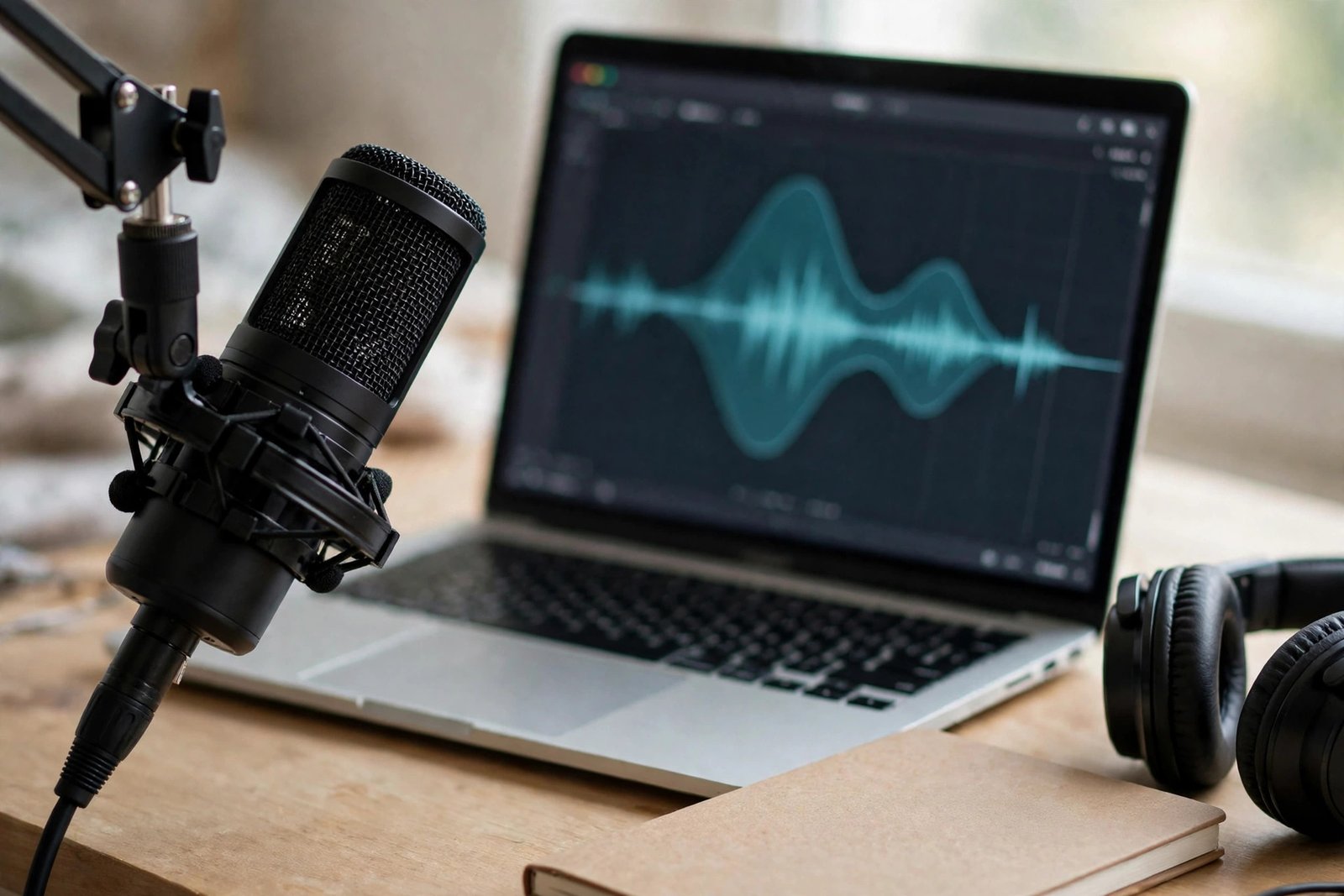
If you use your own voice, record in a small, quiet room and speak a little slower than feels natural. Test the sound on headphones before you record a full script. If you use an AI voice, listen to the full recording and fix any word it misreads. If you hire a narrator, agree on tone, pace, and price on a short sample first. Whichever voice you choose, keep it the same across your videos.
Step 4: Write a script that keeps people watching
A script is the real work of a faceless channel. Good visuals cannot save a weak script, and a strong script can carry plain visuals. Write every script in three parts: a hook, the main blocks, and a close.
The hook is the first 15 seconds. It must state the promise of the video in one or two sentences. Say what the viewer will learn or be able to do by the end, in plain words. Do not open with your channel name, a long greeting, or a joke that delays the point. Viewers decide in seconds whether to stay, and the hook is what keeps them.
The main blocks are the steps, points, or stories of the video. Write each block as one idea with one example, about 60 to 90 seconds each, and link them with a simple line. Cut any sentence that does not help the viewer. Read the script out loud before you record it. If a sentence is hard to say, rewrite it in shorter words.
The close is the last 20 seconds. Repeat the main point in one sentence, then give the viewer one next step. Ask once, at the end, after you have given value.

Never publish the first draft of an AI-written script. Use AI tools to outline ideas or to draft a rough structure, then rewrite every line in your own words, check every fact, and add your own examples. A script that reads like every other AI script is exactly the kind of generic content the inauthentic content policy targets. Your research, your wording, and your examples are what make the video yours.
Step 5: Build visuals you have the right to use
Your visuals must come from a source you have the right to use. The safe sources are footage you filmed yourself, photos and clips from free stock libraries, and images you made with an AI image tool. YouTube also has an Audio Library with free music and sound effects, which is the safe default for music. Never download clips from other creators videos and reuse them. That is a copyright risk, and it can also get your video claimed or removed.
Royalty-free does not mean free of all rules. It means you pay once, or nothing, for a licence to use the clip, but the licence still has terms. Read it before you use a clip. Some sites ask for credit, and some forbid implying that a person in the clip endorses your product. Keep a note of where each clip came from.
Match your visuals to the words. When the script names a step, show that step. When it names a place, show that place. A video that shows random footage while the voice talks about something else feels careless, and viewers leave. If you use AI images, check each one before you publish. AI tools often garble text, hands, and numbers, and a wrong image can mislead the viewer.
Step 6: Edit, add captions, and add music
Editing a faceless video is mostly cutting. Remove pauses, mistakes, and repeated words. Cut on a breath, never in the middle of a word. Keep the pace steady, and add a visual change every 20 to 30 seconds, such as a new clip, a text label, or a zoom. That change keeps the eye engaged without distracting from the voice.
Add captions to every video. Many viewers watch with the sound off, and captions help them follow the video and help YouTube understand it. YouTube can generate captions for you, but read them and fix the errors, especially names and numbers. Add music last, and keep it well below the voice. Use tracks from the YouTube Audio Library or a licence you hold.
Step 7: Title and thumbnail
Your title and thumbnail work together to earn the click. The title should name the topic and the benefit in plain words, and it should fit the video. A title that promises more than the video gives is clickbait, and it hurts the channel, because viewers leave fast and YouTube notices. Keep titles under 70 characters where you can, and put the main topic near the front.
The thumbnail should show one idea, readable at the size of a phone screen. Use two or three words at most, a clear image, and strong contrast. Do not repeat the full title in the thumbnail. Test it by shrinking it to the size of a postage stamp. If you cannot read it, simplify it. For more detail, read how to write YouTube titles and how to design YouTube thumbnails.
Step 8: Set up the channel
Set up the channel before you publish your first video. Pick a name that says what the channel is about, and check that the name and handle are free. A handle is the short name after the @ sign that viewers use to find you.
Fill in the About section with your one sentence promise, plus who the channel is for and how often you plan to publish. Add a banner image that matches the promise, with the channel name readable on a phone. Set your upload defaults in YouTube Studio, so every upload starts from the same base, and create one playlist for your first series. Do not buy subscribers, views, or watch time. Bought engagement breaks YouTube rules and can lead to removal from the Partner Program or termination of the channel.
The monetisation rules that matter
To earn from ads on YouTube, you must join the YouTube Partner Program. As shown on the official YouTube Partner Program overview and eligibility page, checked on November 7, 2026, the full thresholds are 1,000 subscribers with 4,000 qualified watch hours in the last 12 months, or 1,000 subscribers with 10 million qualified Shorts views in the last 90 days. Shorts Feed views do not count toward the 4,000 hours, and unlisted, deleted, or unconverted livestreams do not count. Review typically takes about one month, and monetisation can be removed after six months of inactivity.
The inauthentic content policy matters just as much as the thresholds. The official YouTube channel monetisation policies page lists three kinds of content that cannot monetise. The first is generic or repetitive content, including AI-generated content made with generic or unoriginal templates without the creator's own insight. The second is unsatisfying or off-putting content, such as shock or emotionally manipulative formulas. The third is AI personas giving advice on sensitive topics, including health, legal, finance, and politics. That last point matters for faceless channels. An AI voice reading financial advice with no human research or insight behind it cannot monetise.
YouTube also asks creators to label realistic synthetic content. If your video contains realistic images, voices, or footage made with AI, say so in YouTube Studio when you upload. The label is a simple step. Open the upload, look for the altered content question, and answer it honestly.
You do not need to wait for the Partner Program to earn something. Affiliate links, sponsorships, and selling your own products can start earlier, but they still need an audience and trust. For the full picture, read how to monetise your YouTube channel.
What it costs
You can start a faceless channel for free, and you can also spend money to go faster. The table below shows three routes. Prices for tools change often, so check each price on the day you buy, and treat the figures below as rough ranges, not quotes.
| Route | Tools | Rough monthly cost | What you get |
|---|---|---|---|
| Free | Your voice, phone recording, free editor, stock sites, Audio Library | 0 | A working channel with no spend |
| Low cost | Paid voice tool or stock plan, simple thumbnail tool | About 10 to 30 dollars | Faster production and better sound |
| Paid | Hired narrator, paid stock and music, premium editor | About 50 to 200 dollars | Professional sound and more videos per week |
The free route is enough to test whether you enjoy making videos and whether viewers respond. Spend money only after you have published ten videos and you know which step is slow. Also budget time, which is the real cost. One video a week at three to five hours per video is a realistic pace for a beginner, including research, scripting, recording, editing, and the title and thumbnail.
Your first 10 videos
Publish ten videos before you judge the channel. Ten videos give you enough data to see what works, and they give new viewers a reason to subscribe. Plan the ten videos before you record the first one, so you are not choosing a topic from scratch every week.
Example only: these numbers are not typical results. Imagine a faceless channel about simple meals on a budget, aimed at busy parents. A sensible first ten videos could be: five dinners under 30 minutes, three lunchbox ideas, one video on a weekly shop plan, and one video on five pantry staples. Each video follows the same format, voice, and length, about eight minutes. After ten videos, the creator checks which topics held viewers longest, then makes five more on the winning topic. That is the method, not a promise of views.
Publish on a schedule you can keep. One video a week is better than three videos in one week followed by a month of silence.
Common mistakes
- Picking a niche only because someone said it pays well, then running out of things to say after five videos.
- Publishing the first draft of an AI-written script without rewriting it, checking the facts, or adding your own examples.
- Changing the voice, format, or topic every week, so viewers never learn what the channel is.
- Using clips or music without checking the licence, then getting a copyright claim months later.
- Writing titles that promise more than the video gives, which makes viewers leave fast.
- Publishing in bursts, then going silent for a month, instead of keeping a steady weekly pace.
- Waiting for perfect equipment before publishing the first video, when a phone and a quiet room are enough to start.
- Ignoring the inauthentic content policy and mass-producing near-identical videos from a template.
If monetisation is rejected
If YouTube rejects your application for the Partner Program, do not panic, and do not re-apply at once. Read the reason YouTube gives in YouTube Studio. The most common reason for faceless channels is reused or inauthentic content, which usually means the videos look too similar or too templated. Fix the cause before you apply again: add original research, rewrite scripts in your own words, and remake the weakest videos.
You can appeal within 21 days if you believe the decision was wrong, and you can re-apply after 30 days. Use that time to publish five more videos that show clear original input, then re-apply. Each rejection is feedback, not a final verdict.
Frequently asked questions
Can you make money with a faceless YouTube channel?
Yes, a faceless channel can earn from ads once it joins the YouTube Partner Program, and from affiliate links, sponsorships, or its own products before that. The channel must meet the same thresholds as any other channel, and the content must follow the inauthentic content policy. Income varies with niche, audience size, and consistency, and most channels earn nothing for the first months.
Do you need to show your face to monetise on YouTube?
No. YouTube does not require a face on camera. It requires 1,000 subscribers and either 4,000 qualified watch hours in the last 12 months or 10 million qualified Shorts views in the last 90 days, plus content that follows the monetisation policies. A faceless channel with original scripts and honest research can meet those rules.
Can I use an AI voice for YouTube videos?
Yes, you can use an AI voice, but the script must still be original and add value. A video that is only a generic AI voice reading a templated script may be classed as inauthentic content and excluded from monetisation. Listen to the full recording, fix misread words, and label realistic synthetic content in YouTube Studio when the rules ask for it.
How much does it cost to start a faceless YouTube channel?
You can start for free with your own voice, a phone, a free editor, free stock footage, and music from the YouTube Audio Library. A low cost route with a paid voice or stock plan runs about 10 to 30 dollars a month. The bigger cost is time, at about three to five hours per video for a beginner.
What is the best niche for a faceless channel?
The best niche is one you can make 50 videos about, where viewers already search for answers, and where the information matters more than the presenter. Good examples include simple cooking, home repairs, software tutorials, history explainers, and beginner guides. Avoid niches where trust depends on seeing the person, such as personal fitness coaching.
Is a faceless YouTube channel profitable?
It can be, but only after months of steady publishing and only if the content is original and useful. Ad income depends on views, niche, country, and season, and it varies widely. Treat a faceless channel as a slow project, not a quick income source, and do not spend money on it until you have published ten videos and seen real viewer response.
Conclusion: start with ten honest videos
A faceless YouTube channel works when the script is original, the voice is steady, and the visuals are legal. Pick a niche you can make 50 videos about, define one audience and one promise, choose one voice and one format, and publish ten videos on a steady schedule. Then keep what works and fix what does not.
Your next step is to write your channel promise in one sentence and list your first ten video ideas today. For the wider system, read how to monetise your YouTube channel, how to grow your YouTube channel, and how to make money with AI videos. You can also browse all our guides in the YouTube earning category.
Results vary with niche, audience, and consistency, and nothing on this site is financial advice. Rules were checked against the official YouTube Help pages on November 7, 2026.