Learning how to sell fonts online starts with one fact that surprises most beginners: you do not sell the file, you sell a licence to use it. The buyer pays for permission, and the licence sets the price. A desktop licence for one computer costs far less than a licence that lets a company use the font in an app or on a website. This guide shows you how to design a font people will pay for, finish the file properly, write licence tiers, price it, and choose where to sell it. It suits designers who can already draw letters and want to turn that skill into products.
In this guide:
- How selling fonts works
- Step 1: Design a font people will pay for
- Step 2: Finish the file
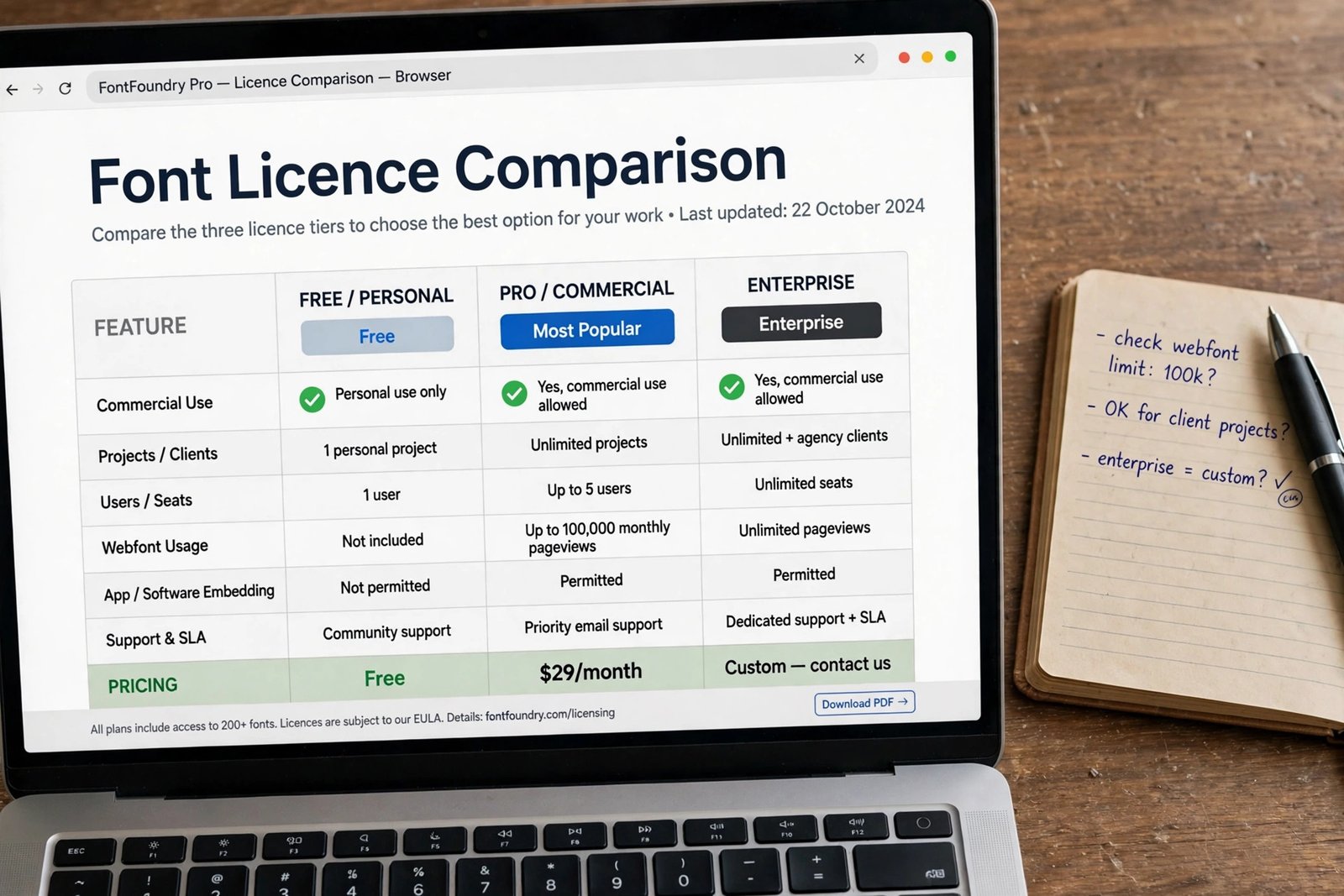
- Step 3: Write your licence tiers
- Step 4: Price your font
- How to sell fonts online: choose where to sell
- Step 6: Make preview images that sell
- Step 7: Get your listings found
- AI made fonts: the rules per marketplace
- Common mistakes
- Frequently asked questions
How selling fonts works
A font is a set of digital letterforms. When someone buys a font, they buy the right to use it under a licence, which is a written set of rules. The licence says where they can use it, on how many computers, and in what kind of work. The most common licence is the desktop licence, which covers use in documents, images, and printed work on a set number of computers. A webfont licence covers use on a website, usually priced by monthly page views. An app licence covers use inside an app or software product. An ebook licence covers use inside a published ebook. A commercial licence is a broad term that usually means the buyer can use the font in work they sell.
This matters because licences are how fonts earn more than a single flat price. A buyer who needs a font for a logo pays more than a buyer who needs it for a school project. Your job is to write clear tiers, so the buyer can see what each one allows and pick the right one without emailing you.
Fonts sell in two main places: marketplaces such as Etsy, Creative Market, and MyFonts, which bring the buyers to you, and your own shop, where you keep more of each sale but find your own buyers. Most font sellers use both. One font rarely earns much on its own. Income grows with a catalogue, with font families that offer several weights, and with bundles that group related fonts at a fair price.
Step 1: Design a font people will pay for
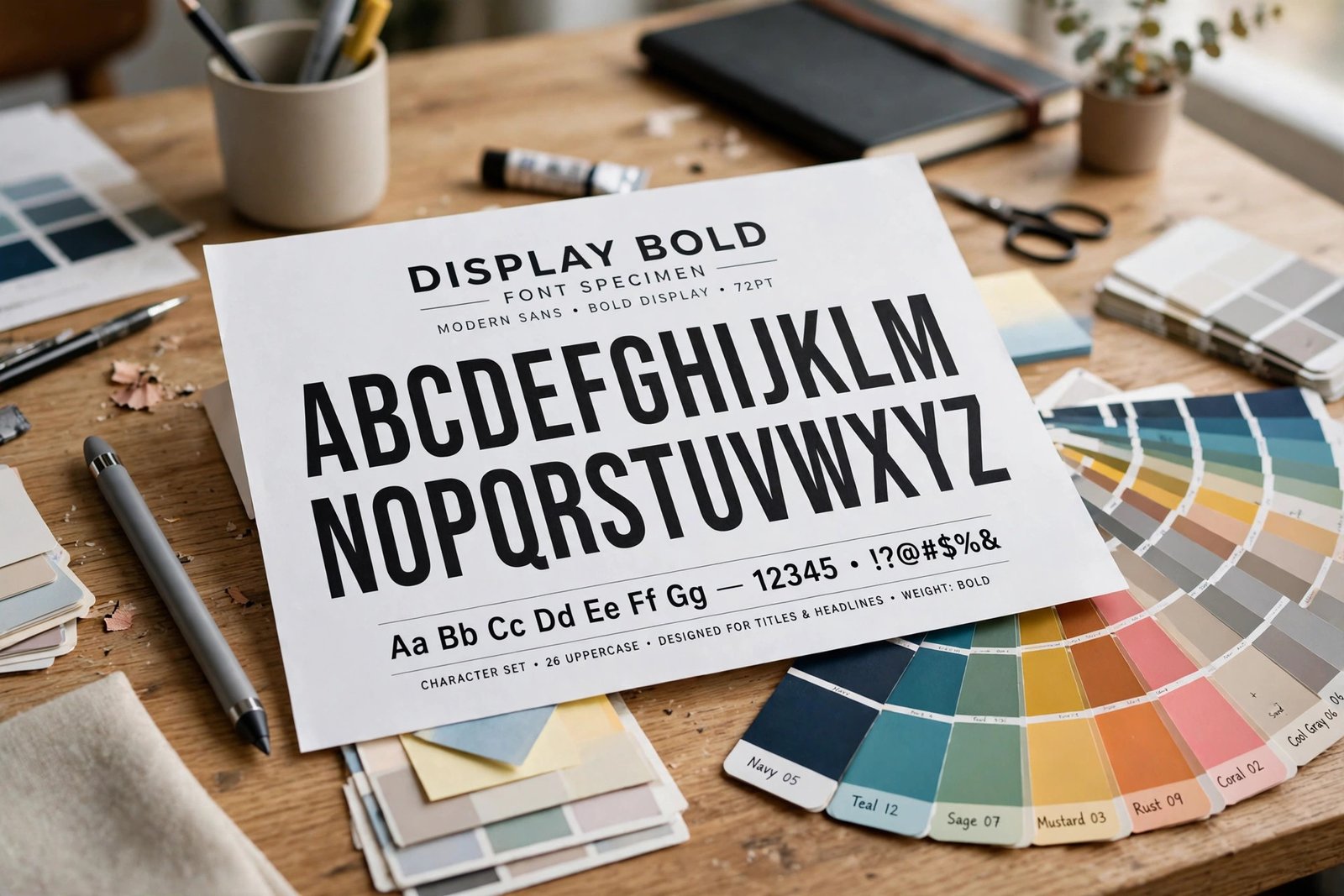
Start with a gap, not with a favourite letter. Browse the best sellers on Creative Market and MyFonts, and look for styles that are missing or poorly served. Note the gaps: a clean handwriting style with full language support, a bold display font for food packaging, a readable serif for wedding stationery. Then check that the gap has buyers. If the style exists but every version is weak, that is also a gap.
Pick one style and one use. A display font for posters needs bold shapes and strong personality at large sizes. A text font for books needs calm, readable shapes at small sizes. Trying to make one font do both jobs usually makes it do neither well.
Draw the core letters first: the lowercase letters, the capital letters, the numbers, and the basic punctuation. These are the glyphs, which is the technical word for each character in a font. Work in a font editor such as Glyphs, FontLab, or FontForge. FontForge is free, while Glyphs and FontLab are paid tools used by professionals. If you draw on paper first, scan your letters and trace them in the editor, then clean up the curves until each letter looks smooth at large sizes.
Test early and often. Type real words, not just the alphabet. Type the buyer's words: names, prices, headlines, wedding dates, shop names. If a letter looks wrong in a real word, fix it now, because buyers judge a font by the words they type, not by the specimen sheet.
Step 2: Finish the file
A font that is only half finished will earn bad reviews, and bad reviews are hard to undo. Before you list a font, finish these jobs.
First, complete the character set. A professional font needs the full basic Latin letters, numbers, punctuation, common symbols, and accented letters for the main European languages. A display font with only 85 glyphs, which is about the alphabet plus numbers, is not a professional font. Buyers who need an accented letter for a name will leave and buy a complete font instead.
Second, kern the font. Kerning means adjusting the space between specific pairs of letters, such as "A" and "V", so the spacing looks even. Poor kerning is the clearest sign of an amateur font. Test the spacing at small sizes and at large sizes, and fix the worst pairs first.
Third, test the font in real apps. Install it and type with it in a word processor, a design app, and a web browser. Check that it works at 10 point size for body text and at 72 point size for headlines. Check bold and italic behaviour if you made those weights, and check that the font name shows correctly in the font menu.
Fourth, export the right formats. OTF is the standard format for desktop use and for most marketplaces. TTF is an older format that still works everywhere. WOFF and WOFF2 are the web formats for use on websites. Most listings include OTF and TTF, and add WOFF and WOFF2 for the webfont licence. Name the files clearly, and include a short readme that says what is inside, how to install the font, and what the licence allows.
Step 3: Write your licence tiers
Your licence tiers are your price list. Keep them simple, with three or four options, and write each one in plain words. Buyers should not need a lawyer to understand what they can do.
| Licence tier | What it allows | Typical price |
|---|---|---|
| Desktop | Use in documents, images, and print on a set number of computers | 10 to 30 dollars |
| Webfont | Use on a website, priced by monthly page views | 15 to 40 dollars |
| App or ebook | Use inside an app, game, or published ebook | 40 to 150 dollars |
| Extended or commercial | Broad use, including products for sale and large campaigns | 100 dollars and more |
The prices above are typical ranges for a single weight from an independent designer. They are not promises of what you will earn. A full family with several weights costs more, and a well known foundry charges more than a new seller. State the number of computers or page views each tier covers, and say what happens if the buyer needs more: they buy the next tier up, or they contact you for a custom quote.
Use a clear licence document, often called an End User Licence Agreement, or EULA. Marketplaces such as Creative Market provide their own licence terms, so your tiers must fit their rules. On your own shop, write your own EULA in plain words, and link to it from every listing. If you are unsure about the wording, ask a qualified lawyer. A bad licence can cost you more than a lost sale.
Step 4: Price your font
Price a font by its use, not by your effort. A display font for a wedding stationery business is worth more than the same font sold for personal use, because the buyer earns money with it. Monotype, which runs MyFonts, publishes guidance for independent foundries on its Foundry Platform, and it treats pricing as part of running a library, not as a guess. Read that guidance when you set your first prices.
Start with the single weight price, then price the family. A common pattern is to charge the full price for the first weight, then offer the full family of four or five weights for about two to three times the single price. This gives buyers a reason to buy the family, and it raises your average sale without extra work.
Now look at the fee maths, because the same 20 dollar font keeps a different amount on each platform. The table below uses verified figures as of November 2026, and it shows what the seller keeps before payment processing in some rows, so read the notes.
| Where you sell | Fee on a 20 dollar font | Seller keeps |
|---|---|---|
| Etsy | 0.20 dollar listing fee plus 6.5 percent transaction fee | 18.50 dollars, before payment processing |
| Creative Market | 50 percent of net revenue on standard licences | 10 dollars |
| MyFonts | 50 percent on MyFonts sales under the distribution agreement | 10 dollars |
| Gumroad | 10 percent plus 50 cents on direct sales | 17.50 dollars, before card processing |
| Own Shopify store | 2.9 percent plus 30 cents card fee | 19.12 dollars, before the plan cost |
Worked example (example only: these numbers are not typical results). A seller lists a font at 20 dollars on Creative Market and sells 10 copies in a month. The shop keeps 50 percent of net revenue, so each sale keeps 10 dollars, and 10 sales keep 100 dollars. The same font on Gumroad keeps 17.50 dollars per direct sale, so 10 sales keep 175 dollars before card processing. The gap looks large, but Creative Market brings buyers the seller did not have to find, while Gumroad sales need the seller's own traffic. Compare the fee with the traffic, not the fee alone.
Etsy charges a 0.20 dollar listing fee plus a 6.5 percent transaction fee, and payment processing is extra and varies by country. Check Etsy's fee pages for your country before you price, because the processing fee changes the maths.
How to sell fonts online: choose where to sell
Each channel suits a different kind of seller. Etsy suits new sellers who want buyers without building a shop, and it works well for handwriting and display fonts aimed at craft buyers. Etsy's help page for digital listings confirms the rules for digital items: up to five digital files per listing, 20 MB per file, no variations on digital items, and the item must be made or designed by you. Creative Market suits designers with a strong portfolio, but it has an application gate, so read how to sell digital products on Creative Market before you apply. MyFonts suits sellers who want to reach professional designers, and it is owned by Monotype, which also runs the Foundry Platform for independent foundries. Your own store suits sellers with an audience, because you keep the most per sale and you own the customer list.
| Channel | Who it suits | Main cost | Main trade off |
|---|---|---|---|
| Etsy | New sellers, craft buyers | Listing fee plus transaction fee | Small fees on every sale, lots of competition |
| Creative Market | Designers with a strong portfolio | 50 percent of net revenue | Application gate, but design focused buyers |
| MyFonts | Professional and commercial fonts | Share of each sale under the agreement | Review process, but serious buyers |
| Own store | Sellers with an audience | Monthly plan plus card fees | You keep more, but you find every buyer |
List on more than one channel when the rules allow it. Creative Market licences are non-exclusive, so you can sell the same font elsewhere, but its Shop Terms say you must not price it higher than the lowest price you offer for it on any other marketplace. Keep your prices the same across channels, or you will break that rule without meaning to.
Be careful with exclusivity. MyFonts has offered exclusive deals in the past, and exclusive terms change what you can sell elsewhere. Read the agreement before you sign anything, and do not agree to exclusivity for a small fee. If a marketplace rejects your font, read the reason, fix the file, and try again, or list it on another channel while you improve it.
Step 6: Make preview images that sell
Buyers cannot try your font before they buy it, so your preview images do the selling. Make five images for every listing. The first is the cover: the font name in large letters on a clean background, so it reads well as a small thumbnail. The second shows the full character set, so buyers can check the letters they need. The third shows the font in use, such as on a poster, a book cover, or a t-shirt mockup. The fourth shows the font at small sizes, so buyers can see it stays readable. The fifth shows what is included: the weights, the formats, and the licence tiers.
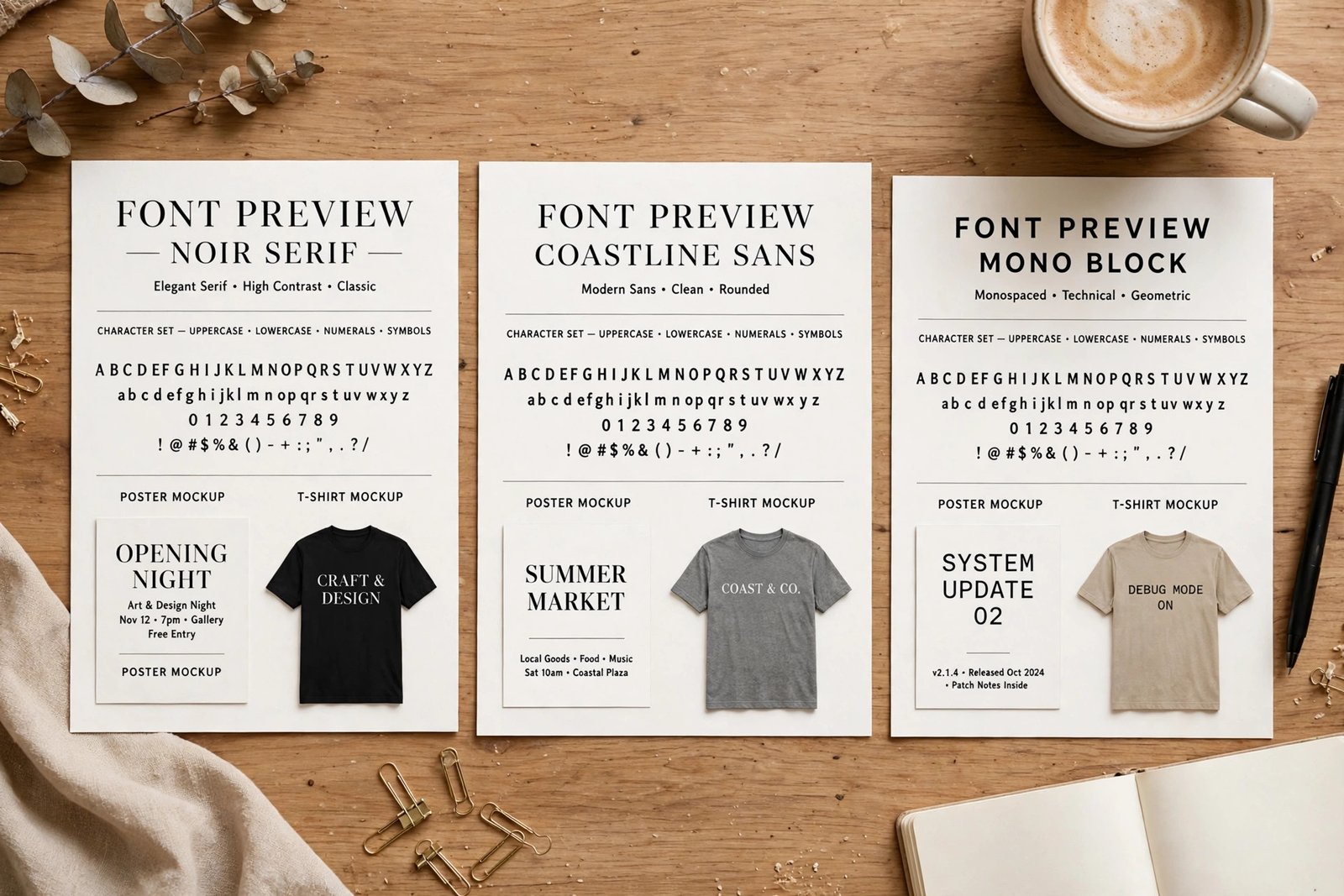
Type real words in your previews, not just the alphabet. Use the words your buyer will type: shop names, wedding dates, book titles, prices. Show the font in the context it was made for. A handwriting font belongs on a wedding invitation mockup, not on a tech poster. Keep the images clean, with no watermarks across the letters, because buyers need to see the shapes clearly.
Step 7: Get your listings found
Marketplace search is where most font buyers start, so write your listing for search and for people. Put the main use in the title, such as "Modern Handwriting Font for Wedding Stationery", not just the font name. Use the description to say who the font is for, what it includes, and what formats the buyer gets. Add tags that name the style, the use, and the mood: handwriting, wedding, invitation, modern calligraphy, clean, elegant.
Link your listings together. A buyer who finds your wedding font may also want your matching serif for the same invitation set. Link from each listing to the others, and from your shop page to your best sellers. If you sell on your own site too, link from your marketplace listings to your shop where the rules allow it, and link from your shop to your marketplace profiles so buyers can see your full catalogue.
For more on pricing and product pages, read how to price digital products and how to sell digital products on Etsy. If you also make other design assets, how to sell Lightroom presets online shows how a similar product type is listed and priced.
AI made fonts: the rules per marketplace
AI tools can now draw letters, and that has changed the rules. Some marketplaces refuse AI made fonts, and others ask you to say clearly that AI was used. Envato, for example, does not accept AI generated fonts. Other marketplaces may accept them with disclosure, but the rules change often, so read the current rules on each marketplace before you list.
There is also a copyright question. In the United States, copyright protects human authorship, so a font made entirely by an AI tool, with no human creative input, sits in uncertain territory. A font you designed by hand and refined in a font editor is on firmer ground. If you used an AI tool, say so in the listing, keep records of your own design work, and do not claim a copyright you may not hold. When in doubt, design the font yourself. It is slower, but it is yours, and buyers pay more for work they can trust.
Common mistakes
- Listing a font with an incomplete character set, so buyers cannot type the names they need.
- Selling only one weight, when a family of three or four weights would earn more per buyer.
- Copying a known typeface or naming your font after a brand, which risks a trademark complaint and a takedown.
- Pricing every font the same, no matter what the licence allows.
- Using preview images that show only the alphabet, with no real words and no use in context.
- Forgetting the webfont and app tiers, so commercial buyers have nothing to buy.
- Listing AI made fonts without disclosure, then losing the listing when the marketplace finds out.
- Expecting one font to earn a living, instead of building a catalogue over time.
Frequently asked questions
Can you make money selling fonts?
Yes, but slowly at first. One font rarely earns much. Income grows when you build a catalogue, offer families with several weights, and sell on more than one channel. Custom font work for clients can pay sooner than marketplace sales, because it is priced per project.
Where is the best place to sell fonts?
It depends on your font and your audience. Etsy suits craft and handwriting fonts, Creative Market suits design focused fonts, and MyFonts suits professional and commercial fonts. Your own store keeps the most per sale but needs your own traffic. Most sellers use two or three channels at once.
Do I need a licence to sell fonts?
You need to write the licence your buyers use, not buy one for yourself. A licence is the written set of rules that says what the buyer may do with the font. Marketplaces provide their own licence terms, while your own shop needs a written End User Licence Agreement. Keep it in plain words.
Can I sell AI generated fonts?
It depends on the marketplace. Some refuse them, and others ask for clear disclosure. In the United States, copyright protects human authorship, so a font made entirely by AI sits in uncertain territory. Read the current rules on each marketplace before you list, and say clearly when AI was used.
How much should I charge for a font?
A single weight from an independent designer often sells for 10 to 30 dollars on a desktop licence, with webfont, app, and extended licences priced higher. A full family costs about two to three times the single weight price. Check what similar fonts sell for on the same marketplace, then price by the use the licence allows.
Are fonts protected by copyright?
In many countries, the font software is protected, while the design of the letters themselves has weaker protection. The rules differ by country, and the United States treats typeface designs differently from font software. Do not copy a known typeface, and do not name your font after a brand. If you need certainty, ask a qualified lawyer.
Conclusion
Selling fonts online comes down to a clear sequence. Design a font for one buyer and one use, finish the character set and the kerning, write licence tiers that a buyer can understand, price by the use the licence allows, and list it where your buyers already shop. Then make preview images that show real words in real use, and keep building the catalogue, because one font is a start, not a business.
Next, read how to sell digital products on Creative Market to apply for a shop, how to sell digital products on Etsy to list your first font, and how to price digital products to set your prices with confidence. Then browse all digital products guides to plan your next product.
Reader note: fee and licence figures were checked on the Creative Market Shop Terms, the Monotype Foundry Platform, and Etsy's help pages in November 2026, and marketplace rules change, so check the live pages before you list. Tax and copyright rules differ by country, so speak to a qualified professional where you live. Earning results vary; nothing on this site is financial advice.