How to Work as an Online Moderator in 2026
Learning how to work as an online moderator is worth doing carefully, because this job is not what most people expect. A moderator keeps an online space safe and fair, by removing posts that break the rules, calming arguments, and helping new members. Some of the work is paid, much of it is volunteer work, and some of it exposes you to upsetting content. This guide explains the three paths honestly, so you can pick the one that fits you, build proof, and find paid work without burning out.
This guide is for beginners who are calm under pressure, fair-minded, and good with people online. You will learn what the work involves, which path to pick, what skills you need, how to get experience without being exploited, how to learn the tools, where paid work comes from, and how to protect your wellbeing.
In this guide
- What an online moderator actually does
- Decide whether it fits you
- Skills you need, and how to build them
- Step 1: Get experience by volunteering wisely
- Step 2: Learn the tools
- Step 3: Build proof without breaking confidentiality
- Step 4: Where to find paid work
- Step 5: Pass the assessment and interview
- A realistic day, and your first 90 days
- What it costs and what to expect
- Common mistakes
- Risks, wellbeing, and scams to watch for
- Frequently asked questions
What an online moderator actually does
An online moderator enforces the rules of a community or a platform. That can mean removing spam, hiding abuse, warning members who break the rules, answering questions, and passing serious cases to a senior moderator or a trust and safety team. Trust and safety is the name platforms give to the teams that keep users safe, and moderators are often the first line of that team.
There are three paths, and they pay very differently, so choose before you start.
| Path | What you do | Pay | What you are exposed to |
|---|---|---|---|
| Volunteer community moderator | Moderate a Discord server, a Reddit community, or a Facebook group for free | None, but you gain experience and contacts | Mild arguments, spam, and the odd angry member |
| Paid community moderation | Moderate a brand or creator community on a shift, often part time | Hourly or per shift, rates rise with unsociable hours | The same as volunteer work, plus targets and reporting |
| Platform trust and safety review | Review reported content at scale for a platform or a vendor | Usually an hourly employee or contractor rate | Disturbing content, including abuse and graphic material |
Volunteer work is the normal way in, and it is also where people get exploited. If a community asks you to work long hours for free with a promise of pay "later", that is not experience, it is unpaid labour. Set a limit, such as five hours a week for three months, and move on if no paid route appears. Paid community moderation is the best target for most beginners, because the content is usually mild and the hours are flexible. Platform review pays more steadily, but the content can be hard to look at all day, and you should only take it if you are sure you can handle it.
Decide whether it fits you
This work suits people who stay calm when others are angry, apply rules the same way to everyone, and can make a decision with incomplete information. You will often have to judge a post quickly, with no perfect answer, and then explain your decision in a short, polite message.
Ask yourself four questions before you start. Can you stay polite to someone who is rude to you? Can you follow a rule you disagree with, because the community agreed it? Can you step away from the screen when you feel upset, instead of replying in anger? Can you keep private information private, even when friends ask what happened? If you answered yes to all four, you have the temperament for it. If you answered no to two or more, this may not be the right work for you, and that is useful to know now.
You do not need a degree or a qualification. Employers and communities care about judgement, communication, and reliability, not certificates. What counts is evidence that you can moderate fairly, which the later steps in this guide show you how to build.
Skills you need, and how to build them
Five skills carry this work. Clear writing matters most, because most of your decisions are explained in short messages. De-escalation, which means calming a heated exchange without taking sides, is second. Consistency is third: members trust a moderator who applies the same rule to everyone. Speed is fourth, because queues grow fast, and a slow moderator leaves members waiting. Finally, record keeping matters, because you must note what you did and why, so another moderator can follow up.
Build these skills in small, practical ways. Practise writing short, neutral replies to angry messages, and ask a friend to tell you if your reply sounds fair. Read the rules of a community you already use, and note which rules are clear and which are vague. Take a free short course on conflict resolution or community management, and write down three techniques you can use. None of this needs money, and all of it makes your application stronger.
Step 1: Get experience by volunteering wisely
Volunteer in a community you already know and like, such as a Discord server for a game you play, a Reddit community about a hobby, or a Facebook group for a local interest. Apply when the community asks for moderators, and say plainly what you can offer: your hours, your timezone, and your experience as a member.
Set boundaries from the start. Agree your hours in writing, such as five hours a week, and agree what you will not do, such as handling private disputes between members or working through the night. Keep a private note of what you do each week, because that note becomes your proof later. If the community grows and your hours grow with it, ask for a clear path to a paid role, and if there is none, thank them and leave after three months. Your time is worth more than a title.
Step 2: Learn the tools
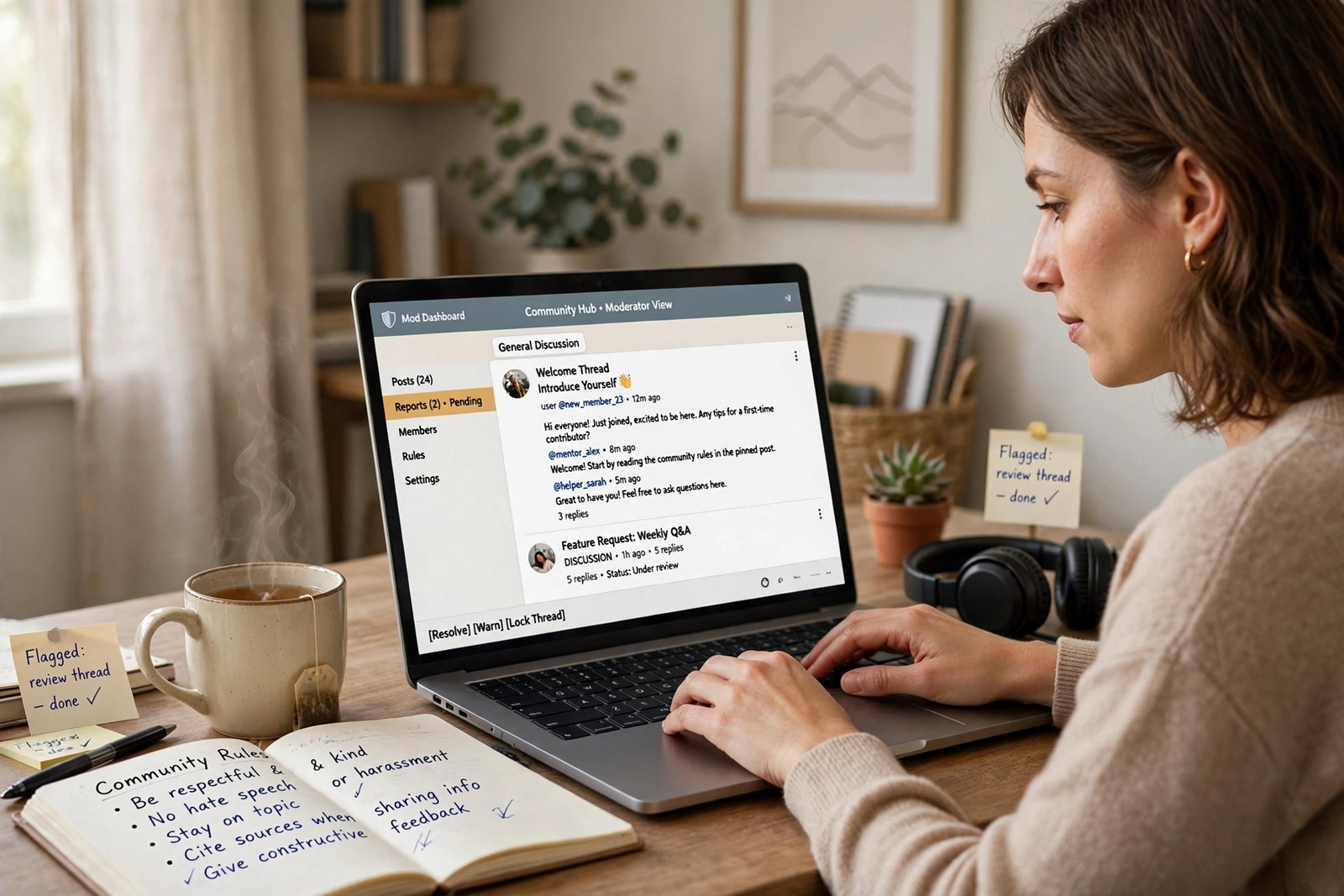
Each platform has its own moderation tools, and learning them is part of the job. Discord uses roles and permissions to decide who can do what, plus bots that remove spam and filter banned words automatically. Reddit uses Mod Tools, which is the moderation panel for a community, and AutoMod, which is a tool that removes posts automatically when they match rules you set. Facebook Groups use admin tools for approving members, removing posts, and setting group rules. Twitch uses moderation settings for chat, including slow mode and banned words.
You do not need to learn them all. Pick the platform where you want to work, and learn its tools in a week. Use the platform's own help pages, set up a test server or group with friends, and practise the basic actions: approve a member, remove a post, warn a member, and set a filter. When you apply for paid work, name the tools you can use, and say what you can do with each one.
Step 3: Build proof without breaking confidentiality
Proof matters, because employers cannot see your moderation work unless you show it. But you must never share private messages, member details, or the content of a case you handled. Breaking confidentiality will end your chances, and it can harm the people involved.
Build proof safely instead. Write short, sanitised case notes, which are summaries with all names and identifying details removed. For example: "A member posted the same link five times in an hour. I removed the duplicates, warned the member with the standard message, and logged the action. The member stopped, and no further action was needed." That note shows judgement, process, and outcome, without revealing anyone.
You can also write a short guide for new moderators in a community, or a one-page summary of a rule change you suggested and how the community received it. Keep three or four of these notes in a simple portfolio page, and link to it in your applications.
Step 4: Where to find paid work
Paid moderation work comes from four routes. The first is vendors, which are companies that provide moderation staff to platforms and brands. ModSquad is the best known vendor, and it hires remote moderators around the world. Its careers page says it has worked in trust and safety and customer support since 2007, and that it hires remote staff, with a "Become a Mod" route for gig work. Check the ModSquad careers page for current openings and requirements.
The second route is gaming and creator communities, which hire moderators directly, often through their Discord server or their jobs page. The third route is brands and agencies, which hire community moderators for their social media pages, usually through a job board or a recruitment agency. The fourth route is platform vendors such as TaskUs, which hire trust and safety reviewers for large platforms, often with shift work and training.
Search job boards with the terms "community moderator", "content moderator", "trust and safety", and "remote moderator", and set up alerts so you see new listings early. Apply directly on the employer's careers page when you can, and tailor your application to the platform the role covers.
Step 5: Pass the assessment and interview
Most paid roles test you before the interview. The usual test is a policy comprehension test, where you read a short set of rules, then decide what to do with a set of example posts. There is often no single right answer, so the test checks whether your reasoning is consistent and fair. Read the rules twice, decide slowly, and write a short reason for each decision.
The interview usually asks about hard cases. Expect "Tell me about a time you handled a difficult person online", "What would you do if two members accused each other of lying?", and "How do you look after yourself when the content is upsetting?" Answer with real examples from your volunteer work, using the same structure each time: what happened, what you did, and what the result was. For the wellbeing question, be honest about your limits and your breaks, because employers want moderators who last, not moderators who burn out in a month.
A realistic day, and your first 90 days
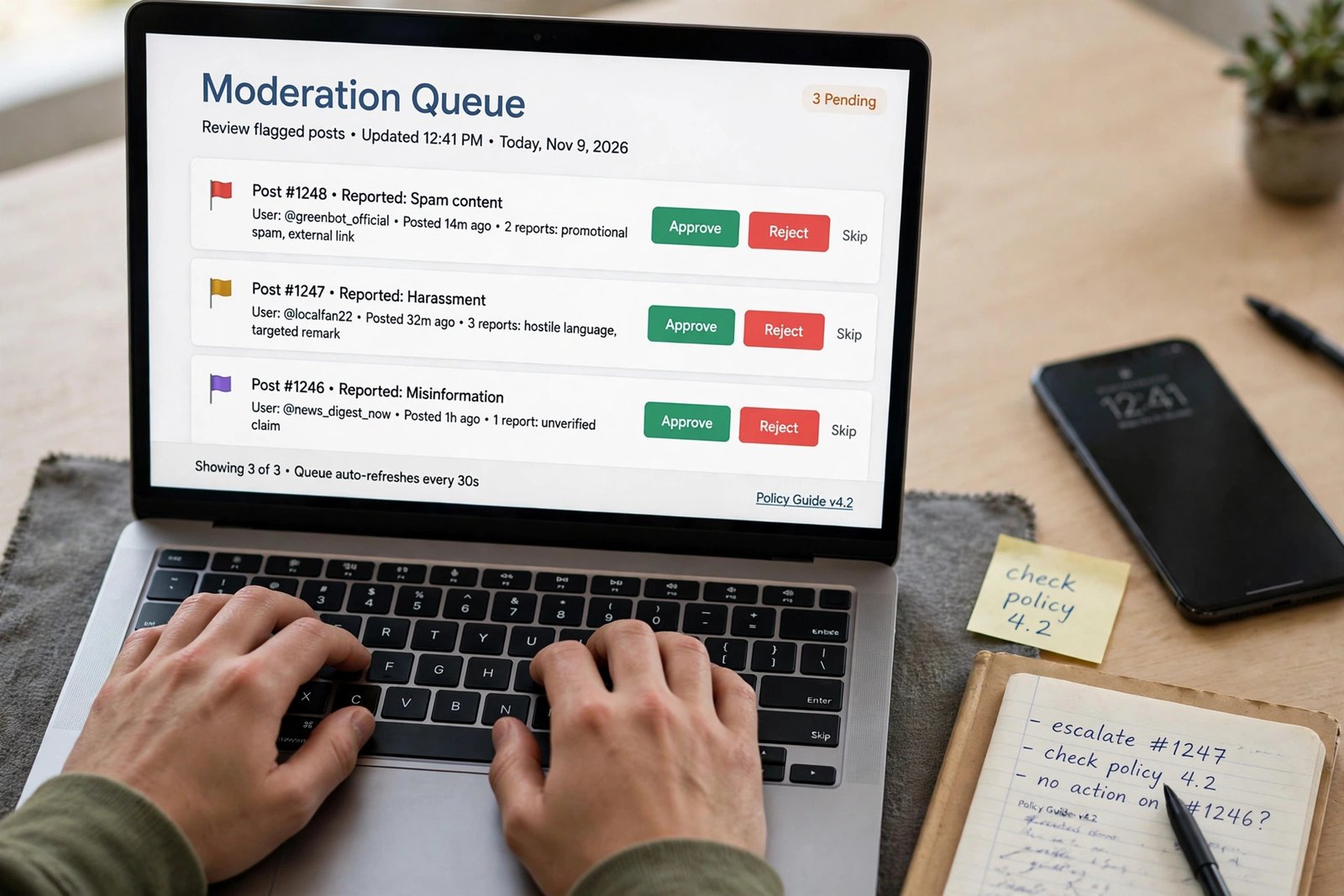
A realistic day in paid community moderation has five steps. First, read the handover notes from the last shift, so you know what is still open. Second, work through the queue, which is the list of reported posts waiting for review, oldest first. Third, act on each case: remove it, warn the member, or leave it and note why. Fourth, reply to members who ask questions, in short, polite messages. Fifth, hand over to the next shift, with a note on anything unresolved.
Your first 90 days should look like this. In the first month, volunteer in one community, learn one platform's tools, and write your first two sanitised case notes. In the second month, apply for paid roles, keep volunteering, and add two more case notes. In the third month, take your first paid shift if you get one, or keep applying while you build your portfolio. Do not expect to be wealthy after 90 days, and do not accept a role that pays little for exposure to harmful content.
What it costs and what to expect
Starting costs are almost nothing: a computer, a reliable internet connection, and your time. No course is required, and you should not pay for a moderation certificate before you have tried volunteering, because the experience itself is the proof employers want.
Pay varies widely, and no competitor in this set gave pay figures, so this guide gives none as fact. What is clear is the shape: volunteer work pays nothing, paid community moderation is usually hourly or per shift, rates rise with unsociable hours and with responsibility, and platform review is usually a steadier hourly rate with shift work. Check the pay on each listing, and compare several listings before you judge what is normal.
Example only: these numbers are not typical results. Imagine a paid community role pays 12 dollars per hour, and you work 15 hours a week. That is 180 dollars a week, or 720 dollars in a four-week month, before tax. If your internet already costs 40 dollars a month, your costs are 40 dollars, so you keep 680 dollars before tax in that example. Real pay and hours will differ, so use your own figures, and do not take a role that asks for full-time hours at part-time pay.
Common mistakes
- Volunteering without limits, then working long hours for free with no paid route.
- Sharing private case details in a portfolio, which breaks confidentiality and ends your chances.
- Applying for platform review work without thinking about the content you will see.
- Learning five platforms badly, instead of learning one platform well.
- Replying in anger to a rude member, instead of stepping away and replying later.
- Taking a role that pays little for exposure to harmful content, because it was the first offer.
Risks, wellbeing, and scams to watch for
This work has real risks, and an honest guide must name them. The first is emotional: you will see angry messages, and in platform review work you may see disturbing content, including abuse and graphic material. Protect yourself with strict breaks, a time limit on hard queues, and a rule that you never moderate alone late at night. If a role offers no wellbeing support, no breaks, and no way to step away from hard content, do not take it.

The second risk is unpaid labour dressed up as opportunity. If a community or a brand asks you to work long hours for free, with a vague promise of pay later, say no. Experience has a limit, and three months of volunteering is enough to prove yourself.
The third risk is scams. The Federal Trade Commission says honest employers will never ask you to pay to get a job, and will never ask you to deposit a cheque and send part of the money back. Read the FTC guidance on job scams before you apply anywhere. Watch for listings that ask for a fee, recruiters who contact you only on a messaging app, and jobs that ask for bank details before a contract is signed. For the full checklist, read how to spot online job scams.
Frequently asked questions
Do you need qualifications to be an online moderator?
No, you do not need a degree or a certificate. Employers care about judgement, clear writing, and reliability. Volunteer experience, a short portfolio of sanitised case notes, and knowledge of one platform's tools matter more than a qualification.
Is online moderation paid or volunteer?
Both exist, and much of it is volunteer work. Paid work comes from brands, creators, vendors such as ModSquad, and platform trust and safety teams. Volunteer for a limited time to gain experience, then apply for paid roles, and do not work long hours for free indefinitely.
Will I see disturbing content as a moderator?
It depends on the path. Volunteer and paid community moderation usually involves mild arguments and spam. Platform trust and safety review can involve disturbing content, including abuse and graphic material. Ask the employer what content you will see before you accept a role, and do not take a role you are not ready for.
How much do online moderators earn?
There is no reliable typical figure, because pay varies by path, country, hours, and employer. Volunteer work pays nothing, paid community moderation is usually hourly or per shift, and platform review is usually a steadier hourly rate. Check the pay on each listing before you apply.
How do I become a Discord moderator?
Start as an active, helpful member of a Discord server you like, learn the roles and permissions system, and apply when the server asks for moderators. Volunteer for a limited time, keep notes on what you do, and use that experience to apply for paid moderation work.
Conclusion: volunteer with limits, learn one platform, then apply for paid work
Working as an online moderator in 2026 is a realistic route into remote work, if you choose the right path and protect yourself. Volunteer for a limited time in a community you like, learn one platform's tools well, build a small portfolio of sanitised case notes, and apply for paid roles through vendors, brands, and creator communities. Set clear limits on your hours and on the content you will handle, and check every listing for scams before you share personal details.
Your next step is to pick one community you already use, and offer to help this week. Then read how to get a remote customer service job, which covers the closely related chat support route, how to work as a virtual assistant, and how to spot online job scams before you apply anywhere. You can also browse all our guides in the online jobs category.
Note for the reader: pay, employment rules, and tax rules differ by country, so check the listing and your local rules. Earning results vary; nothing on this site is financial advice.