How to Earn Money on DesignCrowd in 2026
If you are a graphic designer, you may wonder whether design contests can pay real money. Learning how to earn money on DesignCrowd is a good place to start, because it is one of the largest design contest marketplaces in the world, and it is free to join.
DesignCrowd connects businesses with freelance designers through contests. A client posts a brief and a prize, designers submit concepts, and the client picks a winner. You only get paid if your design is picked, so the model rewards speed, taste, and smart project choice more than hours worked.
This guide explains how DesignCrowd works, how designers get paid, what it costs, how to improve your chances, and who should avoid contest work. All facts were checked on 15 November 2026.
In this guide
- What DesignCrowd is and how it works
- Step 1: Create a designer account
- Step 2: Read the brief like a client
- Step 3: Design and submit your concept
- Step 4: Handle feedback, revisions, and handover
- How designers get paid on DesignCrowd
- What it costs and what to expect
- Pros and cons of DesignCrowd
- Who DesignCrowd suits and who it does not suit
- Common mistakes
- Risks and scams to watch for
- Safer alternatives to DesignCrowd
- Frequently asked questions
What is DesignCrowd and how does it work
DesignCrowd, at designcrowd.com, is a custom design marketplace founded in Sydney in 2008. Its homepage lists 1,345,727 freelance designers and 537,798 completed projects. Clients come from all over the world, and designers work from more than 165 countries.
The model is different from normal freelance sites. Instead of hiring one designer, a client posts a design brief and a prize. Many designers submit concepts. The client gives feedback, asks for revisions from the strongest entries, and then picks a winner. The whole process usually takes 7 to 10 days, and a typical contest receives 50 to 100 or more submissions.
Design categories include logos, business cards, websites, flyers, t-shirts, packaging, posters, and book covers. Logo design is the most popular category, and it is the focus of this guide, but the same rules apply to the others.
DesignCrowd says contest submissions are hidden from other designers during the contest. That system is meant to reduce copying and groupthink, so each designer works from the brief alone. When a winning design is picked, the client receives the professional files and the copyright through the platform handover process.
You can also get direct work. Clients can hire you for private projects through your DesignCrowd profile, and your public contest entries can appear in your portfolio after projects close. That direct route is slower to build, but it pays for every hour, which contest work does not.
Step 1: Create a designer account
Designer registration is free. You sign up, pick a display name, and set your payment method. You can set up a profile with your skills and portfolio samples, which helps clients find you for direct work.
You do not need to pass a test to join, and there is no application fee. That low barrier is both a strength and a weakness. It is easy to start, but you compete with many other designers, including experienced professionals.
Before your first contest, prepare your tools. You need vector software for logos, such as Adobe Illustrator or a similar tool, because clients expect clean, scalable files. You also need to know how to export print-ready and web-ready files. If you are still learning, read how to learn web design for beginners and how to learn photo editing online to build your base skills first.
Step 2: Read the brief like a client
Most new designers fail here. They skim the brief and start designing. Winners read the brief twice and design to the problem, not to their own taste.
Check the brand name, the industry, the audience, the tone, the symbols the client likes, the colours they want, and the things they say they do not want. A small detail can separate a relevant concept from a polished design that misses the brief. If the client says no gradients, do not submit a gradient logo.
Check the prize, the deadline, and the number of submissions already entered. A $199 logo contest with 80 entries and two days left is a poor use of your time. A $500 branding contest with 20 entries and a clear brief may be worth it. Choose briefs where your strengths clearly match the client's needs.
Also check the client. A client with a clear brief, fast feedback, and a history of picking winners is worth more than a vague brief with a big prize. Vague briefs often end with no winner or endless revisions.
Step 3: Design and submit your concept
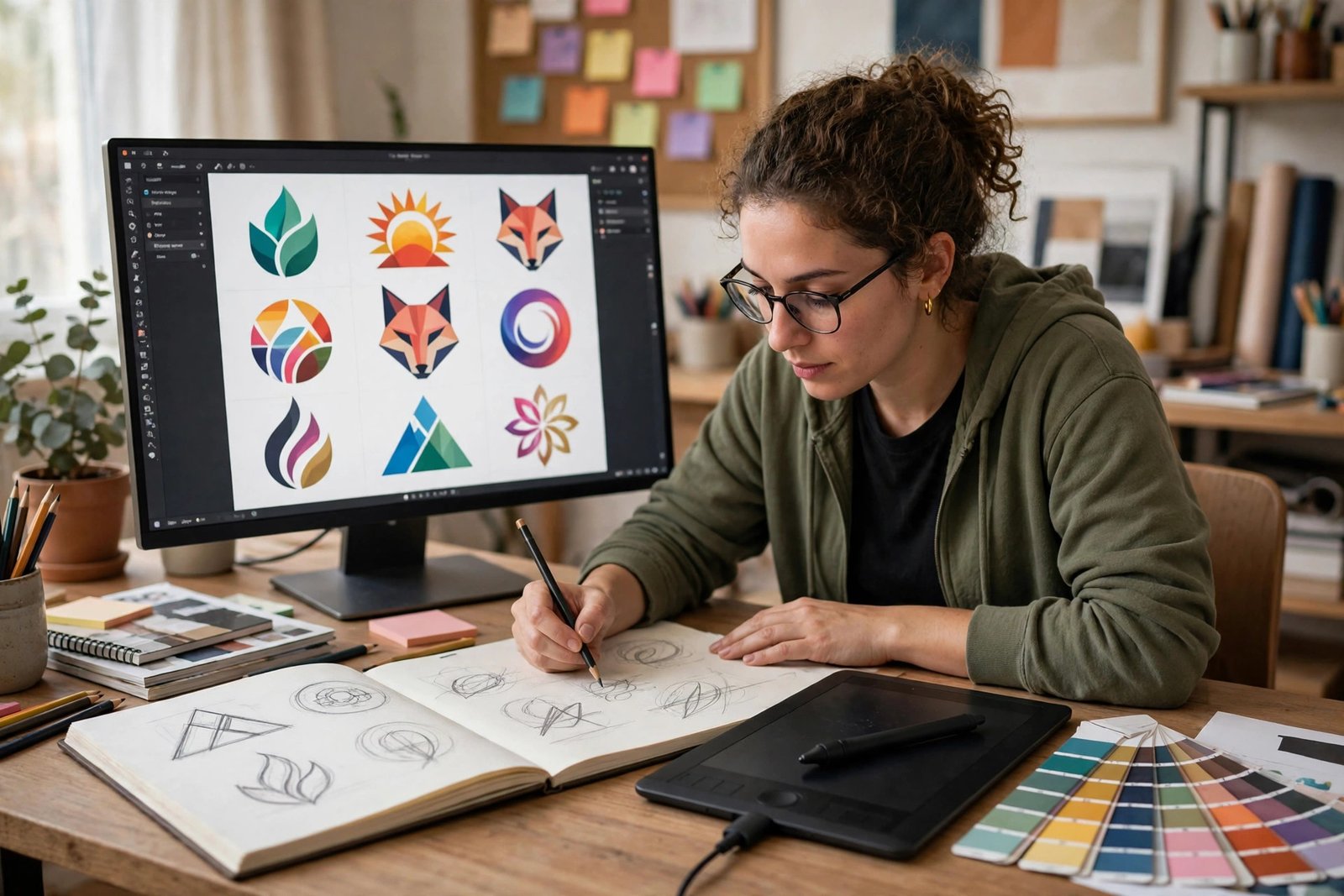
Start with the idea, not the software. Sketch three or four rough directions on paper before you open your design tool. Ask what single idea makes this brand different. A strong concept beats a pretty but generic mark every time.
Build one clean concept and present it well. Show the logo at a useful size on a plain background, with clear spacing and tidy typography. Mockups can add context, but they should support the design, not hide its weaknesses. The client should understand the core mark in a few seconds.
Submit original work only. Do not copy other logos, do not trace stock art, and do not reuse a concept you sold to another client. DesignCrowd and its clients check for originality, and copied work can get your account closed.

Step 4: Handle feedback, revisions, and handover
Clients can rate submissions and leave feedback. Treat that feedback as useful information, not as an insult. If a client asks for a stronger mark, the problem may be weight, contrast, typography, or the concept itself. Ask yourself which one it is, then make a focused change. Rebuilding everything after each comment wastes time and often makes the design worse.
If your design wins, you hand over the files. The client receives the professional files and the copyright through the platform process. Make sure your files are complete: vector source files, common export formats, and any fonts or colour codes the client needs. A clean handover leads to good ratings, and good ratings lead to more direct work.
How designers get paid on DesignCrowd
This is the part most new designers misunderstand. You do not get paid for every design you submit. You get paid when your design is picked, or when you receive one of the other payment types below.
| Item | What we found |
|---|---|
| Designer sign-up | Free |
| Designer commission | 15% of payments designers receive |
| Payment types | Winning awards, place payments, participation payments, paid invites, tips |
| Typical logo prize | $199 for a simple logo to $1,500 or more for complex branding |
| Typical contest length | 7 to 10 days |
| Typical submissions per contest | 50 to 100 or more |
| Payout methods | PayPal and Payoneer, set in your account. Confirm the current options before you start |
| Guaranteed pay per submission | No. Many entries earn nothing |
DesignCrowd takes a 15% commission from payments designers receive, so a $300 prize pays you $255 before any payout fees. Participation payments exist for some non-winning entries, but they are not guaranteed for every submission. Paid invites and tips can add income, but you cannot plan around them.
Your payout method matters. PayPal and Payoneer both charge their own fees for withdrawals and currency conversion, and those fees vary by country. Set your payout method early, and check the fees before you withdraw a small balance.
What it costs and what to expect
Joining DesignCrowd costs nothing in cash, but contest work costs a lot of unpaid time. The table below shows the honest costs.
| Item | Typical cost |
|---|---|
| Sign-up and profile | $0 |
| Design software | $0 to $60 a month, depending on your tools |
| Time per contest entry | 2 to 5 hours, including research, design, and revisions |
| Platform commission | 15% of any payment you receive |
| Payout fees | Varies by method and country |
| Total cash cost to start | $0, plus your software |
Expect an unpredictable income. A good week can bring a win. A slow month can bring nothing, even if you submit every day. Contest results are hard to forecast, because client taste, timing, and competing entries all affect the outcome. Designers who need predictable cash flow should not treat contest earnings as a salary.
Example only: what a win is really worth
This is a labelled example, not a typical result. It shows the maths only.
A designer wins a $300 logo prize after 4 hours of work. DesignCrowd takes a 15% commission, which is $45, so the designer keeps $255. For that win alone, the effective rate is $63.75 an hour.
But the same designer also entered three other contests that week, spending 3 hours on each, and won none of them. That is 9 more hours with no pay. The total is 13 hours for $255, which is $19.62 an hour. That is the honest way to judge contest work: count the losing entries too.
Pros and cons of DesignCrowd
Pros
- Free to join, with no application test.
- Access to real client briefs without finding clients yourself.
- Flexible: you pick the briefs that fit your skills and schedule.
- Real commercial experience and client feedback.
- Winning entries build a portfolio you can show to future clients.
- Direct hire work can grow from a strong profile.
Cons
- No pay for most submissions, so income is unpredictable.
- Contests attract 50 to 100 or more entries each.
- A 15% commission cuts every payment.
- Hours spent on losing entries are never repaid.
- Client taste decides the winner, not only design quality.
- Payout fees and currency conversion can eat small wins.
Who DesignCrowd suits and who it does not suit
DesignCrowd suits designers who enjoy competition, work fast, and can create strong concepts without spending hours on each entry. It suits designers building a portfolio, because real briefs and real feedback teach you faster than imaginary projects. It also suits designers who treat it as one income source among several, not as their only income.
It does not suit designers who need guaranteed pay for every hour. It does not suit beginners who have not yet learned typography, vector construction, and file preparation, because contest competition is demanding. It does not suit designers who take feedback personally or who spend a full day perfecting a single entry.
If you are new, start with briefs that match your current skills, keep your time per entry short, and track your win rate. If you are experienced, use DesignCrowd selectively for briefs that fit your strengths, and build direct client work alongside it. Our guide on how to learn UX design for beginners can help you build the skills that win more briefs.
Common mistakes
- Entering every contest instead of choosing briefs that fit your strengths.
- Skipping the brief and designing to your own taste.
- Spending a full day on one entry that may earn nothing.
- Ignoring what the client says they do not want.
- Submitting copied or stock-based work.
- Rebuilding the whole design after each small comment.
- Forgetting the 15% commission when judging a prize.
- Treating a few early wins as proof of a stable income.
Risks and scams to watch for
DesignCrowd is a legitimate marketplace, but contest work has its own risks.
The biggest risk is unpaid time. Research, sketching, vector work, and revisions can take hours, and most entries earn nothing. Set a time limit per entry, and stop when you reach it. Track your hours and your wins for a month, then judge the platform by your real hourly rate, not by your best prize.
Watch for fake clients and off-platform offers. If a client asks you to work outside DesignCrowd, send files before payment, or pay a fee to enter a contest, walk away. Real DesignCrowd work happens on the platform, and designer registration is free.
Protect your copyright. You keep the rights to non-winning entries, but you hand over full rights to a winning design through the platform process. Read the terms for each contest before you submit, and do not reuse a winning concept for another client.
Be careful with your own claims too. Do not promise a client a result you cannot deliver, and do not use another designer's work in your portfolio. The design community is small, and copied work is noticed fast.

Safer alternatives to DesignCrowd
If contest work does not fit you, direct freelance work may pay better for your time.
How to earn money on 99designs is the closest alternative, with the same contest model and a more curated designer community. How to make money on Fiverr lets you sell fixed-price design services, so you get paid for every order. How to make money on Upwork lets clients hire you directly for projects, which suits designers who prefer steady client work. You can also sell your own work through how to sell on Etsy, where you set the price and keep the customer relationship.
Frequently asked questions
Is DesignCrowd legit for designers?
Yes. DesignCrowd is a real marketplace founded in 2008, with more than 1.3 million designers and more than 500,000 completed projects listed on its homepage. It is free for designers to join. That said, most entries earn nothing, so treat it as a marketplace with variable results, not as a guaranteed income.
How much can I earn on DesignCrowd?
It depends on how often you win. Logo prizes typically run from $199 for a simple logo to $1,500 or more for complex branding, and DesignCrowd takes a 15% commission from your payment. Some designers win often, and the platform says its top ranked designer has earned over $1 million through the platform. Most designers earn far less, and many entries pay nothing at all.
Do designers get paid for every logo they submit?
No. Submitting a design does not guarantee payment. Designers may earn winning awards, place payments, participation payments, paid invites, or tips. Participation payments exist for some non-winning entries, but they are not guaranteed. Always count the unpaid entries when you judge your hourly rate.
How do I get paid on DesignCrowd?
Designers can be paid through PayPal or Payoneer, which you set in your account. Confirm the current payout options and fees in your account settings before you start, because payout fees and currency conversion vary by country and method.
Can beginners make money on DesignCrowd?
Beginners can join, because registration is free and there is no entry test. But beginners should already understand typography, vector construction, composition, and file preparation. Contest competition is demanding, so start with briefs that match your current skills, keep your time per entry short, and learn from client feedback.
Is DesignCrowd better than 99designs?
It depends on what you want. Both use contests. DesignCrowd has a lower entry price for clients, with logo contests from about $199, while 99designs tends to attract higher budgets and a more curated designer pool. Many designers use both and pick the best briefs on each. Read our 99designs guide to compare them in detail.
Conclusion
DesignCrowd can pay real money if you are a fast, skilled designer who enjoys competition and picks briefs with care. It is free to join, it gives you access to real client briefs, and a win can pay well. The trade-off is clear: most entries earn nothing, income is unpredictable, and a 15% commission cuts every payment.
If that trade-off works for you, join free, build a strong profile, choose briefs that fit your strengths, limit your time per entry, and track your real hourly rate for a month. If the numbers do not work, switch your time to direct client work instead.
Next, read how to earn money on 99designs, how to make money on Fiverr, and how to learn UX design for beginners. Then browse all earning platform guides to compare your options.
Reader note: prize figures in this guide are ranges reported by independent reviews and the DesignCrowd homepage, checked on 15 November 2026, and they are not typical results. Fees, prizes, and payout options can change, so check the current pages on designcrowd.com before you start. Tax rules differ by country, so check your local tax authority or a qualified accountant. Earning results vary; nothing on this site is financial advice.