
How to Learn UX Design for Beginners in 2026
Learning how to learn UX design for beginners is a good goal, but most guides get the order wrong. They tell you to open Figma on day one, and three months later you can operate a design tool but cannot explain why one screen works and another does not. This guide gives you a better order instead: learn what UX design is, learn the design basics, learn the UX process, then learn Figma, and only then build projects and a portfolio. You do not need a degree, you do not need to be an artist, and you do not need to know how to code.
This guide is for complete beginners. You will learn the difference between UX, UI and graphic design, which principles to learn first, how to use Figma well, how to test your work with real people, and how long the first 90 days should take.
In this guide
- What UX design is and how it differs from UI and graphic design
- Step 1: Learn the design basics before any tool
- Step 2: Learn the UX process in order
- Step 3: Learn Figma, one tool done well
- Step 4: Do three small projects end to end
- Step 5: Learn usability testing with real people
- Step 6: Build a portfolio of three case studies
- Your 90-day plan
- Worked example: one small project from research to test
- What it costs and what to expect
- Common mistakes
- Risks and scams to watch for
- Frequently asked questions
What UX design is and how it differs from UI and graphic design
UX design, short for user experience design, is the process of designing the whole experience a person has with a product. It means understanding user problems, doing research, designing flows, testing solutions and improving them based on evidence. It is problem solving with people at the centre. If you find yourself asking why people cannot find a button, or where a sign-up flow breaks down, that is UX thinking.
UI design, short for user interface design, is about the visual layer: layout, type, colour, buttons and states. A state is how a button or a field looks in different moments, such as normal, hovered over or disabled. UI is part of UX, but it is not the same thing. Graphic design is about visual communication in general, such as posters and branding, and it does not usually cover research, flows or testing. If you only care about how things look, graphic design may fit you better, and our guide on how to learn graphic design online covers that path.
| Field | Main question | Main output |
|---|---|---|
| UX design | Can people finish the task easily? | Research, flows, wireframes, tested prototypes |
| UI design | Does the screen look clear and consistent? | Finished screens, components, style rules |
| Graphic design | Does the visual message work? | Posters, logos, branding, illustrations |
Most junior roles ask for both UX and UI, so learn them together on small projects. A screen that looks good but confuses people fails, and a clear flow that looks broken fails too. If you are comparing this path with other skills, our guide to the best digital skills to learn puts UX design next to the alternatives.
Step 1: Learn the design basics before any tool
Before you open Figma, spend two to three weeks on the basics. This is the step most self-taught designers skip, and it shows in their work. Learn five things.
First, design principles: balance, contrast, hierarchy, alignment and consistency. Hierarchy means arranging information so people know where to look first. Second, colour and typography: how colour affects mood and readability, and how different typefaces change the tone of a product. Third, usability heuristics, which are well-known guidelines for judging an interface, such as showing the system status, preventing errors and keeping things consistent. Jakob Nielsen's ten usability heuristics are the standard list, and you can read them on the Nielsen Norman Group site, which is the most authoritative free source of UX knowledge. Fourth, human-centred design: placing real people at the centre of every decision instead of designing for your own taste. Fifth, accessibility: designing so that people with visual, motor or cognitive differences can use your product, including clear colour contrast, readable text sizes and clear labels.
Two books help here if you like reading, and one is enough to start: The Design of Everyday Things by Don Norman. One book plus the free Nielsen Norman Group articles covers the basics.
Step 2: Learn the UX process in order
Professional designers follow a process, and learning it sets you apart from people who only make screens. The usual process has six stages.
| Stage | What you do | Output |
|---|---|---|
| Research | Talk to users and watch them use products | Interview notes and findings |
| Define | Turn findings into a clear problem statement | Personas and a problem statement |
| Ideate | Sketch many ideas for solving the problem | Sketches and options |
| Prototype | Build wireframes, then clickable prototypes | Wireframes and a prototype |
| Test | Watch real people try the prototype | Test notes and problems found |
| Iterate | Fix the problems and test again | Improved prototype |
A persona is a short description of a typical user, based on real research, not a guess. A wireframe is a simple grey layout that shows structure and content with little styling. A prototype is a clickable version of the design that people can try. You will move back and forth between stages as you learn more.
Step 3: Learn Figma, one tool done well
Figma is the industry standard tool for UX and UI design in 2026, and nearly every product team uses it. It covers wireframes, visual design and prototypes in one place, and it runs in a browser, so you can start with a free account. Do not spend hundreds of dollars on a Figma course: the tool changes often, and paid courses go out of date quickly. Learn from Figma's free design resources and its official tutorials, then practise by building real things.
Learn these Figma skills in order. First, frames and layout grids, so your screens resize properly. Second, auto layout, so buttons, cards and lists resize when their content changes. Third, components and variants, so one button style can have default, hover and disabled states. Fourth, styles and variables for colour and type, so a change in one place updates everywhere. Fifth, prototyping, so you can link screens and test a flow as a user would experience it.
Sketch on paper before you open Figma. A pen sketch is faster than a polished screen, and it stops you from polishing the wrong idea.
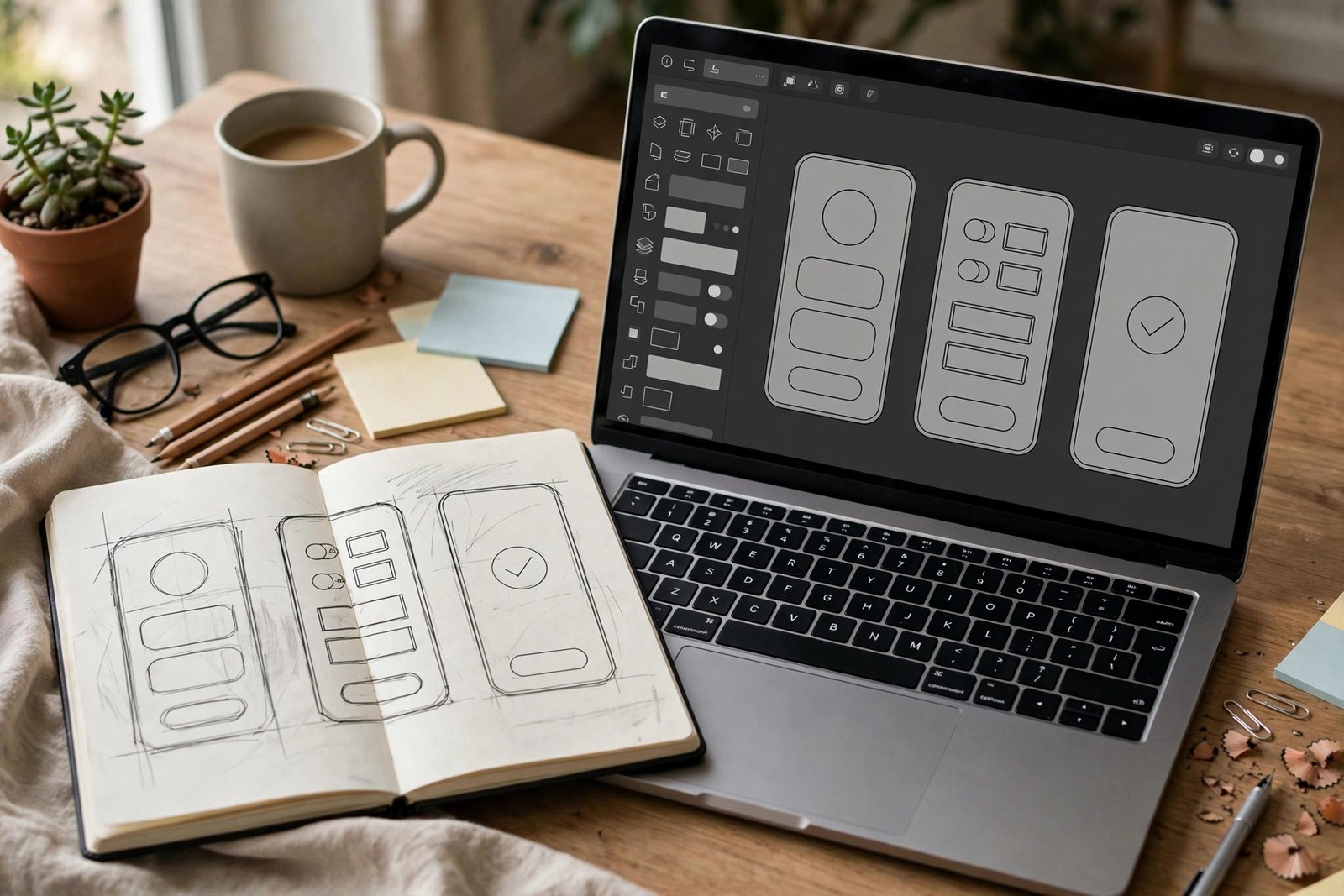
Step 4: Do three small projects end to end
Theory becomes useful only when you apply it. Do three small projects, finish each one end to end, and document what you did. A finished small project teaches more than a half-done big one.
Project one: redesign one flow of an app you use, such as booking, sign-up or checkout. Start by writing down where it frustrates you, then test whether other people feel the same. Project two: design a tool for a real person or a small business, such as a booking page for a hairdresser or a menu for a cafe. Project three: redesign a landing page or a form, and explain each change you made and why it helps.
Avoid copying a famous app screen pixel for pixel and calling it a project. For each project, write down who the users are, what problem you found, what feedback you received and how the design changed.
Step 5: Learn usability testing with real people
Usability testing means watching real people try to complete tasks with your prototype, so you can see where they struggle. It is the most valuable skill in this guide, and it is also the most skipped. You do not need a lab or special software. Three to five people, a clickable prototype and a quiet half hour are enough.
Give each person one clear task, such as "book a table for two people on Friday", and watch without helping. Ask them to think out loud. Note where they pause, where they click the wrong thing and where they look confused. Do not explain your design during the test, because that hides the problems. After the test, fix the biggest problem first, then test again with one or two more people.
Step 6: Build a portfolio of three case studies
In UX, your portfolio matters more than your CV. A portfolio is a small website or a page that shows your work, and each project in it should be written up as a case study. Aim for three strong case studies rather than many weak ones. Our guide on how to create a freelance portfolio covers the same principles for freelancers, and they apply here too.
Each case study should follow the same structure: the problem, who it was for and what was wrong; what you learned from research and testing; the flow and wireframes, shown before the polished screens; the final UI, with short notes on why each choice was made; and what happened or what you would do next, including test findings. Clear writing matters here, so our guide on how to learn copywriting will help you write case studies that people actually read. Be honest about what kind of project it is. If it is a self-initiated redesign that was never shipped, say so. If you cannot share results, do not invent them. Honesty builds more trust than invented numbers.
Present your portfolio on a clean personal website or a trusted platform, and keep the navigation simple.
Your 90-day plan
| Weeks | Focus | Output by the end |
|---|---|---|
| 1 to 2 | Design basics: principles, colour, type, heuristics | Notes and an app teardown of one app you use |
| 3 to 4 | Figma basics: auto layout, components, styles | A small UI kit and one clickable flow |
| 5 to 6 | Project one: redesign one app flow | Wireframes, final UI, test notes from three people |
| 7 to 8 | Project two: a real problem for a real person | A finished design with their feedback |
| 9 to 10 | Project three: landing page or form redesign | Before and after, with the reason for each change |
| 11 to 12 | Portfolio and applications | Three case studies online |
A focused 90 days is enough to learn the basics and build a first portfolio of three projects.
Worked example: one small project from research to test
Example only: these numbers are not typical results and they do not predict what you will earn or how fast you will find work.
Dan is a beginner learning UX design. His first project is to redesign the sign-up flow of a local gym's website, because three friends told him they gave up halfway through it. He spends two hours interviewing two friends about what confused them, and he finds the same three problems: the form asks for too much information up front, the error messages are unclear, and the payment step comes before the membership choice is clear.
He sketches a new flow on paper in one hour: three short steps, with the membership choice first, then personal details, then payment. He builds wireframes in Figma in four hours, then a clickable prototype in three hours. He tests it with three people, each for 20 minutes. Two of them finish the flow in under three minutes without help. One gets stuck on the payment step, because the card field labels are unclear. Dan fixes the labels, retests with one more person, and the flow works.
His total time is about 12 hours over two weeks, and his costs are zero, because he uses Figma's free plan. He writes it up as a case study for his portfolio.

What it costs and what to expect
| Item | Typical cost | Notes |
|---|---|---|
| Figma | 0 US dollars | Free starter plan covers beginner learning |
| Learning resources | 0 US dollars | Figma tutorials and Nielsen Norman Group articles are free |
| Google UX Design Certificate | Check the course page before you pay | 7 courses, over 200 hours; in the US and Canada it is listed as 49 US dollars a month after a 7-day free trial, and most learners finish for less than 300 US dollars |
| Books | 0 to about 40 US dollars | Optional; one book is enough to start |
| Portfolio website | 0 to about 60 US dollars a year | Free platforms exist; a domain costs a little |
| Total for the first 90 days | 0 to about 100 US dollars | Most beginners can start for free |
The Google UX Design Professional Certificate on Coursera is the most structured option: 7 courses and over 200 hours, ending with a portfolio of three projects. You can read its details on the Google UX Design Certificate page. It is not required, but it gives you a clear order.
Expect the basics to take about three months of focused study, and job-ready foundations to take 6 to 12 months. A certificate does not guarantee a job. Employers look at your case studies, your process and how you explain your decisions. Results vary with your background, your location and how much time you can give each week.
Common mistakes
- Jumping straight to high-fidelity UI in Figma before the flow works, which wastes time polishing the wrong idea.
- Skipping research and designing from your own taste, which means designing for one user: you.
- Collecting courses instead of finishing projects, because finished work gets you hired and certificates alone do not.
- Showing only polished screens in a portfolio, with no story about the problem and your decisions.
- Doing unsolicited redesigns of famous apps and calling them projects, which does not show problem solving.
- Keeping messy Figma files with unnamed layers and missing states, which developers and teams notice.
- Claiming results you do not have, instead of labelling self-initiated work honestly.
Risks and scams to watch for
Be careful with bootcamps and courses that promise a guaranteed UX job or a fixed salary. No course can guarantee employment, and any seller that claims otherwise is not honest. Avoid sellers that pressure you to pay today for a discount that expires tonight, and check reviews from independent sources rather than the testimonials on the seller's own page. Do not spend hundreds of dollars on a Figma course, because the tool changes often and the official tutorials are free. If a job advert asks for bank details, a payment or a copy of your ID before an interview, treat it as a scam. AI tools can help with drafting copy and exploring layouts, but they cannot decide which problems are worth solving, and a portfolio built entirely by AI will not convince an employer that you can think.
Frequently asked questions
Can I learn UX design without a degree?
Yes. Many designers come from other fields, such as engineering, marketing, writing or architecture. What gets you hired is a portfolio of case studies that shows how you solve problems, plus clean, usable design files.
Do I need to learn coding to become a UX designer?
No, coding is not mandatory. A basic understanding of how websites and apps are built helps you work with developers and design solutions that can actually be built, but you do not need to write code.
How long does it take to learn UX design?
A focused 90 days is enough to learn the basics and build a first portfolio of three projects. Building job-ready foundations usually takes 6 to 12 months, and getting good takes longer and comes from real work.
Is Figma enough to start UX design?
For most beginners, yes. Figma covers wireframes, visual design and clickable prototypes in one place. Add basic research and testing skills alongside it, and you have the core toolkit.
Can I learn UX design for free?
Yes, for the fundamentals. Figma has a free plan, its tutorials are free, and the Nielsen Norman Group publishes free articles. You pay only if you choose a paid certificate or a paid course, so check the price on the official page first.
Conclusion
Learning UX design as a beginner comes down to a simple order: learn the design basics, learn the UX process, learn Figma, do three small projects, test them with real people and build a portfolio of three case studies. Start with the basics before you open any tool, and follow the 90-day plan above. If you want to go deeper on the visual side, read our guide on how to learn graphic design online, see how web skills fit in with our guide on how to learn web design for beginners, and learn to present your work with our guide on how to create a freelance portfolio. For the full set of skill guides, browse all digital skills guides.
A note for the reader
Course prices, tool plans and job requirements differ by country, and they change, so check the official pages before you pay for anything. Tax rules for freelance design income also differ by country, so check your local tax authority or a qualified accountant. Earning results vary, and nothing on this site is financial advice. Facts in this guide were checked against official pages on 2026-11-10, including the Google UX Design Certificate page, Figma's learning resources and the Nielsen Norman Group. If you spot a mistake, please report it through the corrections page.