How to Use Email Marketing to Sell Digital Products in 2026
Email marketing sells digital products by turning a stranger into a subscriber, a subscriber into a buyer, and a buyer into a repeat buyer, through useful messages sent with permission. Unlike social media, where an algorithm decides who sees your post, an email list is an audience you can reach directly. This guide explains how to use email marketing to sell digital products in 2026, from building a list the right way to writing launch emails that respect the reader. It will not make a weak product sell, and it will not fix a product nobody wants, but it will help a good product reach the people most likely to buy it.
In this guide:
- Why email still matters, and what it cannot fix
- Step 1: Build a list the right way
- Step 2: Set up sending properly
- Step 3: The welcome sequence
- Step 4: The tripwire funnel, with honest limits
- Step 5: Launch emails for an existing list
- Step 6: After purchase, and segment and stop rules
- Measure and improve without trusting opens alone
- Costs, time, and risks
- Common mistakes
- Frequently asked questions
Why email still matters, and what it cannot fix
Email matters because it is direct, personal, and under your control. A subscriber has already shown interest, so a launch email reaches people far more likely to buy than a cold social media audience. Email also lets you teach and answer objections over days or weeks, which suits products that need explanation, such as courses and packs.
Email cannot fix a product with no demand, a confusing sales page, or a price far above its value. If nobody opens, clicks, or buys, the problem may be the offer, not the email tool. A list of 50 engaged subscribers can outsell a list of 5,000 cold contacts, because engagement matters more than size.
Step 1: Build a list the right way
A lead magnet is a free, useful item you give in exchange for an email address. It must match the paid product closely: a free planner sample suits a paid planner pack, a free drum sample suits a paid sample pack, and a free first chapter suits a paid ebook. A lead magnet that does not match the paid product brings subscribers who will never buy it.
Your signup page should say exactly what the subscriber will get, how often you will email, and what kind of content to expect. Never buy an email list, and never add people without permission. Purchased lists harm deliverability, break most email tool rules, and breach privacy law in many countries. Permission is the whole basis of email marketing.
Grow the list where your buyers already are, linking the signup page from product pages, social profiles, blog posts, and free content. A short post that solves one small problem, with the lead magnet as the next step, works better than a post that only says "join my list". For sellers starting from zero, the guide to getting your first customers for an online business covers the same first audience problem from the business side.
Step 2: Set up sending properly
Sending setup decides whether your emails reach the inbox or the spam folder. Use a recognisable sender name and a sending address on a domain you own where possible, rather than a free personal address. Verify your sender domain with your email tool, following its help pages, since steps differ by tool.
Every marketing email must include a clear unsubscribe link, honoured promptly. Keep purchase access emails separate from marketing permission: a buyer has not automatically agreed to weekly sales emails unless they also opted in. Double opt in, where a subscriber clicks a confirmation link before joining, gives a cleaner list but slower growth. Single opt in grows faster but collects more bad addresses. State your choice clearly and stick to it.
Test every email before you send it to the full list. Send it to yourself, open it on a phone and a computer, click every link, and check that images load and the unsubscribe link works. A broken checkout link in a launch email wastes the one moment a subscriber was ready to buy.
Step 3: The welcome sequence
A welcome sequence is a short series of automated emails sent after signup. Its job is to deliver the lead magnet, teach one useful thing, introduce the paid product, and answer the main objection, in that order. Four to six emails over one to two weeks is a common shape, but the right length depends on your product and audience. Each email should have one clear action, such as downloading the freebie, reading a lesson, or replying with a question.
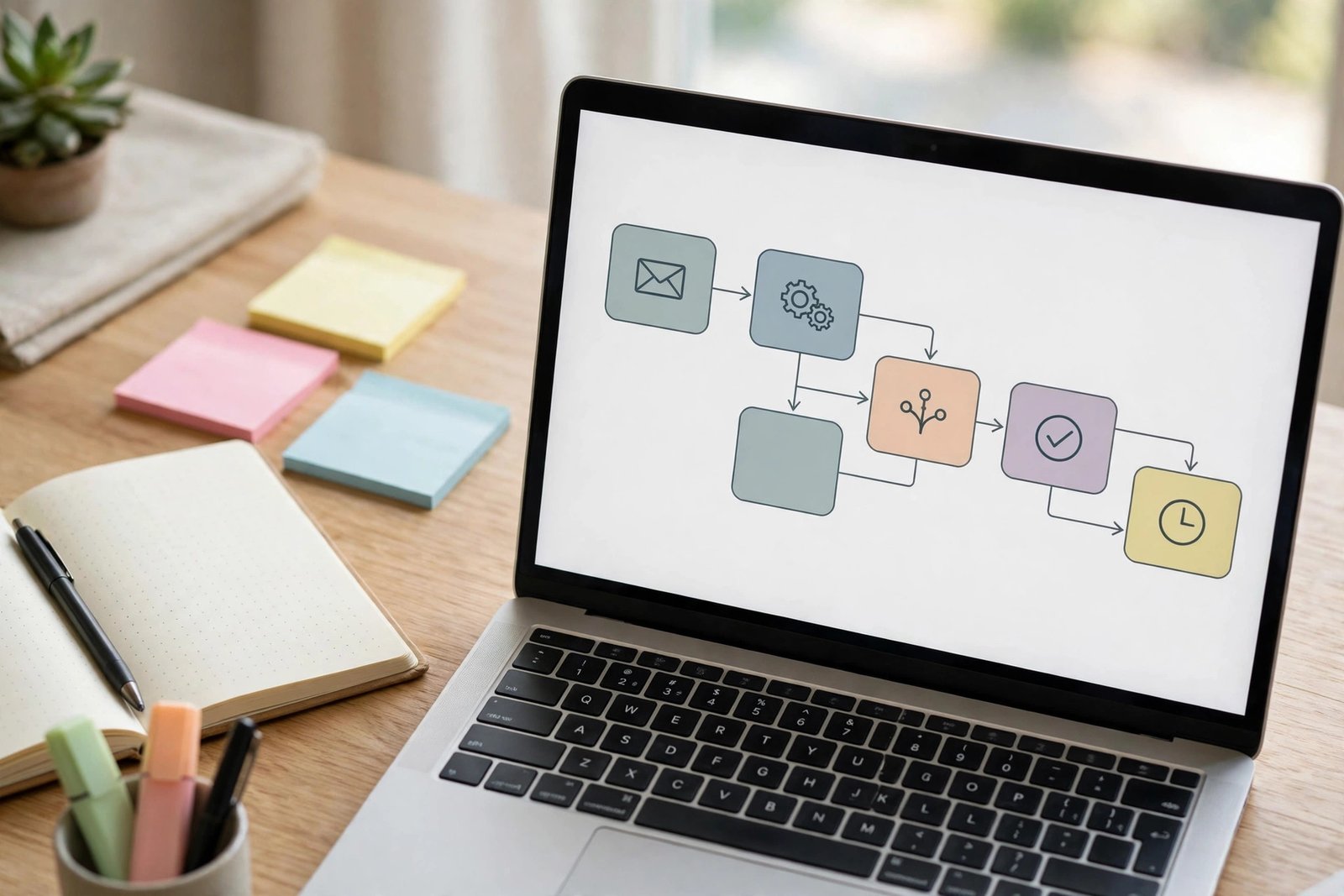
A workable welcome sequence looks like this. Email 1 delivers the freebie at once, with a short note on how to use it. Email 2 teaches one small lesson using the freebie, so the subscriber gets value before any sales message. Email 3 introduces the paid product, with exact contents and price. Email 4 answers the most common objection honestly. Email 5 invites a reply or gives a last reminder, without fake urgency. Write subject lines that say what the email is about, keep each email short enough to read on a phone, and end with one link, not five.
Step 4: The tripwire funnel, with honest limits
A tripwire is a low price offer shown at once after signup, usually on the thank you page, before the welcome sequence starts. For example, a subscriber who just claimed a free planner sample might be offered a small planner pack for a low price on the thank you page. Guides report a common tripwire price range around 7 to 27 US dollars, which they call a sweet spot. Treat that range as a starting point to test, not as a rule, since the right price depends on your product, audience, and country.
A tripwire only works when the low price product is genuinely useful on its own. A trick product will earn refunds and damage trust with the very people you most want as buyers. Treat conversion claims about tripwires with care: figures in some guides are one seller experience, not a promise, and this guide does not repeat them as expected results. Test with a small group first, and drop the tripwire if buyers do not value the product.
Step 5: Launch emails for an existing list
A launch campaign is a short series of emails to people already on your list. A simple five email shape works for many digital products. Email 1 announces the product and who it is for. Email 2 teaches a related lesson, so readers get value even if they do not buy. Email 3 presents the offer with exact contents and price. Email 4 answers objections honestly. Email 5 reminds readers of the close date, if there genuinely is one. Never invent a deadline, since a fake deadline that resets every week teaches subscribers to ignore you.

Write each email around one idea and one action. An email that tries to teach, sell, upsell, and ask for a share at once will do none of those jobs well. After the launch, send non buyers something useful next, not the same pitch again. A lesson or a question about what held them back keeps the relationship alive and teaches you what to improve. For the product side of a launch, see the guide in this batch to launching a digital product on Gumroad, and for a related sales method, see the guide to promoting affiliate products.
Step 6: After purchase, and segment and stop rules
Buyer emails need a different job from sales emails. After purchase, send access help first: how to download the file, how to open it, and where to get help if it fails. Then send one first step email that helps the buyer use the product. Only later, and only if the buyer opted in to marketing, mention a related product.
Segments are groups within your list, based on interests or behaviour. Tag subscribers by lead magnet claimed, product bought, and emails clicked. Stop rules matter just as much: when a subscriber buys the promoted product, remove them from that sales sequence at once. Also move subscribers who never engage after a fair trial period to a less frequent list, since sending to unengaged addresses harms deliverability.
| Email type | Job | Stop rule |
|---|---|---|
| Welcome sequence | Deliver freebie, teach, introduce offer | Stop when the subscriber buys the offered product |
| Launch campaign | Announce, teach, offer, answer objections, remind | Stop for buyers, and stop at the genuine close date |
| Buyer onboarding | Access help, first step, next product later | Never mix access help with a hard sales pitch |
| Ongoing newsletter | Useful content, occasional offers | Move unengaged subscribers to a less frequent list |
Measure and improve without trusting opens alone
Measure email by what each email was meant to do. Delivery rate shows how many emails reached inboxes. Click rate shows how many readers acted on the link. Orders and replies show real buying intent. Refunds show whether the offer matched the product. Open rate is the weakest measure, because privacy features can record an open that never happened, or hide a real open. Do not judge a subject line by opens alone.
| Measure | What it tells you | Limit to remember |
|---|---|---|
| Delivered | Whether your setup and list are healthy | A delivered email may still sit unread |
| Clicked | Whether the message and offer interested readers | Clicks do not always lead to orders |
| Orders | Whether the offer and page converted interest | Orders need the sales page to work too |
| Replies | Whether readers trust you enough to respond | Few readers reply, even when they buy |
| Refunds | Whether the product matched the promise | A low refund rate does not prove high satisfaction |
Test one variable at a time on a small list. Change the subject line, or the offer, or the email length, but not all three at once, or you will not know what caused the change. Keep a simple log of each campaign: list size, emails sent, clicks, orders, and refunds. Tool choice matters less than this habit, but choose a tool that fits your list size: ConvertKit suits creators needing automation and tagging, Mailchimp suits small lists with simple needs, and Gumroad workflows suit sellers already selling there. Check official pricing pages before you commit, since prices change.
Costs, time, and risks
Email tools often offer a free tier for small lists, with paid plans as the list grows. Time is the larger cost: writing a welcome sequence, a launch campaign, and a regular newsletter takes steady effort, and a list that hears nothing for months will not respond well to a sudden sales burst. Plan for one useful email a week, rather than a burst followed by silence.
Risks include spam complaints, poor deliverability, and privacy law breaches. Sending without permission, hiding the unsubscribe link, or using misleading subject lines can get your account restricted. Privacy rules differ by country, and this guide gives no legal advice. Keep records of how each subscriber joined. Results vary with list quality, offer strength, and product value, and no email sequence guarantees sales.
Common mistakes
- Buying a list, or adding buyers to marketing emails without separate permission.
- Sending sales pitches before delivering any value to new subscribers.
- Writing emails with five links and three asks, so readers do none of them.
- Inventing deadlines, testimonials, or conversion claims to force a sale.
- Judging success by open rate alone, while ignoring clicks, orders, and refunds.
- Keeping buyers in a sales sequence for a product they already bought.
- Emailing in bursts after months of silence, then wondering why engagement is low.
- Choosing an expensive tool before testing whether a small list even responds.
Frequently asked questions
How big does my email list need to be to sell digital products?
There is no minimum size that guarantees sales. A small list of engaged subscribers who wanted your lead magnet can outsell a large cold list. Start with your first 50 to 100 real subscribers, learn what they click and buy, and grow from there. Focus on list quality and offer fit, not on a magic number.
How often should I email my list?
Once a week suits most digital sellers, with extra emails during a genuine launch week. Less often than once a month makes subscribers forget you, while daily sales emails cause unsubscribes. Tell subscribers your rhythm on the signup page, then keep to it as closely as you can.
What is a tripwire offer?
A tripwire is a low price product offered at once after signup, usually on the thank you page. It turns a new subscriber into a buyer while interest is high. It only works when the product is genuinely useful on its own. A trick product will earn refunds and damage trust, so test it honestly before you scale it.
Do I need double opt in?
Double opt in, where a subscriber clicks a confirmation link before joining, gives a cleaner list with fewer fake addresses, but it slows growth. Single opt in grows faster but collects more bad addresses. Either choice is valid. Pick one, state it clearly, and keep records of how subscribers joined.
Which email tool should I use for digital products?
Choose by automation, tagging, checkout links, and cost at your list size. ConvertKit suits creators who need automation and tags. Mailchimp suits small lists with simple needs. Gumroad workflows suit sellers who already sell on Gumroad. Compare the official pricing pages before you commit, since prices change often.
How do I measure email sales honestly?
Track delivered emails, clicks, attributed orders, replies, and refunds for each campaign, and keep a simple log over time. Do not trust open rate alone, since privacy features can distort it. Test one variable at a time, and judge a campaign by orders and buyer feedback, not by a single vanity number.
Conclusion
Build a list around a lead magnet that matches your paid product, set up sending properly with domain verification and a clear unsubscribe link, and run a welcome sequence that delivers value before it sells. Use a tripwire only when the low price product is genuinely useful, launch to your list with a short, honest campaign, and stop selling to people the moment they buy. Your useful next step is to create one lead magnet this week and a four email welcome sequence to go with it, then test it by signing up yourself. For related reading, see the guide to creating your first digital product, the guide in this batch to selling printables online, and the Digital Products category page. Earning results vary, and nothing on this site is financial advice.