How to Build an Email List for a Blog in 2026
Social media can change its rules overnight. Search rankings can slip. An email list is different. It is a list of readers who asked you to contact them, at an address you can reach directly. That is why learning how to build an email list for a blog matters more than chasing one more viral post.
This guide shows you the minimum setup you can finish in one afternoon, how to choose a platform without getting lost in pricing pages, how to create one simple lead magnet, where to place signup forms, and what to send once readers join. It is written for a new or small blog, including a blog with very little traffic.
In this guide
- Why an email list is the audience you actually own
- Start before you have traffic: the minimum setup
- Choose a platform without quoting figures you cannot trust
- Create one simple lead magnet
- Place signup forms where readers already show interest
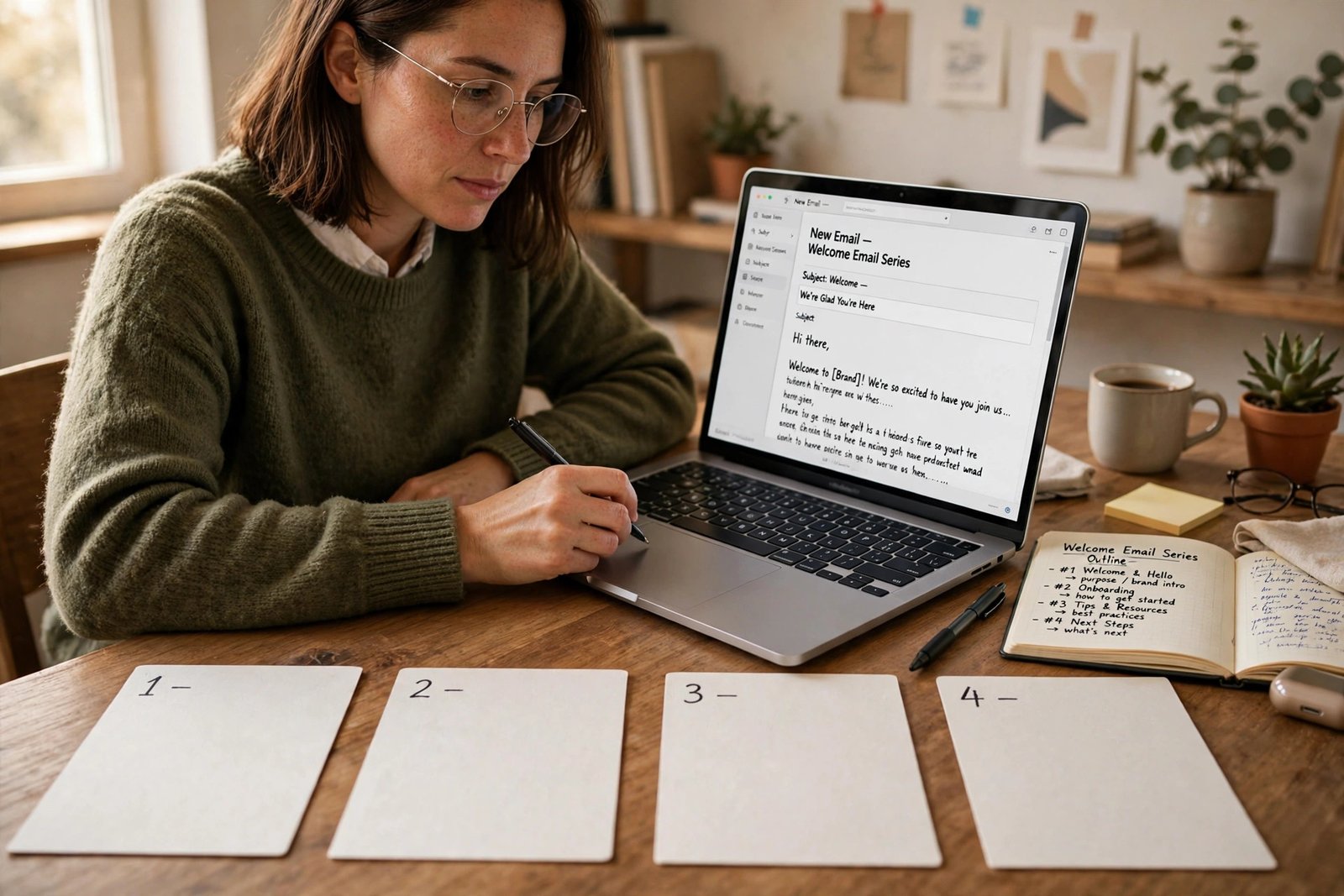
- Write a welcome sequence of four emails
- Grow steadily with content upgrades and promotion
- Keep the list healthy: consent, segmentation, and cleaning
- What to send every week
- Frequently asked questions
Why an email list is the audience you actually own
A follower is not the same as a subscriber. A platform decides how many followers see your post, and it can change that decision at any time. A subscriber has given you permission to email them. You still must earn their attention with every email, but no algorithm stands between you and their inbox in the same way.
An email list also brings readers back. A reader may find your blog once through search, enjoy one post, and never return. A welcome email and a weekly email give that reader a reason to come back, and each return visit builds trust. Over months, that trust is what turns a casual reader into a regular reader, and in time, into a buyer of a product you genuinely recommend or sell. Results vary, and a list does not guarantee income. It gives you a direct, repeatable way to reach people who already liked your work.
Start before you have traffic: the minimum setup
Do not wait until you have thousands of visitors. Start with a small list, because the setup is the same at ten subscribers as at ten thousand. You need four things: a platform account, one signup form, one lead magnet, and one welcome email. Everything else can wait.
Set aside one afternoon. In the first hour, choose a platform and create your account. In the second hour, create a simple lead magnet and a signup form. In the third hour, write your first welcome email and place the form on your site. That is enough to launch.
If you have not started a blog yet, read how to start a blog first, then return here. If your blog is live but quiet, this guide still applies, because the landing page approach below works without search traffic.
Choose a platform without quoting figures you cannot trust
An email platform is a tool that stores subscriber addresses, sends emails, and tracks opens and clicks. Popular options for bloggers include Mailchimp, Kit (formerly ConvertKit), MailerLite, Brevo, and Beehiiv. Each offers a free plan or a low cost starter plan, and each charges more as your list grows.
Here is an important warning. Free plan limits change often, and sources disagree about them. During research for this guide, two sources gave different free subscriber limits for the same platform. That is why this guide does not quote a specific free limit for any platform. Limits that look exact today may be wrong tomorrow, and a wrong figure could mislead you into choosing a platform that does not fit your list size.
Instead, check the official pricing page of each platform on the day you choose, and compare four things: the free plan limit, what the free plan includes, what you pay at your expected list size in six months, and whether the platform suits bloggers, newsletters, or online shops. Most bloggers need simple forms, simple automations, and a clean way to send a weekly email. You do not need advanced shop features at the start. Pick the platform whose free plan covers your first year of growth, and whose paid step up feels fair when you outgrow the free plan. Terms vary, so check the official page before you commit.
| What to compare | Why it matters | What to check on the official page |
|---|---|---|
| Free plan limit | It sets when you start paying | Subscriber limit, monthly email limit, and what counts toward them |
| Features on the free plan | Some free plans block forms, automations, or landing pages | Forms, landing pages, welcome automations, and segmentation |
| Cost at your next size | A cheap start can become dear fast | Price at 500, 1,000, and 2,500 subscribers, if those tiers exist |
| Fit for bloggers | Shop tools add cost and clutter for a blog | Whether the platform is built for creators and newsletters |
Create one simple lead magnet
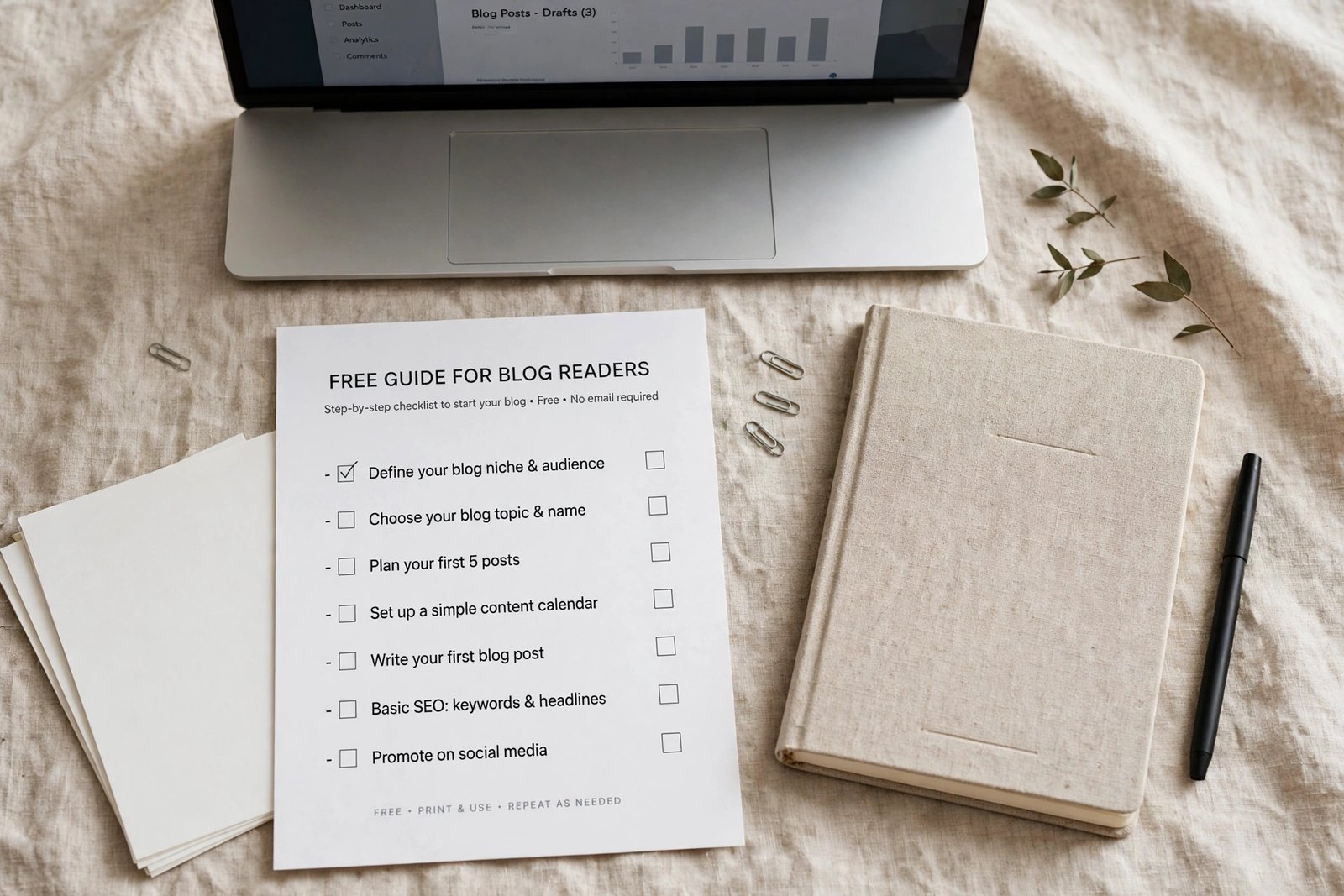
A lead magnet is a free item you offer in exchange for an email address. It works when it solves one small problem, fast. A 50 page ebook rarely beats a one page checklist, because the checklist can be used at once.
Good lead magnets for bloggers include a checklist, a template, a short starter guide, a printable planner, or a list of tools for one task. Pick one idea tied to your most popular post, or to the main problem your blog solves. A food blog might offer a weekly meal planner. A money blog might offer a budget starter sheet. A blogging blog might offer a post planning template.
Keep the lead magnet short and useful. One page is often enough.
Place signup forms where readers already show interest
A signup form is a small box where a reader enters an email address. Place forms where readers have already shown interest, not where they are trying to read. The best spots, in order, are usually: inside a popular post, at the end of a post, on a dedicated landing page, in the site footer, and as a timed pop-up.
An inline form inside a post works well when it matches the post topic. For example, a post about meal planning can offer a meal planner checklist halfway through. A form at the end of a post catches readers who finished the post and want more. A landing page is a single page with one job: explain the lead magnet and collect the address. It is the best option for a new blog with little traffic, because you can share its link on social media, in a bio, and in guest posts, even before search traffic arrives.
A timed pop-up can work, but use it with care. A pop-up that appears after 30 seconds, or when a reader reaches the middle of a post, is less annoying than one that appears at once. Always include a clear close button, and never show the same pop-up on every page visit to the same reader. Test one placement at a time, and keep the form that brings signups without annoying readers.
Write a welcome sequence of four emails
A welcome sequence is a short series of emails sent automatically after a reader joins. It turns a new subscriber into a regular reader. Four emails are enough to start.
Email one, sent at once, delivers the lead magnet and says thank you. Keep it short. Tell the reader what to expect, and how often you will email. Email two, sent two days later, shares your best post on the topic they signed up for, and asks a simple question, such as what they are struggling with. Email three, sent three days after that, tells a short story about a common reader problem and how your blog helps with it, with links to two useful posts. Email four, sent a week after joining, invites the reader to reply, follow you on one social channel, or read your newest post. After email four, the reader joins your normal weekly email.
Write each email for one reader, with one clear next step. Do not sell in the welcome sequence. The goal is trust, not a quick sale. For more on turning a free list into a paid offer later, read how to start a paid newsletter.
| Welcome email | When to send it | Its job |
|---|---|---|
| Email 1: deliver the magnet | At once | Thank the reader and set expectations |
| Email 2: best post on the topic | Two days later | Share value and ask one simple question |
| Email 3: a reader problem and help | Three days after email 2 | Build trust with two useful post links |
| Email 4: reply and next step | One week after joining | Invite a reply, then move to weekly emails |
Grow steadily with content upgrades and promotion
A content upgrade is a lead magnet tied to one specific post, rather than one general magnet for the whole blog. A post about budget meals might offer a budget meal planner. Content upgrades convert better than a general offer, because the reader already cares about that exact topic. Create upgrades only for your five most visited posts at first. For a full system that turns posts into social content promoting the magnet, read how to repurpose blog posts for social media.
Growth from a small blog is slow, and that is normal. A blog with 100 visits a month might gain only a handful of subscribers a month at first. Focus on the signup rate, which is signups divided by visitors to the form page, rather than on raw numbers alone.
Keep the list healthy: consent, segmentation, and cleaning
Consent means the reader asked to join. Never buy an email list, and never add addresses from business cards, comments, or old contacts without clear permission. Bought lists harm deliverability, which is the chance your emails reach the inbox instead of spam, and they break trust. In many countries, email law also requires a physical address or business address in marketing emails, so check the rules that apply where you live, and check the official guidance for your country.
Segmentation means grouping subscribers by interest, so you can send relevant emails. Start simply. Tag subscribers by which lead magnet they chose, or by which post they signed up from. Later, you can send different emails to different groups, but at the start, one list with a few tags is enough.
Cleaning means removing subscribers who never open your emails. Once or twice a year, send a short re-engagement email to readers who have not opened in six months, asking if they still want to hear from you. Remove those who do not reply. A smaller, engaged list often costs less, because many platforms charge by list size.
What to send every week
After the welcome sequence, send one useful email a week. A good weekly email has one main idea, one link to your newest post, and one short tip the reader can use without clicking. Keep it short enough to read in two minutes.
What an email list costs, and how long it takes
Starting an email list can cost nothing on a free plan. Costs appear as your list grows, so check the platform's official pricing page before you grow.
Time is the bigger cost. The setup takes one afternoon. A welcome sequence takes a few hours to write well. A weekly email takes one to two hours once you have a routine. Growth takes months, not days, and a new blog should expect slow early growth. That is normal, and it is not a sign that email does not work for you.
Common mistakes
- Waiting for high traffic before starting, instead of starting with a landing page and a single lead magnet.
- Offering a large, vague ebook that nobody finishes, instead of a short, useful checklist.
- Placing a pop-up on every page at once, which annoys readers before they have read anything.
- Sending a welcome email that sells at once, instead of delivering value and building trust.
- Buying a list, or adding people without permission, which harms deliverability and trust.
- Going silent for months, then sending a sudden sales email to a cold list.
- Never cleaning inactive subscribers, so costs rise while open rates fall.
Frequently asked questions
How do I start an email list for my blog?
Choose an email platform, create one signup form, offer one simple lead magnet, and write one welcome email. Place the form on your site and on a landing page you can share. That minimum setup is enough to launch, and you can add a full welcome sequence later.
What is a lead magnet?
A lead magnet is a free item, such as a checklist, template, or short guide, that you offer in exchange for an email address. It should solve one small problem fast, and it should match the topic of the post or page where it is offered.
Which email platform is best for bloggers?
There is no single best platform for every blogger. Compare the free plan limit, the features on the free plan, the cost at your expected list size, and whether the platform is built for creators. Check each official pricing page on the day you choose, because limits and prices change, and sources disagree about them.
How often should bloggers send emails?
Send one useful email a week after the welcome sequence, on a consistent day. That rhythm keeps readers engaged without overwhelming them. Only email more often if readers asked for it, or if you have a short, time limited series with a clear end date.
Should I buy an email list?
No. Bought lists harm deliverability, break trust, and often break email law. People on a bought list did not ask to hear from you, so they are likely to mark your emails as spam, which harms delivery to your real subscribers too. Build your list one permission at a time.
Conclusion: launch with one form, one magnet, and one welcome email
You do not need a large blog, a fancy design, or a long sequence to start. You need a platform account, one signup form, one useful lead magnet, and one welcome email that delivers value. Launch those this week, then add a full welcome sequence, content upgrades, and a weekly email rhythm over the next month.
Your next step is to choose a platform, check its official pricing page today, and create your first form. Then read how to make money blogging to see where an email list fits in a blog income plan, and browse all our guides in the blogging category.