How to Sell 3D Models Online in 2026: A Full Guide
To sell 3D models online, you build a finished model, prepare clean files and preview images, then list it on a marketplace where game developers, architects and 3D printing fans already shop. This guide explains the two kinds of models that sell, how to prepare your files, which marketplace pays best, and how to price and list your first model.
In this guide
- The two kinds of 3D models that sell
- What buyers want and what sells best
- How to prepare a model for sale
- Where to sell 3D models online: marketplaces compared
- A worked royalty example
- What happened to Sketchfab Store and the Fab consolidation
- Exclusivity: read the clause before you sign
- How to list a model step by step
- How to price your models
- Licences buyers understand
- AI generated models and platform rules
- What it costs and what to expect
- Common mistakes
- Risks and scams to watch for
- Frequently asked questions
The two kinds of 3D models that sell
There are two main kinds of 3D model to sell, and they go to different buyers. The first kind is a digital asset for games, film, animation and visualisation. These buyers need models they can drop into a scene, so the model must look good, move well and run fast. The second kind is a print file for 3D printers, usually sold as an STL or 3MF file. These buyers want a file that prints cleanly on the first try.
The two kinds need different skills. A game asset needs clean topology, which means the mesh is built from neat, even polygons that deform well when animated. A print file needs a watertight mesh, which means there are no holes or gaps for the printer software to choke on. Pick one kind first, and learn its standards before you list anything. A model that works as a game asset may fail as a print file, and the reverse is also true.
What buyers want and what sells best
Buyers pay for models that save them hours of work. Game developers buy characters, props, vehicles and environment pieces. Architects and interior designers buy furniture, plants and building parts. Hobbyists buy miniatures, figures and jewellery for printing. The strongest sellers are models that are hard to build from scratch but easy to reuse, such as a rigged character, a modular building set or a detailed vehicle.
Check what already sells before you build. Browse the bestseller lists on CGTrader and Fab, and note the style, the poly count and the price. Look for gaps, such as a popular game genre with few good props, rather than copying the top seller.
How to prepare a model for sale
A model that is not prepared properly will be rejected or returned, so treat preparation as part of the product. Start with the right format. FBX and OBJ are the common formats for game and film assets, while STL and 3MF are the standard formats for print files. Export in the format your marketplace asks for, and test the exported file by opening it in a fresh scene, not just in the software you built it in.
Clean the topology. Remove stray vertices, fix flipped normals, and make sure the scale is correct, because a chair that arrives 100 times too big is useless to a buyer. Add levels of detail, called LODs, where the marketplace expects them, so the model can be shown at full quality up close and at lower quality far away. Include PBR textures, which are the colour, roughness and normal maps that make a surface look real under light.
| Format | Used for | Notes |
|---|---|---|
| FBX | Game and film assets | Carries rigs, animation and textures |
| OBJ | General 3D assets | Simple and widely supported |
| STL | 3D print files | Describes the surface only, no colour |
| 3MF | 3D print files | Newer format, carries colour and material data |
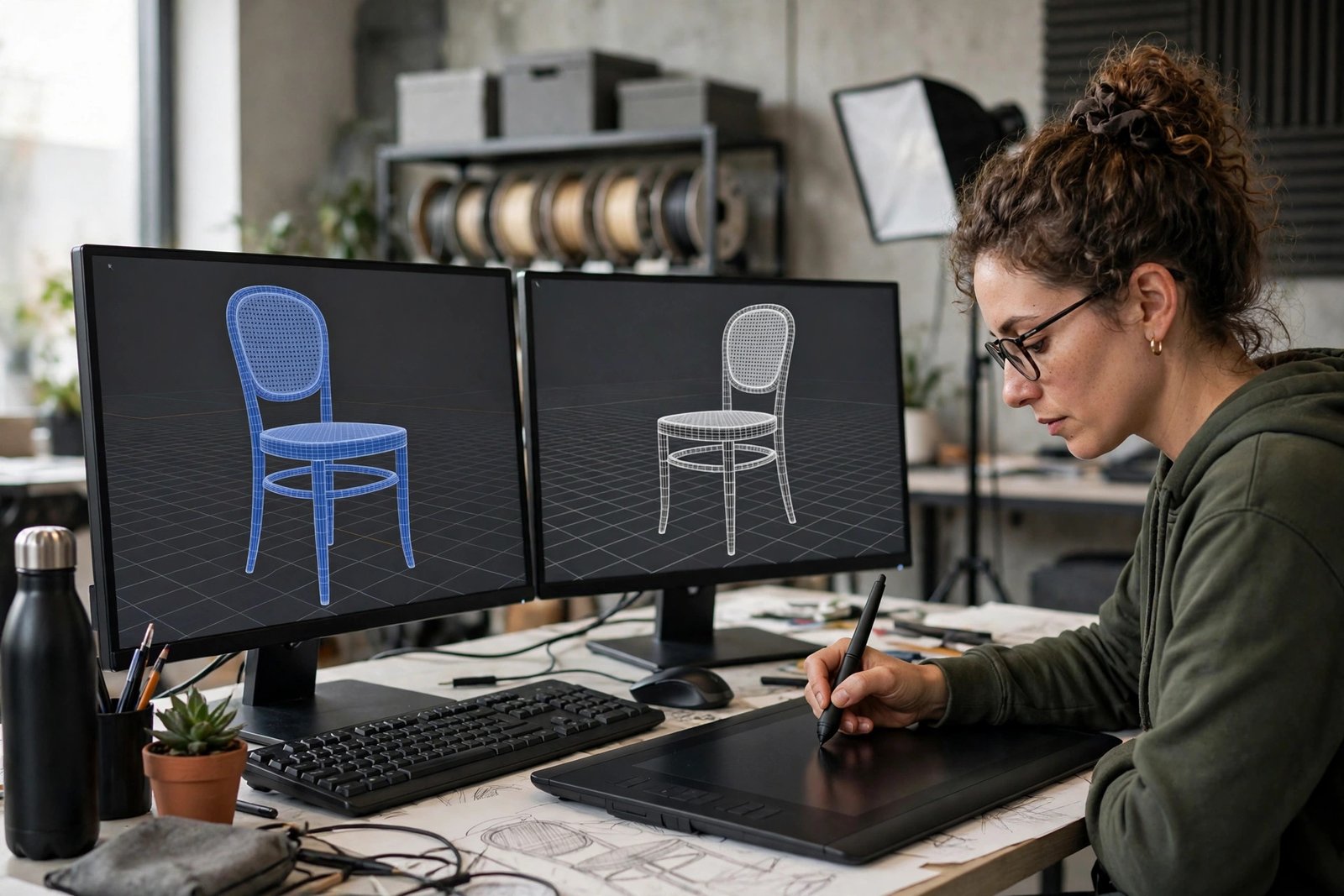
Preview images sell the model. Render the model from four angles on a plain background, plus one close up that shows the detail and one wireframe view that shows the mesh is clean. Add a short turntable video if you can, because buyers trust a model they can see from every side. Never use a render that hides a flaw, because the buyer will find it and ask for a refund.

Where to sell 3D models online: marketplaces compared
Each marketplace has a different audience, a different royalty rate and different rules. The table below compares the main options. Royalty rates change, and the figures here come from competitor guides, not from the marketplaces themselves. Framekit states that its rates were checked against each platform's published documentation in July 2026, and Shapr3D published a fee table in October 2026. Check the current seller page of any platform before you rely on a rate, because several platforms have changed their payout structure in the past two years.
| Marketplace | What it suits | Royalty reported, as of July 2026 |
|---|---|---|
| Fab | Game, film and Unreal Engine assets | 88 percent reported |
| CGTrader | General 3D assets and print files | 70 to 80 percent by reputation |
| TurboSquid | High end stock models for film and games | 40 percent, or 60 percent through SquidGuild |
| Unity Asset Store | Unity game assets | 70 percent flat reported |
| Superhive | Blender assets | 70 to 90 percent by plan reported |
| Cults3D | Print files and miniatures | About 80 percent after fees reported |
| Etsy | Print files and small models | You keep the sale price minus Etsy fees |
| Your own store | Repeat buyers and full control | Payment processor fees only |
TurboSquid pays less per sale than Fab or CGTrader, but it has a large base of professional buyers who pay higher prices. CGTrader is a good first marketplace for most sellers, because it accepts both game assets and print files. Your own store pays best per sale, but you must bring your own traffic, so start with a marketplace and add a store later. For the Etsy route, read how to sell digital products on Etsy, and for pricing in general, read how to price digital products.

A worked royalty example
Example only: imagine you sell a game ready character model for $50. On Fab, at the reported 88 percent royalty, you would keep $44.00, because 88 percent of $50 is $44.00. On CGTrader, at a reported 70 percent royalty, you would keep $35.00, because 70 percent of $50 is $35.00. On TurboSquid at the reported 40 percent rate, you would keep $20.00, because 40 percent of $50 is $20.00. Through TurboSquid's SquidGuild programme at a reported 60 percent, you would keep $30.00, because 60 percent of $50 is $30.00.
The same model earns more than twice as much on Fab as on TurboSquid at the standard rate, which is why the royalty matters as much as the price. But a model that sells ten times on TurboSquid earns more than a model that sells once on Fab, so do not choose on royalty alone. Look at where your buyers actually shop, and list where your type of model sells. These numbers are an example only, and the royalty rates are reported figures from competitor guides, not official figures, so check the current seller terms before you publish a price.
What happened to Sketchfab Store and the Fab consolidation
Many older guides still list Sketchfab Store as a place to sell 3D models. That is out of date. In October 2024, Epic Games brought together the Unreal Marketplace, the Sketchfab store, Quixel Bridge and the ArtStation Marketplace into one marketplace called Fab. Sketchfab itself still exists as a place to show and share 3D models, but its store is closed, and sales now run through Fab.
This matters for two reasons. First, if you follow an old guide and try to open a Sketchfab Store, you will waste time on a shop that no longer exists. Second, if you had models listed on the Unreal Marketplace or the Sketchfab store, they were moved to Fab, and you should check that your listings, prices and licences carried over correctly. Fab also has its own channels for Unity, Unreal Engine, MetaHuman and UEFN content, so check which channel fits your model before you list.
Exclusivity: read the clause before you sign
Some marketplaces offer a higher royalty if you sell only with them. TurboSquid's SquidGuild programme is the best known example: it pays a higher rate, but the exclusivity clause can cover your whole catalogue, not just the models you list there. That means a model you planned to sell on CGTrader as well could breach the agreement.
Read the exclusivity clause in full before you join any such programme. Note how long it lasts, whether it covers your whole catalogue or only listed models, and what happens if you want to leave. For most new sellers, non-exclusive listing is safer, because it lets you test several marketplaces and see where your models actually sell. You can always join an exclusive programme later, once you know which marketplace earns you the most.
How to list a model step by step
Start with a clear title that names the model, its use and its format, for example "Low Poly Medieval House, Game Ready FBX and OBJ". Write a description that states the poly count, the texture size, the formats included, the rigging if any, and the licence. Buyers decide from these facts, so do not hide them.
Add tags that buyers search for, such as "game asset", "low poly", "medieval", "house" and "FBX". Upload the preview renders and the turntable video, then upload the files. Before you publish, download your own listing files from a fresh account or a second device and open them, to catch a missing texture or a broken export. Set the price last, after you have checked what similar models sell for on the same marketplace.
Choose the licence with care. A standard licence usually lets the buyer use the model in one project, while an extended licence covers wider commercial use. State plainly what the buyer may and may not do, and do not promise rights you do not own.
How to price your models
Price by looking at comparable models, not by counting your hours. A simple prop that took you two hours to build may sell for $5, while a rigged character that took two weeks may sell for $100 or more. Check the prices of similar models on the same marketplace, and place yours in the same range unless it is clearly better or more complete.
Bundles sell well. A set of ten matching props at $40 often earns more than ten props at $6 each, because buyers prefer one purchase. Offer a lower price for a personal licence and a higher price for a commercial licence where the marketplace allows it. Do not underprice to win sales, because a very low price signals low quality.
Licences buyers understand
Write the licence in plain words in the listing. A personal licence lets the buyer use the model in a hobby project. A commercial licence lets them use it in a product they sell. An extended licence covers wider use, such as a broadcast or a large game. Say whether the buyer may modify the model, whether they may resell the file itself, and whether they must credit you. Most marketplaces forbid reselling the raw file, and you should say so clearly.
If your model includes parts made by someone else, such as a texture from a free library, check that library's licence before you sell. A texture that is free for personal use may not be free for commercial sale.
AI generated models and platform rules
Platform rules on AI generated models differ, and they change often. Some marketplaces ban AI generated designs outright, while others allow them with a clear label. Etsy and Printables require disclosure when a design was made with AI, and MyMiniFactory bans AI designs, according to research checked in October 2026. Check the current rules of each marketplace before you list an AI assisted model, and label it honestly wherever the platform asks you to.
Even where AI models are allowed, buyers pay more for models with clean topology and good textures. Use AI as a starting point if you like, but clean the mesh and test the file yourself before you sell it.
What it costs and what to expect
You can start with free tools. Blender is free and widely used, and it can build game assets and print files. Paid software, a better computer and a 3D printer for testing print files all cost money, but none of them is needed for your first listings. Marketplace accounts are free to open, and you pay only when you sell.
Expect a slow start. A new seller with five models may wait weeks for the first sale, because buyers trust shops with more listings and more reviews. Plan to list at least 20 models before you judge the shop. Income is lumpy, with quiet weeks and sudden bursts when a model is featured. Do not expect steady daily income in the first months.
Common mistakes
- Listing a model with missing textures or a broken export, which leads to refunds and bad reviews.
- Using the wrong scale, so a model arrives far too big or too small for the buyer to use.
- Skipping preview renders and the wireframe view, so buyers cannot judge the quality before they pay.
- Joining an exclusive programme without reading the clause, then finding it covers the whole catalogue.
- Pricing by hours worked instead of by what comparable models sell for on the same marketplace.
- Listing on Sketchfab Store from an old guide, when the store closed into Fab in October 2024.
- Selling a model that includes a texture or part you do not have the right to sell commercially.
Risks and scams to watch for
Be careful of buyers who ask you to send the model files before they pay, or who ask to move the sale off the marketplace to avoid fees. Both are against marketplace rules, and you lose all protection if you agree. Keep every sale inside the marketplace.
Watch for fake buyers who claim your model infringes a copyright and demand payment to avoid a complaint. Real copyright claims come through the marketplace, not through a direct message asking for money. If you receive one, report it to the marketplace and do not pay. Do not buy fake sales or reviews, because marketplaces detect this and close shops that do it.
Frequently asked questions
Where can I sell my 3D models?
You can sell 3D models on Fab, CGTrader, TurboSquid, the Unity Asset Store, Superhive, Cults3D and Etsy, or through your own store. Fab suits game and film assets, CGTrader suits general assets and print files, and Cults3D suits print files and miniatures. Start with one marketplace that fits your model type, then expand once you have sales.
Which 3D marketplace pays the most?
It depends on the model and the royalty, and rates change, so check the current seller page before you decide. Reported rates from competitor guides checked in July 2026 put Fab at 88 percent, CGTrader at 70 to 80 percent, and TurboSquid at 40 percent, or 60 percent through SquidGuild. A higher royalty does not help if your buyers shop elsewhere, so look at where your type of model actually sells.
Can I sell the same 3D model on multiple sites?
Yes, you can sell the same model on several marketplaces, as long as you have not joined an exclusive programme. Some programmes, such as TurboSquid's SquidGuild, can cover your whole catalogue, so read the exclusivity clause before you sign. If you list on several sites, keep the price and the licence the same everywhere.
Do I need to handle VAT when selling 3D models?
Marketplaces usually collect and remit VAT or sales tax on digital sales for you, but you still need to report your own income to your local tax authority. Keep a record of every sale, fee and payout. Tax rules differ by country, so speak to a qualified accountant if your sales grow.
What file format should I sell 3D models in?
Use FBX or OBJ for game and film assets, and STL or 3MF for print files. Include the formats your marketplace asks for, and test the exported file by opening it in a fresh scene. Always state the formats, the poly count and the texture size in the listing, because buyers decide from those facts.
Conclusion
To sell 3D models online, pick one kind of model to focus on, prepare clean files with good preview renders, list on the marketplace where your buyers already shop, and price against comparable models. Read every exclusivity clause before you sign it, and remember that Sketchfab Store closed into Fab in October 2024.
To go further, read how to sell digital art online for a related creative product, how to sell digital products on Etsy for the marketplace in detail, and how to create your first digital product for the first steps of building a shop, then browse the full Digital Products category for more guides. Royalty figures in this guide are reported figures from competitor guides checked in July and October 2026, not official figures, so check the current seller pages before you rely on them.
Note for the reader: marketplace royalties, exclusivity terms and tax rules differ by country and change from time to time, so check the official seller pages for your country before you sell. Earning results vary; nothing on this site is financial advice.