How to Sell Products on Instagram in 2026
Learning how to sell products on Instagram in 2026 means learning how Instagram selling works now. Instagram can be a storefront, but buyers no longer check out inside the app. Since September 2025, Shops on Facebook and Instagram use website checkout, so a buyer browses your shop and tagged products on Instagram, then completes the purchase on your own website. This guide is for sellers with products to sell, including sellers with no website at all.
In this guide
- How selling on Instagram works now
- Before you start: what you need
- Step 1: Switch to a professional account
- Step 2: Set up your shop in Meta Commerce Manager
- Step 3: Create or connect your product catalog
- Step 4: Tag products in posts, Reels, and Stories
- Step 5: Optimise your profile for selling
- Selling without a website: DM selling step by step
- Selling digital products
- Content that sells
- Getting found
- What it costs and what to expect
- If Meta rejects your shop
- Returns, refunds, and customer service
- What to track
- Frequently asked questions
How selling on Instagram works now
Three things changed, and they shape everything in this guide. First, Instagram removed the Shop tab from the bottom navigation bar in early 2023, so there is no standalone shop front page in the app any more. Second, Instagram ended live shopping on 16 March 2023, so you can no longer tag products during a live broadcast. Third, since September 2025, checkout happens on your own website, not inside Instagram. Selling still works, but it works through product tags in posts, Reels, and Stories, through your bio link, and through DMs. Your shop is a browsing layer that sends buyers to your site.
That is good news in one way: you own the checkout, the customer details, and the relationship. It also means you need a website or a payment link before product tags can pay you. If you have neither, start with DM selling, which this guide covers in full. That is the honest starting point for learning how to sell products on Instagram.
Before you start: what you need
- A product people want, with photos you took yourself.
- A website where buyers can pay, or a payment link you can send in a DM.
- A business in a country where Instagram shopping is available. Meta publishes a supported-country list, and it changes, so check it in Commerce Manager before you build anything.
- A business that meets Meta's commerce rules. Your products, your Page, and your ads must follow Meta's Commerce Policies, and your prices, availability, and refund policy must be accurate and easy to find.
- Time to post at least three times a week. A shop with no new content gets no traffic.
Step 1: Switch to a professional account
Open Instagram, go to Settings, then Account, then Switch to professional account. You will be asked to choose Business or Creator. For sellers, choose Business. A Business account gives you the shop, the catalogue, contact buttons, and full insights. A Creator account suits public figures and influencers, and it has limited shopping features.
You will also be asked to connect a Facebook Page. A Facebook business Page is needed because shops are managed through Meta's systems, and Commerce Manager sits inside Meta Business Suite. A personal Facebook profile is not enough. If you have no Page, create one first, add it to your Business Manager, and then finish the Instagram switch.
Step 2: Set up your shop in Meta Commerce Manager
Go to Commerce Manager at business.facebook.com and create a shop. The setup asks you to do four things: create the shop, review your catalogue, add a shipping profile and a checkout URL, and publish the shop. The checkout URL is your website address where buyers pay. Meta reviews the shop before it goes live, and the review can take up to four weeks, so apply early and do not plan a launch around a date you cannot control.
Meta checks five areas before it approves a shop: that you follow its policies, that your business and domain match, that you are in a supported country, that you have an established and trustworthy presence, and that your information is accurate. There is no follower minimum to open a shop. A new account with good products and a real website can be approved.
Step 3: Create or connect your product catalog
A catalog is the list of products your shop shows. You can build it three ways:
| Method | How it works | Best for |
|---|---|---|
| Manual entry | You type each product into Commerce Manager by hand | A small range, under 50 products |
| Data feed | You upload a file with all your products at once | A larger range that changes often |
| Platform sync | Your shop platform, such as Shopify or WooCommerce, sends the catalog to Meta automatically | A store you already run |
Each product needs the same core fields: a name, a price, a description, at least one clear image, and a website link where the buyer pays. Prices must match your website exactly. If a price on Instagram says one thing and your website says another, buyers will leave, and Meta can flag the shop.
Step 4: Tag products in posts, Reels, and Stories
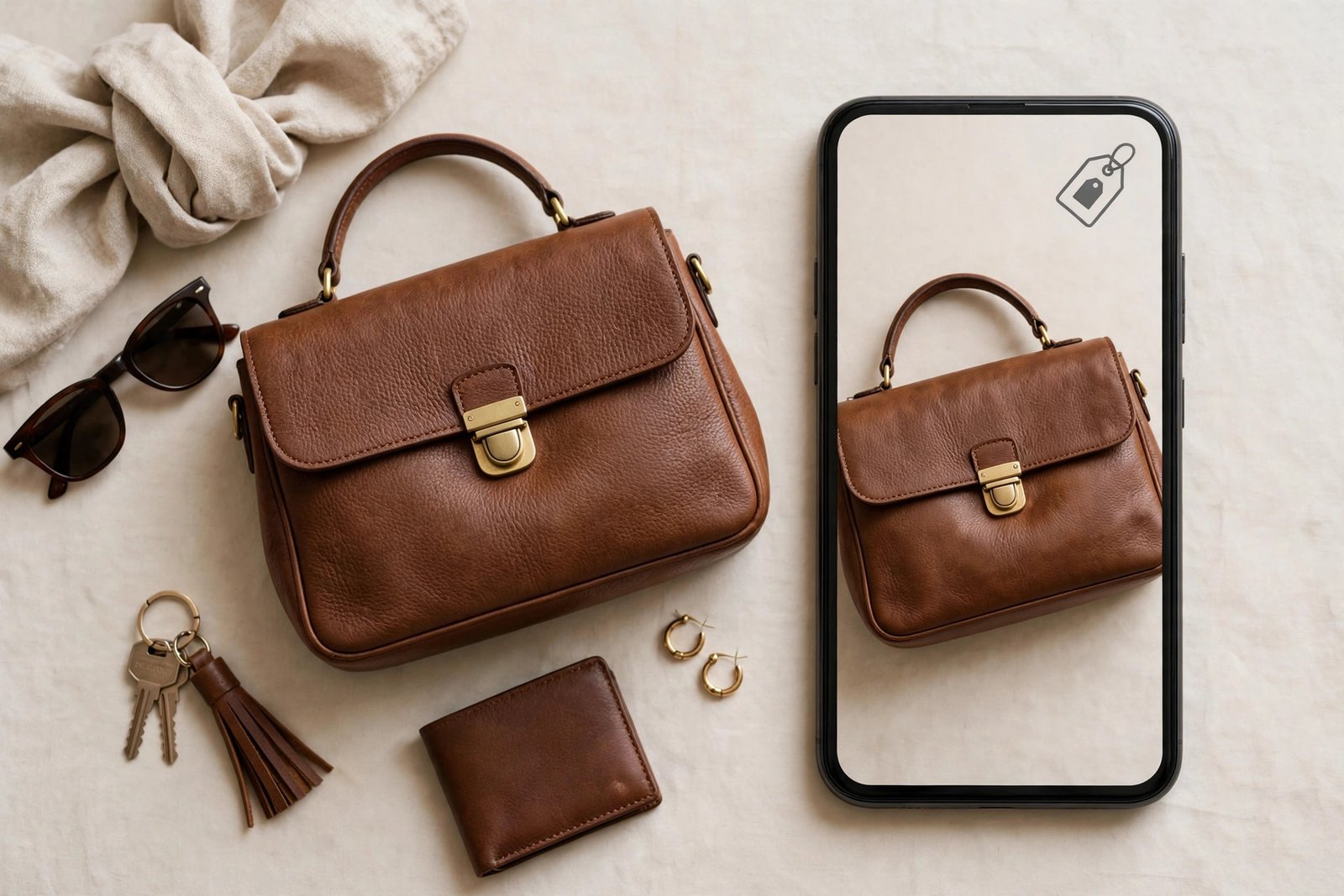
Once your shop is approved, you can tag products in your content. A tag is a small marker on a photo or video that shows the product name and price, and takes the buyer to your website. You can tag up to 20 products in one photo post, and up to 30 products, or one collection, in one Reel. In Stories, use the product sticker and write "Tap to shop" so viewers know what to do.
Tag only products that are actually in the photo or video. A tag on a product the viewer cannot see feels like a trick, and it breaks trust. Tag your best sellers first, and tag them in your best content, not in every post. A feed where every image is a sales pitch gets muted. Mix product posts with useful posts, and let the tags do the quiet work.
Step 5: Optimise your profile for selling
Your profile is your shop window, and a buyer decides in seconds whether to stay.
- Use a clear photo: your logo, or a photo of your best product.
- Use your business name, spelled the way customers search for it.
- Write a bio that says what you sell, who it is for, and how to order, in one or two lines.
- Pick the right category, such as Shopping and Retail, so Instagram knows what you do.
- Switch on contact buttons for email, phone, or WhatsApp, so a buyer can reach you in one tap.
- Use the bio link well. The first link gets the top spot, and links open in Instagram's in-app browser, so test your checkout on a phone before you promote it. If the checkout is slow or broken in that browser, fix it before you spend anything on promotion.
Selling without a website: DM selling step by step
You can sell on Instagram with no website at all, by selling through direct messages. This suits makers testing a product, and sellers with a small range.
- Post the product with a clear photo, the price, and a call to action such as "Send us a DM to order".
- When a buyer messages you, reply fast and confirm the product, the size or variant, the total price including delivery, and the delivery time.
- Send a secure payment link, such as a PayPal link, a payment app link, or a link from your payment provider. Never ask a buyer to send money to a personal account with no record, and never ask for card details in a DM.
- Once payment clears, confirm the order in writing, with the delivery date.
- Send the order with tracking if you can, and message the buyer when it arrives.
- Keep a simple record of every order: buyer name, product, amount, date paid, and date sent. A spreadsheet is enough.
DM selling takes time, because every sale is a conversation. That is also its strength: the buyer talks to a real person, and a good conversation turns a one-time buyer into a repeat buyer. Set hours for DMs and say so in your bio, or you will answer messages all night.

Selling digital products
Shops do not allow digital products. Meta's Commerce Policies say plainly that commerce content may not promote downloadable digital content, digital subscriptions, or digital accounts. So you cannot list an ebook, a template, or a preset in an Instagram shop.
You can still sell digital products on Instagram, just not through the shop. Sell them through your bio link, your Stories, and your DMs, and deliver the file after payment. Link to your own sales page, and say clearly what the buyer gets. For the product itself, read how to create your first digital product and how to price digital products.
Content that sells
Different formats do different jobs. Use them together.
- Reels show the product in use. Keep them under 30 seconds, show the product in the first two seconds, add captions, and use a sound that fits. A Reel that shows a problem and then the fix sells better than a Reel that only shows the product sitting still.
- Carousels show detail. Use the first image to catch the eye, then show the product from other angles, the size, the materials, and a customer photo.
- Stories sell the moment. Use them for restocks, limited stock, polls about the next colour, and questions from buyers. A Story with a product sticker turns a casual viewer into a buyer in one tap.
- Highlights are your permanent shop window. Save your best Stories into Highlights named for what buyers look for: New Arrivals, How It Is Made, Customer Favourites, and Delivery Info. A new visitor who opens your Highlights should understand your shop in a minute.
For the short-video skill, read how to use Instagram Reels to earn money, which covers Reels as a format in depth. And if your account is still small, read how to make money on Instagram with a small account for the monetisation routes that work before you have a big following.
Getting found
Hashtags help a little, and no number of them is magic. Instagram allows up to 30 hashtags on a post, but a few relevant ones work better than 30 random ones. Use tags that describe the product and the buyer, such as the product type, the material, and the occasion. Check which tags bring profile visits, and drop the ones that bring nothing.
Explore ads can put your products in front of new buyers, but only pay for ads after your shop, your listings, and your checkout are working. An ad that sends buyers to a broken checkout wastes money. Influencer collaboration works well for small sellers: send a product to a creator whose audience matches yours, agree what they will post, and track the sales with a code or a link. Giveaways can grow your audience, but set a clear end date, clear rules, and a prize that fits your shop. Repost customer photos with their permission, because a real customer using your product convinces buyers more than any ad.
To grow the audience behind the shop, read how to grow Instagram followers organically.
What it costs and what to expect
Setting up a shop costs nothing. Instagram charges no fee to open a shop and no fee to list products. Your costs are your store plan, your payment processing fees, your packaging and delivery, and any ads you run. Those are the same costs as selling anywhere online, and you must count them before you set a price.
Worked margin example (example only)
Example only: these numbers are not typical results. They show the maths on one order.
You sell a handmade candle for 18 US dollars. Your costs are: product cost 6.00 US dollars, packaging 1.50 US dollars, payment processing 0.80 US dollars, and shipping 3.50 US dollars. Total costs are 11.80 US dollars. You keep 6.20 US dollars before tax. Recheck: 6.00 plus 1.50 plus 0.80 plus 3.50 equals 11.80, and 18 minus 11.80 equals 6.20. If you run an ad that costs 2 US dollars to bring that sale, you keep 4.20 US dollars. Run this maths for every product, and raise the price or cut a cost when the margin is too thin.
Expect a slow start. A realistic first month is a live shop, tagged products in your best posts, and a handful of sales, mostly through DMs. Sales grow when buyers return and when your Reels reach new people, which takes weeks of steady posting. Results vary with your product, your prices, and your audience.
If Meta rejects your shop
A rejection is common, and it is usually fixable. Open Commerce Manager and read the reason Meta gives. The usual reasons are: a product that breaks a commerce policy, a domain that does not match your Page, a missing or unclear refund and return policy, a website that does not work, or a business in an unsupported country. Country is the one reason you cannot fix from inside Meta.
Fix exactly what the reason names, then reapply. Remove the problem product. Match the domain on your Page, your website, and your shop. Publish a clear refund policy. Test your website on a phone. If the reason is unclear, use the appeal steps Meta lists in its Commerce Policies, and request a review. Do not open a second shop to dodge a rejection, because Meta can disable both.
Returns, refunds, and customer service
Since checkout happens on your website, returns, refunds, and customer service happen there too. That is your job, not Instagram's. Before you sell, publish a clear policy that says: how many days a buyer has to return an item, what condition it must be in, who pays for return shipping, and how fast you refund. Put the policy on your website and link it from your bio.
Answer DMs about a problem fast, even if the answer is that you need a day to check. A buyer who feels heard will often accept a replacement instead of a refund. Refund quickly when the mistake is yours. Keep records of every return and every refund, because they show you which products cause trouble.
What to track
Check these four numbers every week, in Instagram Insights and in your store's own analytics:
- Profile visits, which show whether your content brings people to your shop.
- Link clicks, which show whether your bio link and product tags work.
- DM enquiries, which show whether buyers want to talk before they buy.
- Sales by format, which shows whether Reels, carousels, or Stories bring the most orders.
If a format brings visits but no sales, the price or the checkout is the problem. If a product gets clicks but no sales, the product page or the delivery cost is the problem. If DMs bring questions but no orders, your replies may be too slow or your terms may be unclear. Fix the step that leaks, not the whole shop. Tracking is how to sell products on Instagram with intent, instead of guessing what works.
Frequently asked questions
Can you sell directly on Instagram?
You can browse and tag products on Instagram, but since September 2025 the purchase finishes on your own website. You can also sell through DMs with no website, by taking payment through a secure payment link.
Does it cost to sell on Instagram?
No. Instagram charges nothing to set up a shop or list products. You pay for your store plan, payment processing, packaging, delivery, and any ads you choose to run.
How many followers do you need to sell on Instagram?
None. There is no follower minimum to open a shop. You need an established presence that Meta trusts, which means a real profile, real posts, and a real website, not a follower count.
Do I need a website to sell on Instagram?
You need a website for product tags and shop checkout, because buyers pay there. If you have no website, you can still sell through DMs with a payment link, which is the best way to start.
How do I tag products on Instagram?
Open a post, Reel, or Story, add the product tag or sticker, and pick the product from your catalog. You can tag up to 20 products in a photo post and up to 30 products, or one collection, in a Reel. Only tag products that appear in the content.
Why was my Instagram Shop rejected?
The common reasons are a product that breaks a commerce policy, a domain that does not match your Page, a missing refund policy, a website that does not work, or a business in an unsupported country. Read the reason in Commerce Manager, fix it, and reapply.
Conclusion
That is how to sell products on Instagram in 2026: switch to a Business account, set up your shop in Commerce Manager, connect a catalog with accurate prices, and tag products in Reels, Stories, and posts. Sell through DMs while you have no website, use your bio link and Highlights as your shop window, and track which format brings sales. Check the reason if Meta rejects your shop, fix it, and reapply.
Next, read how to make money on Instagram with a small account, how to use Instagram Reels to earn money, and how to sell on Etsy. Browse all our guides in social media earning.
Reader note: Instagram shopping rules, supported countries, and checkout change often. The facts in this article were checked against Meta's Commerce Policies and Business Help Center pages as reported in October and November 2026, including the September 2025 move to website checkout and the March 2023 end of live shopping. Check the current pages in Commerce Manager and Meta's Business Help Center before you act, and check your local tax authority or a qualified accountant about declaring this income. Earning results vary; nothing on this site is financial advice.