How to Make Money with Instagram Subscriptions in 2026
To make money with Instagram Subscriptions in 2026, you need an audience that already trusts you, and a clear reason for your most loyal followers to pay a small monthly fee. They are a steady floor of recurring income. This guide shows you who can use them, how to set them up, what to charge, and how to keep subscribers.
In this guide
- What are Instagram Subscriptions?
- Who can use Instagram Subscriptions?
- Make money with Instagram Subscriptions
- Step 1: Check your eligibility
- Step 2: Set up Instagram Subscriptions
- Step 3: Price your subscription
- Step 4: Plan what subscribers get
- Step 5: Promote your subscription
- Step 6: Keep your subscribers
- Instagram Subscriptions vs Patreon vs Substack
- What it costs and what to expect
- Common mistakes
- Risks and scams to watch for
- Frequently asked questions
What are Instagram Subscriptions?
Instagram Subscriptions let eligible creators charge followers a recurring monthly fee for extra content. A subscriber-only post, Reel, Story, or Live is visible only to people who pay. Subscribers also get a purple crown badge in comments and messages, and access to a subscriber chat or broadcast channel.
The idea is simple. Your public posts reach everyone, and your subscriber content rewards the small group who care most. People pay for access, not for content alone: to see the process behind your work, to ask you questions directly, and to feel part of a smaller group. A creator who only locks ordinary posts behind a paywall will struggle, because followers can already see similar content for free elsewhere.
Subscriptions are one of several ways Instagram creators earn. Gifts pay small amounts from viewers who send Stars on Reels, brand deals pay lump sums for sponsored posts, and affiliate links pay commissions on sales. Subscriptions are different because the income repeats every month, which makes it steadier than a brand deal but slower to build.
Who can use Instagram Subscriptions?
Not every account can turn Subscriptions on. Instagram's Help Centre lists the rules, and your Professional dashboard has the final word.
| Requirement | What Instagram asks for |
|---|---|
| Account type | Professional account, Creator or Business |
| Followers | At least 10,000 |
| Age | 18 or older |
| Country | You must live in a country where Subscriptions are offered |
| Policies | Follow the Partner Monetisation Policies, Community Standards, and Content Monetisation Policies |
| Terms | Agree to the Instagram Subscriptions Terms of Use |
Two rules catch people out. Accounts that mainly post content focused on children cannot offer Subscriptions, whatever their follower count. Meeting the rules also does not guarantee access, because Instagram rolls the feature out gradually.
The country list matters a lot for readers outside the United States and Europe. Instagram lists a limited set of eligible countries, and it changes the list over time. Independent guides that checked the Help Centre list in November 2026 report that India is on it, while Pakistan is not. If your country is not listed, build your audience anyway and check your dashboard again in a few months.
You also need a payout account set up before Instagram will pay you. Payouts are usually sent around the 21st of each month, and the minimum payout is 5 dollars in the United States, 100 dollars by wire transfer outside the United States, and 25 dollars for other payment methods, according to Meta's payout guidance as reported by independent guides in 2026. Check the current figures in your own payout settings, because they can change.
Make money with Instagram Subscriptions
Subscriptions pay a small amount per person, so the maths depends on how many followers convert. Independent guides that track creator earnings commonly report a conversion rate of 0.1 to 0.5 percent of followers. At 0.3 percent, 10,000 followers might bring 30 subscribers, 40,000 might bring 120, and 100,000 might bring 300, each paying 7 dollars a month before fees and tax.
Worked example: what 120 subscribers could pay
Example only: these numbers are not typical results. This example shows the maths, not a promise. Real results depend on your follower count, your niche, and how many subscribers stay.
Imagine you have 40,000 followers and 120 of them subscribe at 7 dollars a month.
- Gross monthly income: 120 times 7 dollars, which is 840 dollars.
- App store fee at 30 percent: 30 percent of 840 dollars, which is 252 dollars.
- Income after the app store fee: 840 minus 252, which is 588 dollars.
- Income after a year at the same subscriber count: 588 times 12, which is 7,056 dollars.
If 30 subscribers cancel in the first three months, your monthly income falls to 90 times 7 dollars, which is 630 dollars before fees. That is why keeping subscribers matters as much as winning them.
Step 1: Check your eligibility
Open your profile, tap the Professional dashboard, and look for the Subscriptions option. If it is not there, check each requirement in turn.
- Switch to a professional account. Go to Settings, then Account type and tools, and choose Creator or Business. A personal account cannot offer Subscriptions.
- Check your follower count. You need at least 10,000 real followers, because Instagram can remove monetisation from accounts with fake engagement.
- Check your age on the account. You must be 18 or older.
- Check your country. Look at the country list in the Help Centre and confirm your country is on it.
- Check your standing. Open your Account Status in settings and fix any policy strikes. An account in poor standing will not be offered monetisation.
- Read the Terms of Use. Open the Subscriptions Terms of Use during setup and read the key points.
If you are below 10,000 followers, grow with the same content your future subscribers will pay for, so the audience you build is the audience that will convert. Our guide to how to earn money with Instagram affiliate marketing explains how to earn from a smaller Instagram audience in the meantime.
Step 2: Set up Instagram Subscriptions
Once the option appears in your Professional dashboard, setup takes only a few minutes.
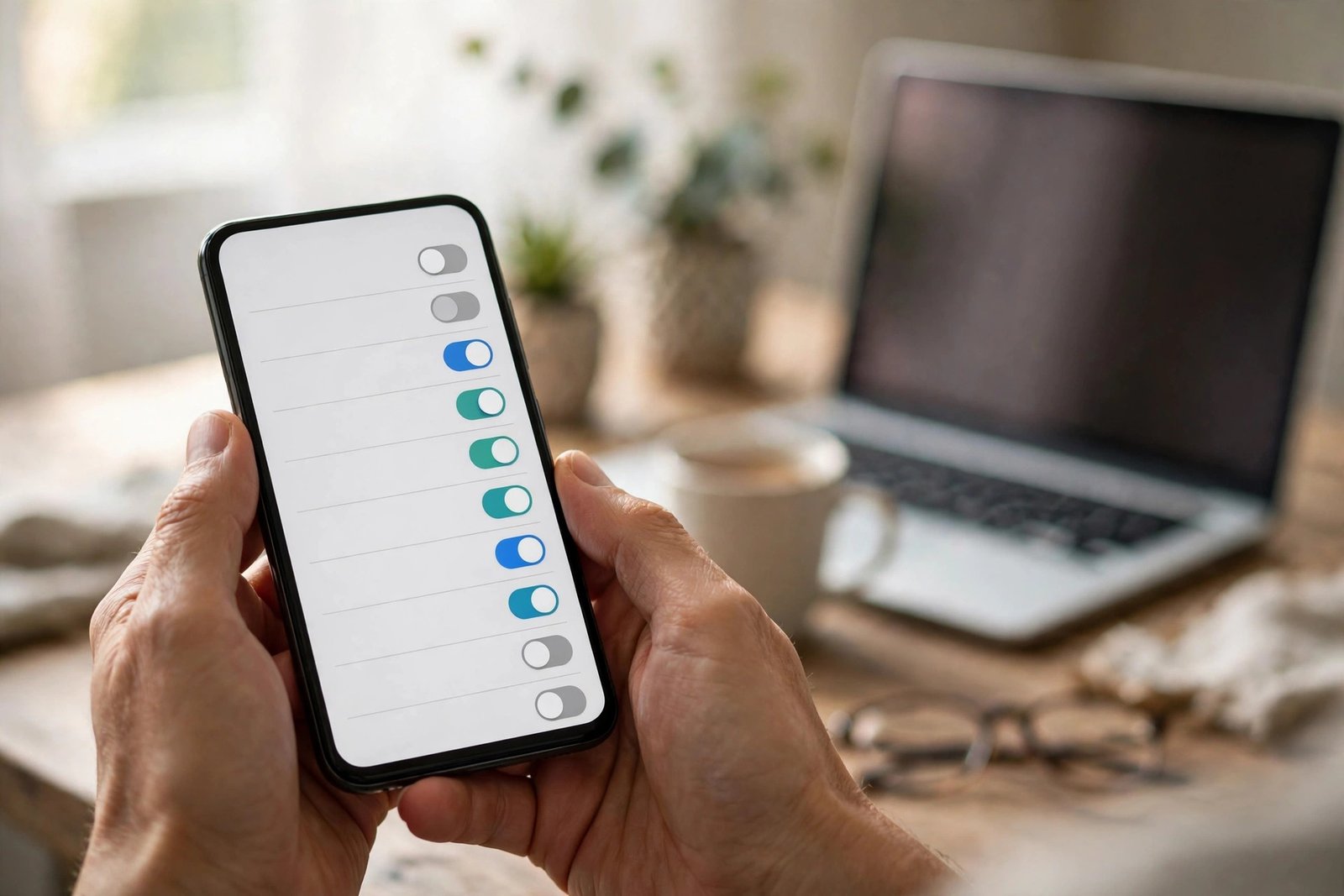
- Open the Professional dashboard on your profile. Tap the Subscriptions option, then tap Set up.
- Choose your monthly price. Pick one price to start. You can change it later, but a price change applies only to new subscribers.
- Set up your payout account. Add your bank or payment details and your tax information. Instagram cannot pay you without this, and there is a cap on how much you can earn without one.
- Write your subscriber welcome message. Keep it short. Say what subscribers get and how often you post for them.
- Create your first subscriber-only post. Do this on the same day you turn Subscriptions on, so the first subscribers find something waiting for them.
- Turn on the subscriber badge and chat. The badge helps subscribers feel recognised, and the chat gives them a place to talk to you.
Step 3: Price your subscription
Price is the hardest decision, because there is no single right answer. Most creators charge a small monthly fee, often between about 4 and 15 dollars or pounds a month, with most prices near the low end of that range. A low price wins more subscribers but earns less per person, while a high price needs a stronger offer to justify it.
Start with one simple price rather than several tiers. A single price of 5 or 7 dollars a month works well for most creators, because it feels like a coffee, not a commitment. You can add a higher tier later, once you know what your most loyal subscribers want.
Ask yourself three questions before you set the price. First, what does a subscriber get each month that a follower does not? Second, how much time will it take you to make it? Third, what do similar creators in your niche charge? A useful test is the hourly rate test: if your subscriber content takes four hours a month to make, and 50 subscribers pay 5 dollars each, you earn 250 dollars for four hours of work before fees, which is a fair return. If the same work earns 50 dollars, the price is too low or the subscriber count is too small.
Step 4: Plan what subscribers get
Subscribers stay when the extras feel worth the fee every month. Plan a simple monthly rhythm: one tutorial, one behind the scenes post, one practical download, and one live session each month.
Content ideas that work well include early access to your public posts, the full version of a tutorial you teased in public, and a monthly live session where subscribers ask questions. Content that works badly includes locking ordinary posts behind a paywall and promising a monthly live that you cancel twice.
Keep your public content strong too. Your public posts are the advert for your subscription, so if they get weaker, fewer people will discover you and fewer will subscribe. Your best public content brings people in, and your best subscriber content keeps them paying.

Step 5: Promote your subscription
Mention it in Stories once or twice a week, with a short clip of what subscribers got that week. End a public Reel with a line such as "the full tutorial is in my subscriber feed this week" and mean it. Go Live for subscribers once a month and talk about it in a public Story the day before. Pin a post that explains what subscribers get, and update it when the offer changes. Answer the question every follower asks silently, which is "what do I get that I cannot get for free?" If you cannot answer it in one sentence, your offer needs work.
Ask happy subscribers to share what they like, and repost their comments with permission. A short quote from a real subscriber persuades more people than any sales post you write yourself.
Step 6: Keep your subscribers
Winning a subscriber is only half the job. Keeping one is where the income becomes steady, because every cancellation cuts your monthly income at once.
Post subscriber content on the schedule you promised, and say sorry in the chat if you miss a week. Ask subscribers what they want more of, with a quick poll once a month, and act on the answer. Welcome new subscribers by name in the chat, and reply to their comments quickly in the first week, because most cancellations happen early. Watch your numbers each month: how many joined, how many left, and which posts got the most saves and replies. If cancellations rise, ask why before you change the price.
Do not be afraid of a small, loyal group. Fifty subscribers who stay for a year pay far more than 200 subscribers who leave after one month.
Instagram Subscriptions vs Patreon vs Substack
Instagram Subscriptions are not the only way to sell a membership. Patreon and Substack do the same job with different trade-offs, and many creators use Instagram to find subscribers and Patreon or Substack to keep them.
| Feature | Instagram Subscriptions | Patreon | Substack |
|---|---|---|---|
| Where the audience is | Inside Instagram | On Patreon, linked from anywhere | On Substack, linked from anywhere |
| Typical fee to you | Instagram takes 0 percent now, but Apple or Google take 15 to 30 percent on in-app payments | Patreon keeps 10 percent plus card processing for pages published after August 2025 | Platform takes a share of paid subscriptions |
| Content format | Posts, Reels, Stories, Lives, chat | Posts, video, audio, chat, shop | Email newsletter, posts, chat |
| Discovery | Your Instagram followers see it | No built-in discovery | Some discovery through recommendations |
| Best for | Creators with 10,000 plus Instagram followers | Creators who want tiers and a shop | Writers who want email first |
Instagram wins when your audience already lives on Instagram. Patreon wins when you want several tiers and a shop. Substack wins when your main product is writing. You can also combine them, with a different offer on each, so nobody pays twice for the same content.
What it costs and what to expect
Subscriptions cost almost nothing to start. Instagram charges no setup fee, and its share is currently 0 percent, so the main cost is your time.
| Item | Typical cost | Notes |
|---|---|---|
| Professional account | Free | Required |
| Payout account setup | Free | Required before you are paid |
| App store fees | 15 to 30 percent of in-app payments | Web signups avoid this fee |
| Your time | 4 to 8 hours a month for subscriber content | Plan it like a part-time job |
Expect the first month to bring a small number of subscribers, often friends and your most loyal followers. Expect real growth only after three to six months of steady subscriber content and regular promotion. Expect some cancellations every month, even when you do everything right. A realistic goal for a creator with 20,000 to 50,000 followers is 50 to 200 subscribers in the first year, which pays a useful side income rather than a full salary. If you need a full income from Instagram, combine Subscriptions with brand deals or affiliate income, as our guide to selling products on Instagram explains.
Common mistakes
- Turning Subscriptions on before you have anything extra to offer, so the first subscribers find an empty feed and cancel.
- Pricing too high for a thin offer, which wins few subscribers and many cancellations.
- Posting subscriber content for one week and then going quiet, which tells subscribers the fee buys nothing.
- Promoting the subscription once and never mentioning it again, so most followers never know it exists.
- Forgetting that app store fees take up to 30 percent, and budgeting as if you keep the full subscription price.
Risks and scams to watch for
Be careful with anyone who offers to grow your subscriber count for a fee. Services that promise hundreds of subscribers overnight use fake accounts. Never pay someone to "unlock" Subscriptions for you, and never share your login details with anyone who claims to work for Instagram.
Watch out for fake brand deals in your direct messages that ask you to promote a subscription tool or pay for a "verification badge". Real partners contact you through official channels and never ask you to pay first. Keep records of your subscription income from the start, because tax rules differ by country and you may need to declare it even when the amounts are small.
Frequently asked questions
How much do Instagram Subscriptions pay?
Instagram itself currently takes 0 percent of subscription revenue, but Apple or Google take 15 to 30 percent when a subscriber pays inside the app. A creator with 100 subscribers at 7 dollars a month earns 700 dollars before those fees.
How many followers do you need for Instagram Subscriptions?
You need at least 10,000 followers on a professional account, and you must be 18 or older and live in an eligible country. Meeting those rules does not guarantee access, so check your Professional dashboard.
How do I turn on Instagram Subscriptions?
Open your Professional dashboard, tap the Subscriptions option, and follow the setup flow. You will choose a monthly price, set up a payout account, and write a short welcome message. The option only appears if your account is eligible.
Are Instagram Subscriptions worth it?
They are worth it when you already have a loyal audience and a clear extra to offer, because they pay a steady monthly amount. They are not worth it as a first income source for a small account, because the follower threshold is high and the early income is small.
How much should I charge for Instagram Subscriptions?
Most creators charge a small monthly fee, often between about 4 and 15 dollars or pounds a month. Start with one simple price, often 5 or 7 dollars, and raise it only when your offer grows.
Instagram Subscriptions vs Patreon: which is better?
Instagram Subscriptions are better when your audience already lives on Instagram, because subscribers never leave the app. Patreon is better when you want several price tiers, a shop, and an audience from more than one platform. Many creators use both, with a different offer on each.
Conclusion
To make money with Instagram Subscriptions in 2026, first reach 10,000 followers on a professional account, then offer your loyal followers something worth a monthly fee. Set one simple price, post subscriber content on a steady schedule, and promote it in your normal posts. The income starts small and grows slowly, but it repeats every month, which makes it a steady way to earn on Instagram.
To go further, read our guide to how to earn money with Instagram affiliate marketing for a second Instagram income stream, our guide to selling products on Instagram for turning followers into buyers, and our guide to how to monetise a blog with memberships if you want to compare Instagram with a membership on your own site. You can also browse the full Social Media Earning category for more guides like this one. Earning results vary, and nothing on this site is financial advice.