
How to Earn Money with Pinterest Affiliate Marketing in 2026
To earn money with Pinterest affiliate marketing in 2026, you need to think of Pinterest as a search engine, not as a social feed. People come to Pinterest with a plan: a room to decorate, a recipe to cook, a gift to buy, or a problem to solve. They search, they save what they like, and they click through to buy. That buyer intent is why a single Pin can keep earning for months.
In this guide
- What is Pinterest affiliate marketing?
- Why Pinterest works for affiliates
- Step 1: Set up your business account
- Step 2: Choose your niche and programs
- Step 3: Do keyword research
- Step 4: Create Pins that convert
- Step 5: Direct links or blog posts
- Step 6: Build a pinning schedule
- Step 7: Disclosures and rules
- Step 8: Track results with Analytics
- Step 9: Scale what works
- Worked example: earn money with Pinterest affiliate marketing
- What it costs and what to expect
- Common mistakes
- Risks and scams to watch for
- Frequently asked questions
What is Pinterest affiliate marketing?
Pinterest affiliate marketing means creating Pins that send people to products you earn a commission on. An affiliate commission is a share of the sale paid to you by the seller. You add your affiliate link as the Pin's destination, or you link to a blog post that contains your affiliate links, and you earn when someone clicks and buys.
Pinterest does not pay you for views. The affiliate programme pays you for conversions, which are the purchases that follow a click. A Pin with a million views and no clicks earns nothing, while a Pin with a thousand views and ten buyers earns a commission.
You do not need a website to start, because Pinterest allows direct affiliate links on Pins. You do not need many followers either, because Pinterest shows Pins in search results to people who have never heard of you.
Why Pinterest works for affiliates
Three facts make Pinterest different from other social platforms.
People arrive ready to buy. Pinterest users search for ideas they plan to act on, such as "small bedroom storage ideas". That means the person who sees your Pin is already halfway to a purchase.
Pins last for months. A post on most social platforms is dead within a day. A good Pin can keep appearing in search results for months or even years, because Pinterest ranks Pins by relevance rather than by recency alone.
Search beats followers. On Pinterest, a new account with good keywords can outrank a large account with poor keywords. Your Pin competes on its image, title, and description, not on follower count.
The trade-off is speed. Pinterest traffic grows slowly, and a new account may take three to six months to build steady views. If you need money this week, Pinterest is the wrong channel.
Step 1: Set up your business account
A business account is free, and it unlocks Pinterest Analytics, the ability to claim your website, and access to ads.
- Create a business account. Go to Pinterest Business and sign up, or convert an existing personal account in settings.
- Write a keyword-rich bio. Say who you help and what you pin, using the words your audience searches for.
- Claim your website. Claiming links your Pins to your domain, so Pinterest attributes your content to you. Follow the verification steps in Pinterest's settings.
- Create niche boards. Make 5 to 10 boards, one per topic, with keyword-rich titles such as "Budget Home Office Ideas". Write a short description for each board.
- Add a profile photo and a few starter Pins. Save 10 to 20 high-quality Pins from other creators to your boards first, so new visitors see a useful account rather than an empty one. Save only Pins that fit your niche.
If you already have a personal account on many topics, start fresh with a business account for your niche.
Step 2: Choose your niche and programs
Pick a niche where people search with buying intent and products are easy to show in a photo.
Good niches include home decor, fashion and beauty, food and recipes, fitness, parenting, travel, and personal finance, because people in those topics search with buying intent.
Once you pick a niche, join two or three programmes. Amazon Associates is the easiest starting point, because it covers millions of products and pays up to 10 percent in commission on qualifying purchases. Add one affiliate network, such as Awin, ShareASale, or CJ Affiliate, and one brand programme in your niche. Pinterest itself names Rakuten, LTK, ShopStyle, and Amazon Associates US as its official affiliate partners.
Before you join any programme, check the commission rate, the cookie duration, and whether Pinterest promotion is allowed.
Step 3: Do keyword research
Pinterest is a search engine, so keyword research is the most important skill in this guide. Your Pin needs the right keywords in its title, description, and board name to be found.
- Use guided search. Type your main topic into the Pinterest search bar and read the suggestions that appear below it. Those suggestions are real searches from real users, so write them down. Click one and read the next set, which are closer to buying intent.
- Check Pinterest Trends. Check Pinterest Trends to see whether interest in your topic is rising or falling. A rising term is a better bet.
- Study the top Pins. Search your keyword and open the top ten Pins. Note the words in their titles and the style of their images. Your Pin needs to be as good as the best of them.
- Build a keyword list. For each product, write down one main keyword, three to five supporting keywords, and two question phrases. Use the main keyword in the Pin title and the supporting keywords in the description.
Look for intent words that signal a buyer: "best", "review", "comparison", "alternatives", "for beginners", and "for small spaces". A Pin titled "best budget standing desk for small rooms" attracts buyers, while a Pin titled "nice desks" attracts browsers.
Step 4: Create Pins that convert
A Pin has two seconds to win a click, so the image does most of the work and the words close the deal.
- Use a vertical image at a 2:3 ratio, ideally 1000 by 1500 pixels. Tall images take up more space in the feed and get more clicks.
- Show the product in use, not just on a white background. A photo of a lamp glowing on a desk at night sells better than a catalogue shot.
- Add a short text overlay. Use a few large words that say the benefit, such as "Small room, big light". Keep the text readable on a phone, and do not cover the product.
- Use bright, clear colours and good light. A Pin that is easy to read at a glance wins the click.
- Write a title with your main keyword. Put the keyword near the start, and say what the reader gets.
- Write a description that helps and sells. Explain who the product suits and what problem it solves, using your supporting keywords naturally. End with a short call to action, such as "Tap to see the price".
- Make more than one Pin per product. Create three or four different designs for the same product, with different images and titles.
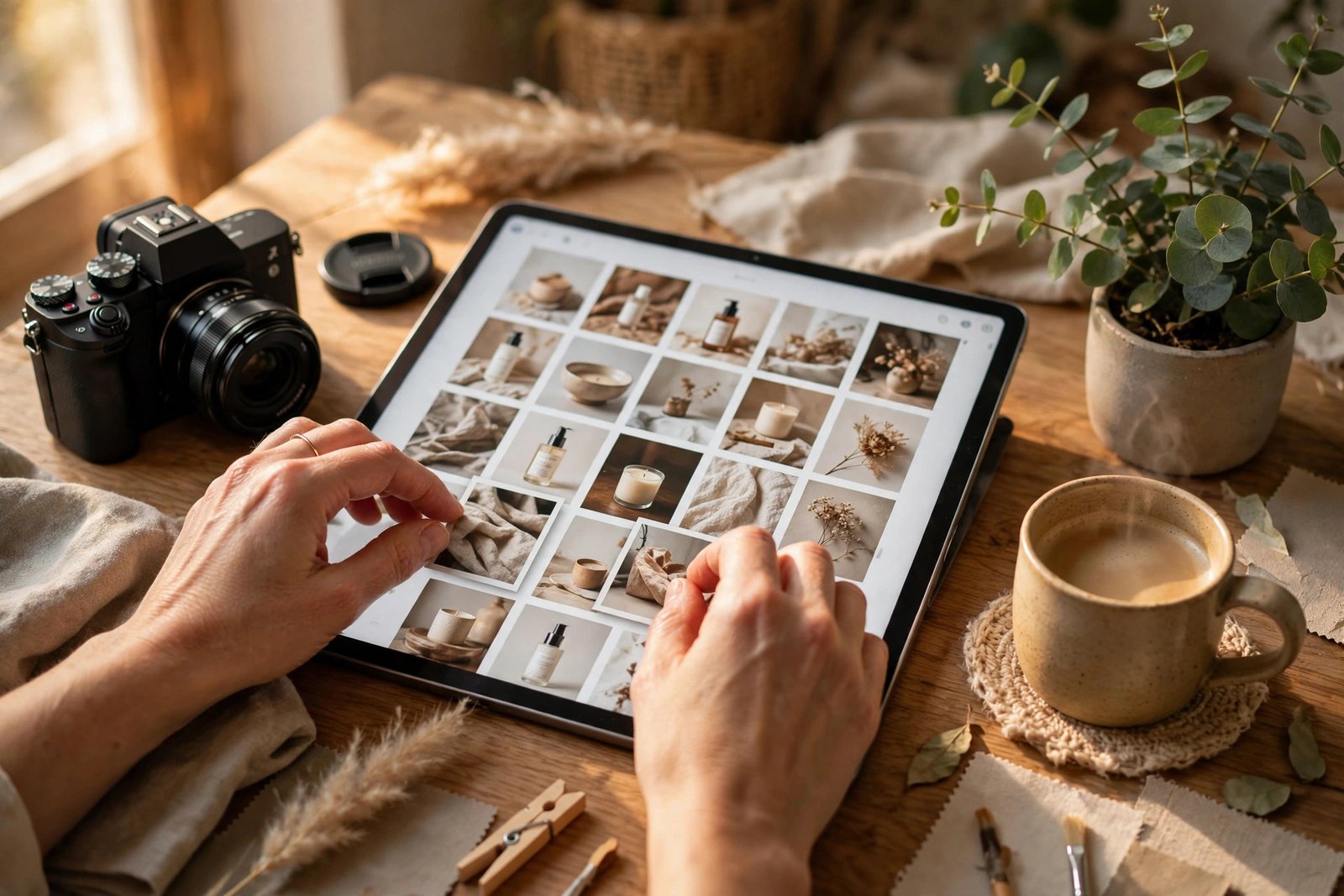
Do not use the seller's stock photos without adding your own value. Pinterest's guidelines say affiliate content should be original, so use your own photo, your own words, and your own experience.
Step 5: Direct links or blog posts
You have two ways to link a Pin, and each one suits a different situation.
| Method | How it works | Best when | Main risk |
|---|---|---|---|
| Direct affiliate link | The Pin links straight to the shop's product page | The product is simple and the price is clear | Less control, and less trust from buyers |
| Blog post link | The Pin links to your blog post, which contains the affiliate link | The product needs explanation or comparison | Needs a blog, and adds one click |
Use a direct link when the product is simple and easy to understand from the Pin alone, such as a popular kitchen tool or a book. Use a blog post when the product needs a review, a comparison, or a tutorial, because it can answer questions and build trust before the sale. A blog post also lets you collect email addresses and link to several related products at once.
A simple rule is to link direct for about a third of your Pins and to blog posts for the rest, then compare which method earns more. Keep your links clean: paste the full affiliate link exactly as your programme gave it, because Pinterest does not support some link shorteners and redirects.
Step 6: Build a pinning schedule
Consistency matters more than volume on Pinterest. A steady flow of fresh Pins each week teaches Pinterest that your account is active.
Start with two or three new Pins a day, about 15 to 20 a week, and keep that pace for three months. Mix new Pins for new products with fresh designs for your best blog posts. Save a few Pins from other creators each week too.
Do not bulk-pin dozens of affiliate Pins in a day. Pinterest's own guidelines list creating affiliate Pins repetitively or in large volumes as spam, and accounts that do it can lose distribution. A steady, human pace wins.
Step 7: Disclosures and rules
Two sets of rules apply to your affiliate Pins: Pinterest's own rules and the disclosure rules in your country. Follow both.
Pinterest's rules. Affiliate links are allowed on Pins, but you must be open about the commercial nature of your content. Your content should be original and add unique value. Operate only one authentic account, and do not use fake accounts, ask others to save your Pins in return for something, or ask others to create Pins with your affiliate ID. Pinterest can remove content or limit accounts that break these rules. You can find the main guidance on Pinterest Help.
Disclosure. Put a clear disclosure in the Pin description, near the start, such as "This Pin contains affiliate links. If you buy through them, I may earn a commission at no extra cost to you. #ad". The United States Federal Trade Commission explains this rule in its Endorsement Guides. The same principle applies in most countries, so disclose even when your audience is not in the United States. You can also use Pinterest's paid partnership label on commercial Pins.
Step 8: Track results with Analytics
A business account gives you Pinterest Analytics. Check it once a week. Watch impressions, which show how often your Pins were shown, saves, which show the idea is good, and outbound clicks, which lead to sales.
Find your top ten Pins by outbound clicks each month and make two new designs for the best three. Drop the products that get impressions but no clicks. Check your affiliate dashboard too, and match the sales to the Pins that drove them. Use UTM parameters on your links, which are small tags that tell your analytics tool where each visitor came from.

Step 9: Scale what works
Once you know which Pins earn, scale them carefully rather than pinning more of everything.
Make several fresh designs for each winning product or blog post, with different images, titles, and keywords. Refresh the design of a winning Pin every few months instead of changing its link, because the link holds the ranking history. Cover one niche deeply, rather than spreading across five niches at once. Our guide to how to make money with Facebook affiliate marketing shows how the same affiliate skills work on a second platform.
Scale slowly. An account that grows steadily for a year earns far more than one that pins 100 affiliate links in a week and gets flagged as spam.
Worked example: earn money with Pinterest affiliate marketing
Example only: these numbers are not typical results. Real results depend on your niche, your commission rates, and how many viewers click and buy.
Imagine your Pins get 10,000 views a month, and your best Pins link to a kitchen product that pays 30 dollars commission.
- Viewers who click your Pin: 1 percent of 10,000, which is 100 people.
- Clickers who buy the product: 2 percent of 100, which is 2 people.
- Commission earned: 2 times 30 dollars, which is 60 dollars a month.
Now imagine you double your views to 20,000 a month and improve your Pin design so that 2 percent click instead of 1 percent. That gives 400 clicks, 8 buyers, and 240 dollars a month.
The maths shows why clicks matter more than views: doubling views and doubling the click rate together earns four times as much.
What it costs and what to expect
Pinterest affiliate marketing costs almost nothing to start, because the account is free and the tools have free tiers.
| Item | Typical cost | Notes |
|---|---|---|
| Pinterest business account | Free | Required for Analytics |
| Design tool | Free tier is enough | Canva covers most Pin design |
| Blog or landing page | Free to a few dollars a month | Optional, but useful for reviews |
| Your time | 5 to 10 hours a week | Research, design, and pinning |
Expect the first month to bring few views, because Pinterest needs time to learn what your account covers. Expect steady views after three months of consistent pinning, and your first sales in the third or fourth month. Expect meaningful income only after six to twelve months, when older Pins keep earning alongside new ones.
Common mistakes
- Pinning without keyword research, which means nobody finds your Pins no matter how good they look.
- Linking direct to a low-converting product page instead of a helpful blog post that answers the buyer's questions.
- Pinning dozens of affiliate links in one day, which Pinterest treats as spam.
- Using the seller's stock photo with no added value, which Pinterest's guidelines warn against and which rarely wins clicks.
- Forgetting the disclosure, which breaks trust with readers and the rules in several countries.
- Following old advice about Idea Pins, a format that has been retired, instead of using standard Pins.
Risks and scams to watch for
Pinterest itself is low risk, but the affiliate world around it is not. Watch for "Pinterest experts" who sell courses that promise thousands of dollars a month from a new account, and services that offer to grow your account with fake saves or followers. Fake engagement does not lead to sales, and it can get your account limited. Never pay to join an affiliate programme, because real programmes are free to join.
Be careful with products that make health or money claims you cannot verify, such as supplements or "get rich quick" schemes, because promoting them can break both Pinterest's rules and the law in your country. Keep records of your affiliate income from the start, because tax rules differ by country.
Frequently asked questions
Can you put affiliate links on Pinterest?
Yes. Pinterest allows affiliate links on standard Pins, either as a direct link to the shop's product page or as a link to a blog post that contains your affiliate links. Disclose the relationship, keep your content original, and avoid pinning affiliate links repetitively or in large volumes.
Do you need a website for Pinterest affiliate marketing?
No, you do not need a website to start, because direct affiliate links are allowed on Pins. A blog helps, because it lets you write reviews and comparisons that convert better than a bare link.
How many followers do you need to earn on Pinterest?
You do not need a set number of followers, because Pinterest shows Pins in search results to people who have never followed you. A new account with good keywords can earn commissions with very few followers. Followers help, but search traffic matters far more.
How much can you make with Pinterest affiliate marketing?
Most beginners earn little or nothing in the first months, because Pinterest traffic grows slowly. A focused account with steady pinning can earn tens to a few hundred dollars a month after six to twelve months.
Conclusion
To earn money with Pinterest affiliate marketing in 2026, treat Pinterest as a search engine with buyers, not as a social feed. Set up a business account, pick one niche, research the keywords your buyers search for, and create tall, clear Pins. Disclose every affiliate link, pin at a steady human pace, track your clicks, and scale the Pins that earn. Give the system six to twelve months.
To go further, read our guide to how to make money with Facebook affiliate marketing for a second affiliate channel, our guide to how to make money as a Pinterest virtual assistant if you would rather earn by managing Pinterest accounts for clients, and our guide to earning with ecommerce affiliate programs for programme ideas in your niche. You can also browse the full Social Media Earning category for more guides like this one. Earning results vary, and nothing on this site is financial advice.