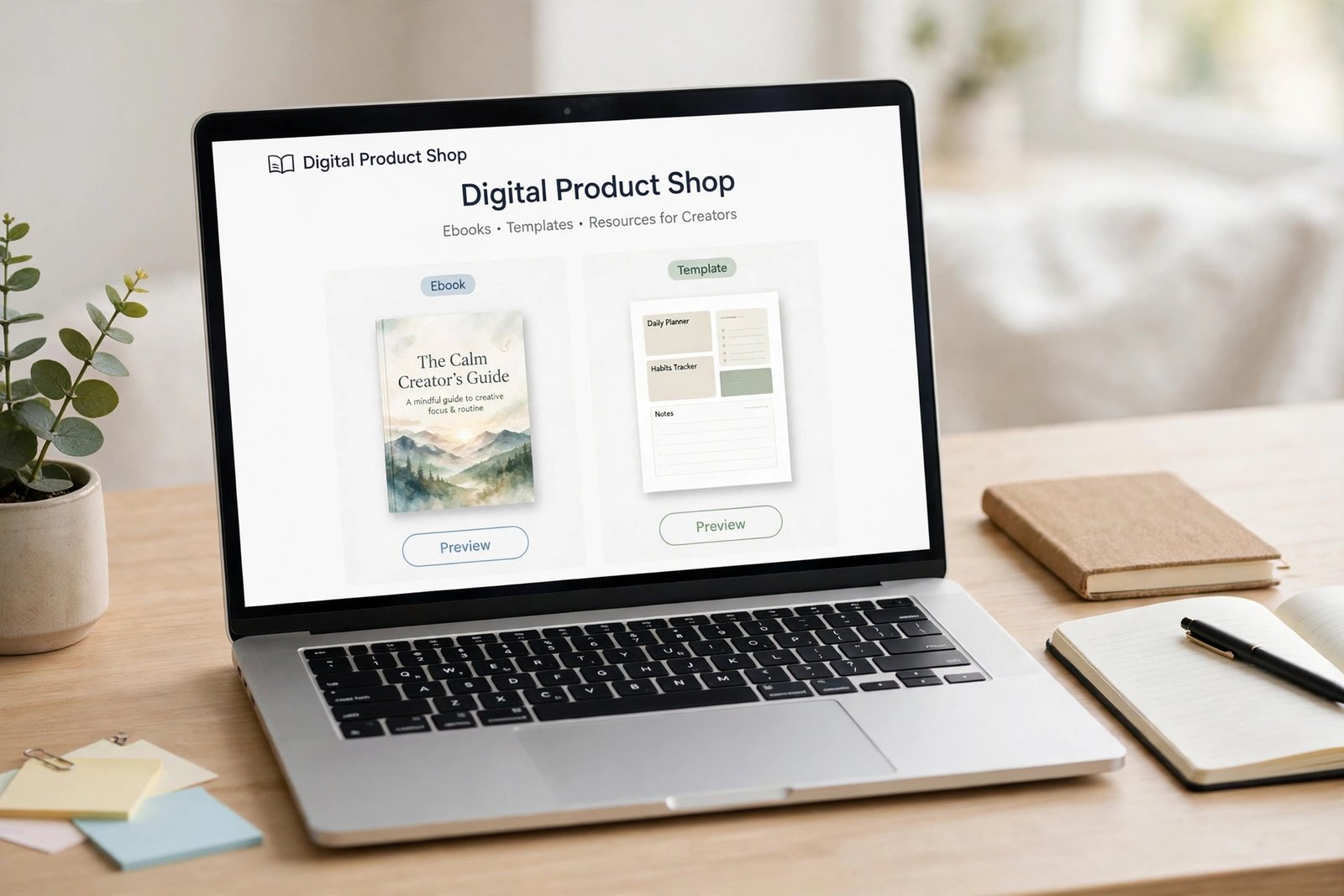
Learning how to monetise a blog with memberships is worth your time if your ad and affiliate income goes up and down every month. A membership is different: readers pay you a small amount every month for something they cannot get for free, such as extra content, a community, or your direct help. That recurring income is steadier, but it needs ongoing work. This guide shows you how to check you are ready, pick a model, choose a platform, price your tiers, and launch to your readers.
In this guide
- How membership income differs from ads, affiliates and one off products
- How to check you are ready to launch
- How to define what members get every month
- How to pick a membership model and a platform
- How to price your tiers and plan member content
- How to launch and keep members
- What it costs, cancellation and refunds, and common mistakes
How membership income differs from ads, affiliates and one off products
Ads and affiliate links pay you based on traffic and clicks, which rise and fall with search rankings and seasons. A digital product pays you once per sale, and you must find a new buyer for every sale. A membership pays you every month from the same members, so income is more predictable. One hundred members paying 10 US dollars a month is 1,000 US dollars a month, every month, until members cancel.
That predictability has a cost. Members expect something new every month, and they expect you to answer them. It suits bloggers who enjoy their topic, like helping readers directly, and can commit a few hours a week for at least a year. If you are still building your audience, read our overview of how to make money blogging first, and come back to memberships when you have readers who ask for more.
Step 1: Check you are ready
Do not launch a membership to a blog with no audience. Use these readiness checks before you learn how to monetise a blog with memberships, and wait until at least three of them are true:
- Your email list has at least 100 subscribers who open your emails, or your blog gets steady traffic every week. Start building an email list for a blog early if you have not already.
- Readers ask you questions, reply to your emails, or ask for more help than a blog post can give.
- You can give members 3 to 5 hours a week, every week, for at least a year.
- You have proof of demand: at least 10 readers say they would pay for extra content, a community or your help.
If you cannot tick three boxes yet, keep growing the blog and the email list first. A membership launched too early to an empty room is hard to restart.
Step 2: Define what members get every month
Members pay for something they cannot get for free. Before you pick a platform or a price, write down exactly what a member gets every month, in one short list. Use the value test: for each item, ask what a member can do with it that a free reader cannot.
Good member benefits are specific: a new in depth guide every month, a monthly live question and answer session, a template members can use, a private community where you answer questions, or early access to your posts. Weak benefits are vague: "extra content" or "support my work". Readers pay for help, not for a donation button.
Decide what stays free, too. Your blog posts should stay free and useful, because they bring new readers in, and the membership should add depth, not lock away the basics.
Step 3: Pick a membership model
A model is the shape of your membership: what members get and how you deliver it.
| Model | What members get | Monthly price range seen in membership guides | Suits |
|---|---|---|---|
| Content library | Extra guides, templates and a back catalogue | 9 to 29 US dollars | Bloggers with many posts and templates |
| Community | A private group plus your answers | 19 to 49 US dollars | Bloggers whose readers want to talk to each other |
| Coaching | Group calls and direct help | 47 to 197 US dollars | Qualified bloggers who can teach one to one or in small groups |
| Hybrid | A mix of content, community and calls | 27 to 97 US dollars | Bloggers with an established audience and time to serve it |
The price ranges above are ranges seen in membership guides, not a rule, and they vary by topic and country. Check what similar memberships in your niche charge, and price on the result members get. A content library suits most first memberships, because it needs the least live time. Coaching pays most per member, but it needs real qualifications and the most hours, so do not offer it unless you are qualified and insured where your country requires it.

Step 4: Choose a platform
A membership platform handles payments, member accounts, and who can see what. Pick the platform that fits your blog and your skills.
| Platform | Fees as of November 2026 | Who it suits |
|---|---|---|
| Patreon | New creators pay a standard 10 percent platform fee plus payment processing of 2.9 percent plus 30 cents on card payments in US dollars | A simple start with no monthly fee and no website changes |
| MemberPress | Launch plan from 199.50 US dollars a year for the first year, 399 US dollars a year on renewal, plus a 4.9 percent transaction fee. Growth and Scale plans cost more per year with no transaction fee | WordPress blogs that want full control |
| Ghost | Paid plans, check the live pricing page | Bloggers who want a blog and a membership in one tool |
| Podia | Paid monthly plans, check the live pricing page | Courses, memberships and products in one place |
| Gumroad | No monthly fee. 10 percent plus 50 cents on direct sales, 30 percent on sales through Gumroad Discover. Memberships supported | A low cost start with simple monthly billing |
The Patreon fees come from the Patreon support page on creator fees, which states that new creators pay a standard 10 percent platform fee plus payment processing, and that older plans with lower fees are closed to new creators. The MemberPress figures come from the MemberPress site, which lists first year prices with renewals at double the first year price, so check the live pricing page before you buy, because introductory prices change. The Gumroad fees come from the Gumroad pricing page, which states no monthly fee and that Gumroad is the merchant of record and handles sales tax. Fees change, so check the live pricing page of any platform before you choose it.
If your blog runs on WordPress and you want full control, MemberPress is the usual choice. If you want the simplest start with no website changes, Patreon is the usual choice. Pick one, and do not switch platforms in your first year unless something breaks.
Step 5: Price your tiers
Most memberships work best with two or three tiers. A common shape is:
- Basic tier: extra content and templates, at the lowest price.
- Standard tier: content plus community access, at the middle price.
- Premium tier: content, community and a monthly live call, at the highest price.
Price the middle tier as the one you want most members to pick. Offer a monthly price and an annual price about 20 percent cheaper, so members who pay yearly save two months. A founding member price can help at launch: offer the first 20 or 50 members a lower price for life, in exchange for joining early and giving feedback.

Step 6: Plan member content
Members stay when they get something useful every month, so plan a simple monthly rhythm before you launch:
- Week 1: one in depth guide or template that members asked for.
- Week 2: a short update, a tip, or a behind the scenes post.
- Week 3: a live question and answer session, or a community discussion you start.
- Week 4: a round up of the month, what is coming next, and a survey asking members what they want.
Keep about 70 percent of member content evergreen, meaning it stays useful for months, and about 30 percent fresh and timely. Reuse your free blog posts as a base: a free post can become a member guide with a template and your direct answers added.
Step 7: Launch: how to monetise a blog with memberships in three weeks
Launch to your email list first, not to the public:
- Week 1: tell your list a membership is coming, explain what members will get, and open a waitlist.
- Week 2: share a sample of member content, answer questions from the waitlist, and offer the founding member price to waitlist members first.
- Week 3: open the membership, email the waitlist, publish one blog post about it, and send one reminder email before the founding price ends.
Aim for 10 to 20 founding members, which is a good result for a first membership on a small blog. Do not delay the launch until everything is perfect.
Step 8: Keep members
Getting members is only half the job. Keeping them is the other half. Churn is the share of members who cancel each month, and it decides whether your membership grows. If 5 of your 50 members cancel each month, that is 10 percent churn, and you need 5 new members a month just to stay level.
Welcome every new member with a short email that tells them where to start. Publish on the schedule you promised, every month, without fail. Ask members what they want with a short survey every three months, and act on what they say. Reply to questions in the community quickly, because silence is the fastest reason members leave. And run a win back email to members who cancel, asking what went wrong and offering a lower tier or a pause instead of a full cancel.
Watch three warning signs: members who stop opening your emails, members who stop visiting the community, and members who joined for a single guide and never return.
What it costs and what to expect
| Item | Typical cost | Notes |
|---|---|---|
| Platform | Free on Patreon and Gumroad, from about 199.50 US dollars a year for MemberPress | Platform fees apply per payment, so check the live pricing page |
| Payment processing | About 2.9 percent plus 30 cents per card payment | Included in the platform fee on some platforms |
| Your time | 3 to 5 hours a week | The real cost, and the one most beginners forget |
| Total first year | 0 to 250 US dollars in money, plus your time | Prices change, so check the live pages |
Expect slow growth when you learn how to monetise a blog with memberships. A first membership often starts with 10 to 20 members and grows by a few members a month, and it can take a year or more to reach 100 members. That is normal. Anyone who promises fast membership income from a small blog is selling a course, not a career.
Worked example: 50 members at 10 US dollars a month
Example only: these numbers are not typical results. They show how the maths works, not what you will earn.
- You have 50 members paying 10 US dollars a month. Multiply 50 by 10 to get 500 US dollars a month in gross income.
- On Patreon, the platform fee is 10 percent of 500, which is 50 US dollars.
- Payment processing is 2.9 percent of 500, which is 14.50 US dollars, plus 30 cents for each of the 50 payments, which is 15 US dollars. Total processing is 29.50 US dollars.
- Subtract the fees from the gross income: 500 minus 50 minus 29.50 is 420.50 US dollars a month, before payout fees and tax.
- If 5 members cancel each month, that is 10 percent churn, and you need 5 new members a month just to stay at 50 members.
Many memberships earn less than this, and some earn more. The income follows the size and loyalty of your audience.
Cancellation, refunds, tax and records
Make cancelling easy. A member who can cancel in two clicks trusts you more than a member who must email you to leave, and a member who leaves happy may return later. State your refund policy on the join page before anyone pays. A common choice is a refund for the current month if a member asks within a few days of payment, and no refund for months already used. State the policy plainly and honour it.
Tell members clearly that the membership renews automatically each month or year, and when the next payment is due. Auto renewal disclosure is a legal requirement in many countries. Keep records of every payment: the date, the amount, the platform and the fees. Tax rules differ by country, and some platforms collect tax for you while others leave it to you. Check your local tax authority or a qualified accountant before you treat membership income as a business.
Common mistakes
- Launching a membership before you have an audience that asks for more.
- Promising daily content or one to one help you cannot keep up for a year.
- Offering five tiers, which confuses readers instead of helping them choose.
- Hiding everything behind a paywall, so the free blog stops growing.
- Making cancelling hard, which turns unhappy members into angry ex members.
- Ignoring quiet members until they cancel, instead of checking in early.
- Copying another membership's price without checking what it includes.
Frequently asked questions
How do I monetise my blog with memberships?
Pick a model, such as a content library or a community, choose a platform such as Patreon or MemberPress, set two or three price tiers, and launch to your email list with a founding member offer.
What is a membership site for a blog?
A membership site is a part of your blog where paying members get extra content, a community, or your direct help every month. Free readers still get your blog posts, while members pay for depth and support they cannot get for free.
How much should I charge for a blog membership?
Charge for the result members get, not for how much content you include. Content libraries commonly range from 9 to 29 US dollars a month, communities from 19 to 49, and coaching from 47 to 197, but these are ranges seen in guides, not rules. Price the middle tier as the one you want most members to pick.
How many members do I need to make money?
It depends on your price. At 10 US dollars a month, 50 members bring about 500 US dollars a month before fees, and 100 members bring about 1,000. What matters is steady growth and low churn.
Which platform is best for a blog membership?
It depends on your blog. Patreon is the simplest start with no monthly fee. MemberPress suits WordPress blogs that want full control. Ghost suits bloggers who want a blog and a membership in one tool. Pick the platform that fits your blog and your skills, and check the live pricing page before you choose.
How do I keep members from cancelling?
Publish on the schedule you promised, reply to questions quickly, and ask members what they want every three months. Welcome new members, check in with quiet members, and offer a lower tier or a pause instead of a full cancel.
Do I need a big audience to start a membership?
No, you do not need a big audience, but you do need a loyal one. A blog with 100 email subscribers who open every email can launch a membership, while a blog with 10,000 casual visitors and no email list cannot.
Conclusion
You now know how to monetise a blog with memberships: check you are ready, define what members get every month, and pick a model that fits your time. Choose a platform with fees you understand, price two or three tiers, and launch to your email list with a founding member offer. Then keep the promise: publish every month and answer your members.
Your next step is to read our guide to how to monetise a blog with digital products if you want a one off product first, then plan the wider business with our guide to how to start an online membership business, and read our overview of how to make money blogging to see how memberships fit with ads and affiliates. You can browse all our blogging guides for more help.
Facts in this guide were checked against official pages on 17 November 2026, including the Patreon support page, the MemberPress site and the Gumroad pricing page. Fees change, so check the live pricing page of any platform before you choose it. Rules and tax treatment differ by country. Check your local tax authority or a qualified accountant before you treat membership income as a business. Earning results vary; nothing on this site is financial advice.