How to Learn No-Code Development Online in 2026
To learn no-code development, pick a goal first, then pick one tool for that goal, learn the core ideas, and build a small app. No-code development means building apps and websites with visual tools instead of writing code. You drag blocks onto a screen, you set rules for what happens when a user clicks, and you connect a database. You can build a real working app without writing a single line of code.
This guide gives you a step by step path. It explains what no-code is and what it cannot do, how to pick your first tool, the core ideas in plain words, five practical steps, the risks of AI assisted building, and the costs.
In this guide
- What no-code development is, and what it is not
- Step 1: Pick your goal, then your first tool
- Step 2: Learn the core ideas
- Step 3: Build your first small app
- Step 4: Add logins, payments, and automation
- Step 5: Test, fix, and publish
- AI-assisted building: useful and risky
- Free vs paid routes
- Example only: a 6 week study plan, with the hours shown
- What it costs to learn no-code development online and what to expect
- Common mistakes
- Frequently asked questions
What no-code development is, and what it is not
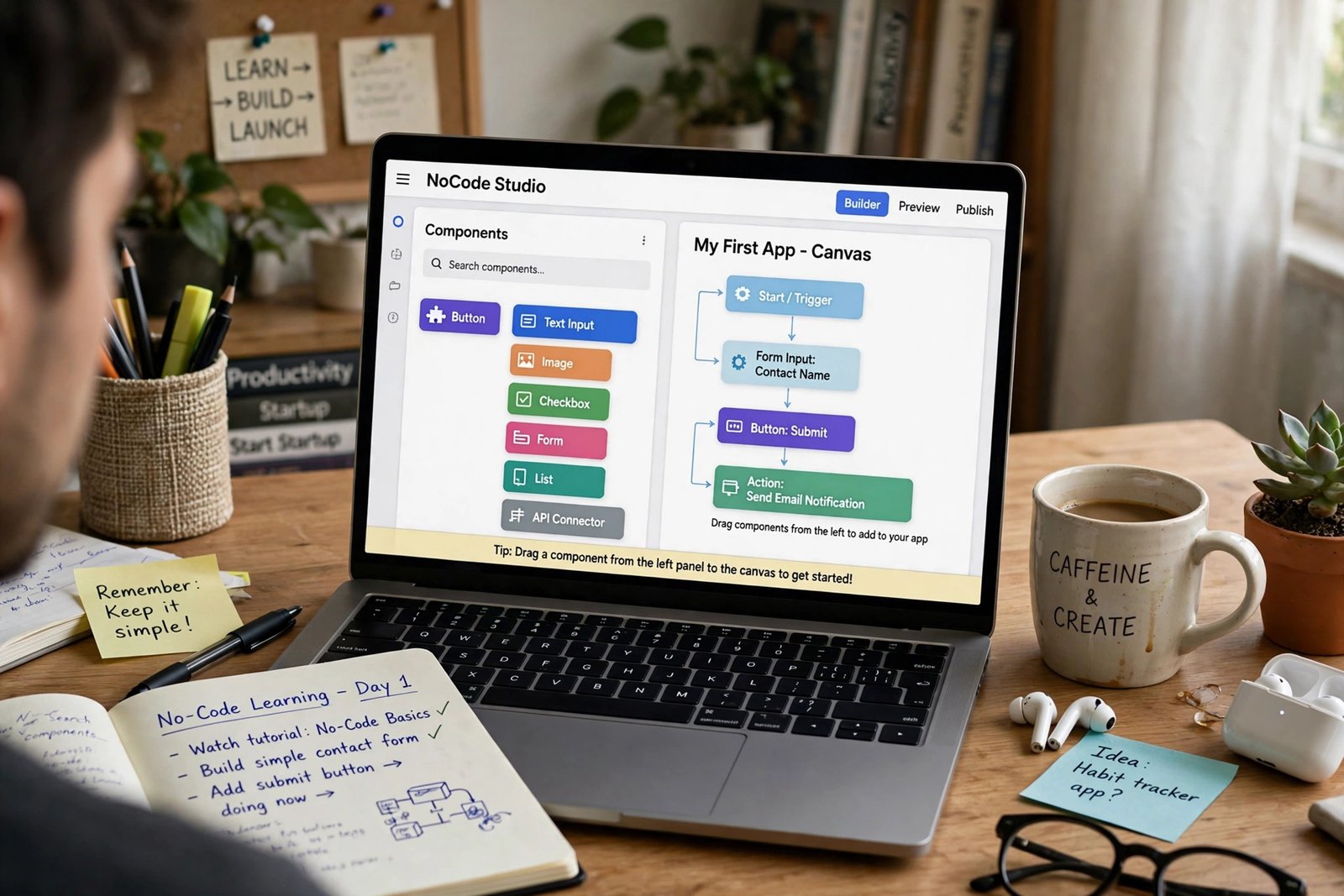
No-code development is building software with visual tools. Instead of typing code, you use a visual editor to design screens, a database to store information, and workflows to set rules. A workflow is a simple rule such as: when a user clicks the sign up button, save their email and show a welcome screen. You build the rule by picking options from menus, not by writing code.
A no-code app can do a lot. It can show a list of products, take bookings, collect payments, send emails, and manage user accounts. Many small businesses run on no-code apps.
No-code cannot do everything. It struggles with very complex logic, with heavy data processing, and with apps that need to work offline. It also ties you to one platform. If the platform raises its prices or closes, moving your app elsewhere can be hard. That tie is called vendor lock-in, and it is the main risk of no-code.
No-code is not the same as low-code. Low-code tools let you add small bits of real code when the visual tools run out. No-code tools aim to need no code at all. AI assisted building, also called vibe coding, is newer: you describe the app in words, and an AI tool builds a first version for you. It is fast, but the result often needs fixing.
Step 1: Pick your goal, then your first tool
Do not pick a tool before you pick a goal. Each no-code tool suits one kind of app best. The table below matches goals to tools.
| Goal | First tool | Why |
|---|---|---|
| Website or landing page | Webflow or Softr | Built for pages and simple sites |
| Web app with user accounts | Bubble | Full database, workflows, and logins |
| Mobile app | Glide or Adalo | Built for phone apps |
| Internal business tool | Softr or Airtable | Fast to build, easy to share with a team |
| Automation between apps | Zapier or n8n | Connects apps and moves data |
If your goal is a web app, start with Bubble. It is the most capable no-code tool for web apps, and it has the largest tutorial community. If your goal is a simple website, start with Webflow. If your goal is a mobile app, start with Glide, because it turns a spreadsheet into an app in an afternoon.
Learn one tool well before you try a second, because focus is how you learn no-code development fastest. Each tool has its own way of thinking, and jumping between them slows you down. Pick the tool that fits your first app.
Step 2: Learn the core ideas
Five ideas sit under every no-code app. Learn them in plain words before you build anything serious.
A database is a set of tables that store information. One table holds users, one holds products, and one holds orders. Each row is one record, such as one user or one product. Each column is one field, such as a name, a price, or an email address. Learn to design your tables on paper first, before you build them in the tool.
A workflow is a rule that runs when something happens. When a user clicks a button, a workflow can save data, send an email, or move to a new screen. Workflows are the logic of your app, and they replace the code a developer would write.
User accounts control who can see what. A logged in user can see their own orders. A visitor can only see the public pages. An admin can see everything. Learn to set these permissions early, because a mistake here can expose private data.
Payments let your app take money. Most no-code tools connect to Stripe, which is the standard payment service for small apps. You do not need to understand how Stripe works in detail. You need to know that it handles cards safely, that it takes a fee on each payment, and that you must test it with test cards before you go live.
Design is how your app looks and feels. A good app is simple: one clear action per screen, big buttons, and short text. Learn the basics of layout and spacing before you add colours and pictures.
Step 3: Build your first small app
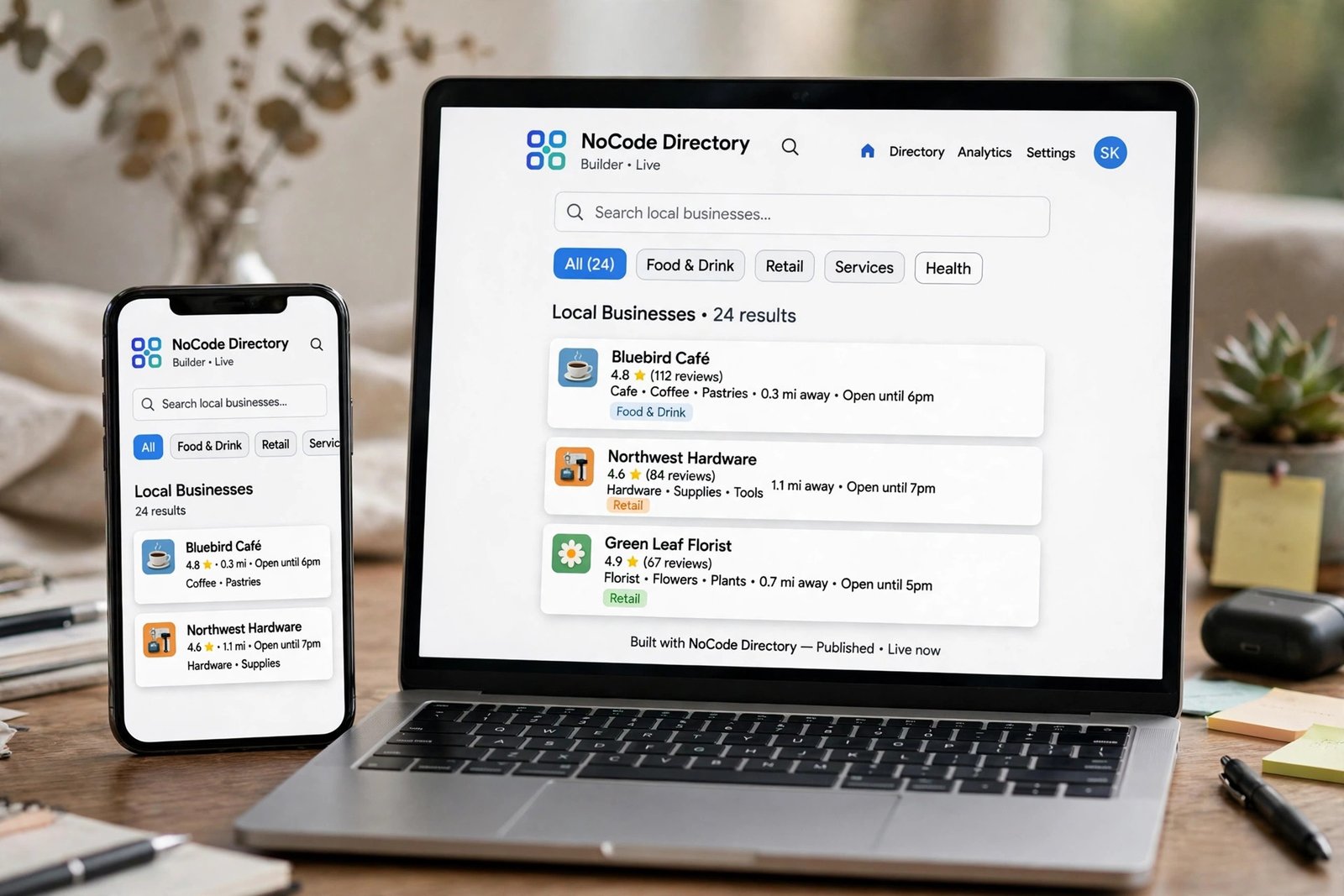
Build a small app first to learn no-code development by doing. A landing page or a simple directory is a good first project, because it teaches the database, the design, and the workflows.
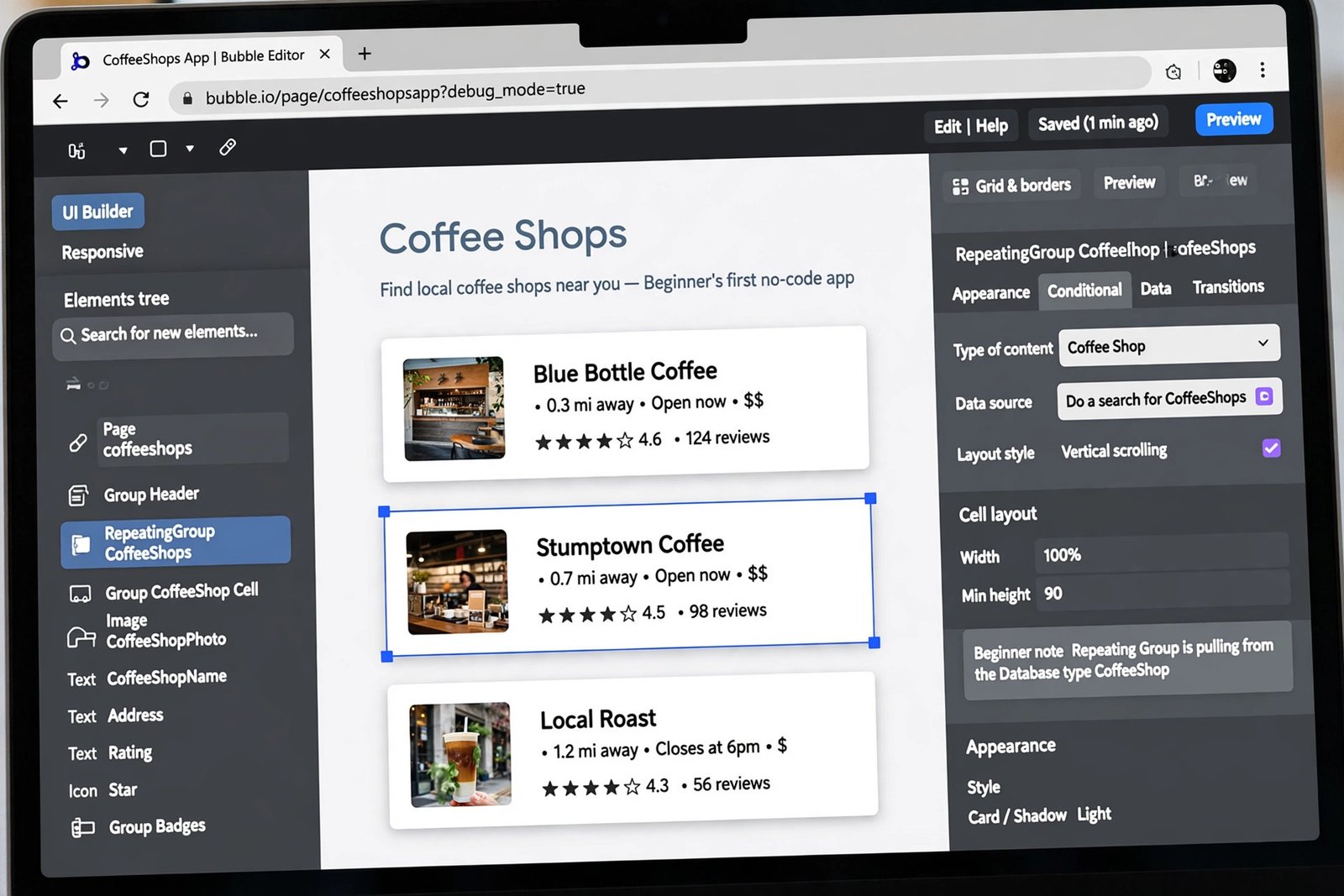
Follow these steps for a simple directory app, such as a list of local coffee shops.
First, plan on paper. Write down the tables you need: one table for coffee shops, with fields for name, area, opening hours, and rating. Write down the screens you need: a home screen, a list screen, and a detail screen.
Second, build the database. Create the table and add five real coffee shops with real details. Real data makes testing easier, because you can see at once if the app shows the wrong shop.
Third, build the screens. Start with the list screen. Add a repeating group, which is a no-code element that shows one row per record from your database. Connect it to your coffee shop table. Check that all five shops appear.
Fourth, add search. Add a search box and a workflow that filters the list when the user types. Test it with a word that matches one shop and a word that matches none. Both cases matter.
Fifth, add the detail screen. When a user clicks a shop, show its full details on a new screen. Check that the right shop opens every time.
That is your first app. It is small, but it is real. It uses a database, a list, search, and navigation, which are the core skills of no-code.
Step 4: Add logins, payments, and automation
Add one feature at a time. Do not add logins, payments, and automation in one day, because each one can break the app in its own way.
Start with logins. Add a sign up screen and a log in screen, and test them with two accounts. Check that a logged in user sees their own data, and a logged out user sees only public pages. Check what happens with a wrong password.
Next, add payments only if your app needs them. Connect Stripe through your tool built in payment option. Use test cards to run a full purchase from start to finish. Check that the order is saved, that the user sees a confirmation, and that a failed card shows a clear error. Never test payments with a real card in a test app.
Then add automation. Connect your app to Zapier or n8n, which are tools that move data between apps. A simple automation sends you an email when a new user signs up. A useful one adds a new order to a spreadsheet automatically. Start with one automation, test it five times, and only then add a second.
Step 5: Test, fix, and publish
Test before you publish. A published app with a broken sign up button loses users fast, and it is hard to win them back.
Use this checklist before you launch.
- Sign up with a new account and complete the full journey to the main screen.
- Log out and log back in with the same account.
- Try every button on every screen, including the ones you rarely use.
- Test on a phone, not only on a computer, because most users will visit on a phone.
- Test with a slow connection, because images that load slowly will drive users away.
- Ask two friends to try the app without your help, and watch where they get stuck.
- Check that no private data is visible to logged out users.
- Test a payment with a test card, and test a failed payment too.
Fix every problem you find, then test again. When the checklist passes, publish. Publishing on Bubble means moving from a free plan to a paid plan, because the free plan does not allow a live app on your own domain. Check the Bubble pricing page before you upgrade, because prices change. As of November 2026, Bubble lists a free plan for building and testing, and a Starter plan for web apps from 32 US dollars a month billed annually, or 39 US dollars a month billed monthly.
AI-assisted building: useful and risky
AI assisted building, often called vibe coding, lets you describe an app in words and get a first version in minutes. Tools such as Lovable, Bolt, and Replit Agent can build a working prototype fast. It is a useful way to test an idea, and it is worth trying for a first draft.
But AI built apps have real risks. The AI can write logic that looks right and fails in rare cases. It can miss security checks, such as who can see private data. It can build an app with no tests, which means errors are found by users, not by you.
Use AI for a first draft, then check it yourself. Read every workflow the AI made. Test the app with the checklist in Step 5. Check the permissions on every table. Do not publish an AI built app without testing it as if you had built it by hand. The speed is real, and so is the risk.
Free vs paid routes
| Route | Cost | Best for | Notes |
|---|---|---|---|
| Free route | 0 dollars | Learning and testing an idea | NoCode.Tech free course, free tool plans, YouTube |
| Paid course route | 30 to 300 US dollars | Structured learning | Airdev Bubble Bootcamp, Udemy, No Code MBA |
| Paid tool plans | 32 US dollars a month and up | Publishing a live app | Bubble Starter and above, check current prices |
The free route is strong for no-code. The NoCode.Tech Fundamentals of No-Code course is free and covers the core ideas in seven chapters. The 100 Days of No-Code challenge gives a daily structure: 30 minutes a day for 100 days, starting with a tools overview, then design, databases, and APIs. Microsoft Learn also offers a free Power Platform fundamentals path, called PL-900, which takes about 8.5 hours.
Paid courses help when you want a set order and feedback. The Airdev Bubble Bootcamp runs for 10 weeks with 118 lessons, and it builds real apps such as a poll app, a job listings app, and a marketplace. Check the price and the syllabus before you pay.
Example only: a 6 week study plan, with the hours shown
This example uses made up numbers. It is an example only, and it shows how much time a beginner plan takes.
Suppose you study 8 hours a week, for 6 weeks. That is 8 times 6, which is 48 hours in total. Here is how those hours split across the steps in this guide.
Core ideas and tool basics: 8 hours. First small app, the directory: 16 hours. Logins and one automation: 8 hours. Testing and fixing: 8 hours. A second, slightly bigger app: 8 hours. Add them up: 8 plus 16 is 24, plus 8 is 32, plus 8 is 40, plus 8 is 48 hours.
After 48 hours you should have two finished apps and a clear sense of whether no-code suits you. You will not be an expert. Most working no-code builders have hundreds of hours of practice. But 48 hours of focused work is enough to build real apps and to decide whether to go deeper.
What it costs to learn no-code development online and what to expect
| Item | Typical cost | Notes |
|---|---|---|
| Free courses and free tool plans | 0 dollars | NoCode.Tech, YouTube, free plans |
| A paid no-code course | 30 to 300 US dollars | Airdev, Udemy, No Code MBA |
| Bubble Starter plan | From 32 US dollars a month | Billed annually for web apps, November 2026 |
| Other tool subscriptions | 15 to 100 US dollars a month | Softr, Webflow, Glide, check current prices |
| Total to learn the basics | 0 to 100 US dollars | Publishing a live app needs a paid plan |
Expect a slow start. A first small app takes 2 to 4 weeks at 8 hours a week. A full app with logins and payments takes 6 to 8 weeks. Do not expect to build a complex app in a weekend. No-code is faster than coding, but it is not instant.
Also expect limits. Your first app will be simple, and that is fine. Simple apps that work beat complex apps that break. Add features one at a time, and test each one before you add the next.
Common mistakes
- Do not pick a tool before you pick a goal, because each tool suits one kind of app best.
- Do not skip the database design, because a messy database causes problems for months.
- Do not build a complex app first, because you will get stuck and give up.
- Do not add logins, payments, and automation in one day, because each one can break the app.
- Do not publish without testing on a phone, because most users will visit on a phone.
- Do not trust AI built logic without reading it and testing it yourself, because it can hide security gaps.
- Do not ignore vendor lock-in, because moving an app to another platform later can be hard.
- Do not pay for a tool plan until your app is ready to publish, because free plans cover learning.
Frequently asked questions
Can I build an app without coding?
Yes. No-code tools let you build real apps with visual editors, databases, and workflows, without writing code. You can build directories, booking apps, marketplaces, and internal tools. Very complex apps still need code, but most small business apps do not.
Which no-code tool should I learn first?
Pick by goal. Learn Bubble first for web apps with user accounts. Learn Webflow first for websites. Learn Glide first for mobile apps. Learn Softr or Airtable first for internal business tools. If you are not sure, start with Bubble, because it is the most capable general tool.
How long does it take to learn no-code development?
A first small app takes 2 to 4 weeks at about 8 hours a week. A full app with logins and payments takes 6 to 8 weeks. These are guide estimates, not promises. Your speed depends on how often you practise and how complex your app is.
Is no-code development a good career?
It can be. Businesses hire no-code builders to build internal tools and customer apps fast, and freelancers sell no-code builds to small businesses. The work is real, but it is competitive, and a portfolio of finished apps matters more than a certificate.
Do I need to learn coding after no-code?
Not always. Many no-code builders never write code. But learning basic coding later can help when a no-code tool cannot do something you need. Our guide on how to learn coding for beginners is a good next step if you reach that point.
What is the difference between no-code and low-code?
No-code tools aim to need no code at all. Low-code tools let you add small bits of real code when the visual tools run out. No-code is easier to start. Low-code is more flexible for complex apps. Beginners should start with no-code.
Conclusion
To learn no-code development online, pick a goal first, then pick one tool for that goal, learn the core ideas, and build a small app. Add logins, payments, and automation one feature at a time, test before you publish, and treat AI built apps with care.
To go further, read how to learn app development online if you want the coding angle, build apps with AI and earn money for the AI building angle, and how to learn web development online for the web skills that support no-code work, then browse the full Digital Skills category for more guides. The facts in this guide were checked against Bubble, NoCode.Tech, and Class Central in November 2026, and prices are stated as of November 2026.
Note for the reader: prices are in US dollars unless stated otherwise, and they change often, so check the official pricing page before you pay. Earning results vary; nothing on this site is financial advice.