How to Use YouTube for Affiliate Marketing in 2026
Learning how to use YouTube for affiliate marketing starts with a hard truth: views do not equal commissions. A video can get thousands of views and earn nothing, while a quiet tutorial with a few hundred views can earn a sale, because the second video reached a viewer who was ready to buy. YouTube works for affiliates when the video answers a buying question, shows the product in real use, and puts a clear, labelled link where the viewer can find it. This guide shows you how to do that, step by step.
Disclosure: this guide contains affiliate links. If you buy through them, EarnQuill may earn a commission at no extra cost to you. Read our affiliate disclosure.
This guide explains the two ways to earn on YouTube, how to pick a question with buyer intent, how to choose a video format that matches the decision, how to plan and set up the video and the channel, where to place links, how to disclose properly, how Shorts and livestreams work, how YouTube Shopping works, how to optimise for search, and how to measure what matters. It is written for beginners with a small channel, or no channel yet.
In this guide
- The two ways to earn on YouTube
- Step 1: Pick a question with a natural product decision
- Step 2: Choose a video format that matches the decision
- Step 3: Plan the video
- Step 4: Set up the channel
- Step 5: Place the links
- Step 6: Disclose properly
- Step 7: Shorts and livestreams
- YouTube Shopping explained
- Optimising for search
- Measuring what matters
- What it costs and what to expect
- Common mistakes
- Frequently asked questions
The two ways to earn on YouTube
There are two ways to earn affiliate commissions on YouTube, and they have different rules. The first way is description links, which any channel can use. You place an affiliate link in the video description, and a viewer who clicks it and buys earns you a commission, if the programme terms allow it. You do not need subscribers to do this, and you do not need to join the YouTube Partner Programme, which is YouTube's monetisation programme for ad revenue. The second way is YouTube Shopping tags, which let eligible creators tag products inside a video, so a viewer can tap the product and buy it. Shopping has its own eligibility rules, which this guide explains below.
Do not mix the two ways up. A creator who is not eligible for Shopping can still earn from description links. A creator who is eligible for Shopping still needs disclosure, and still needs to follow the programme rules for each product they tag. Both ways need the same foundation: a video that helps a viewer decide, and a link that is easy to find.
Step 1: Pick a question with a natural product decision
Start with a question, not with a product. A good question has a natural product decision inside it, such as "how do I edit video on a low cost laptop", "which microphone is best for a small room", or "how do I plan meals for a week on a budget". Each question names a problem, and each problem has a product that can help solve it. That fit is called buyer intent, which means the viewer is already thinking about buying, not only browsing.
Search YouTube for the question, and watch the top results. Ask whether the videos answer the question fully, or leave a gap you can fill. Ask whether the comments ask a follow-up question you can answer. A question with clear comments and weak answers is a better pick than a popular question with strong, complete answers. If you have not chosen a focus yet, read how to choose an affiliate niche first, because a channel that jumps between unrelated products will struggle to build trust.
Avoid questions where the product is only a small part of the answer, or where the viewer is not ready to buy. A video about a broad topic, such as "how to be productive", has weak buyer intent. A video about a specific tool for a specific task has strong buyer intent. Pick the second kind.
Step 2: Choose a video format that matches the decision
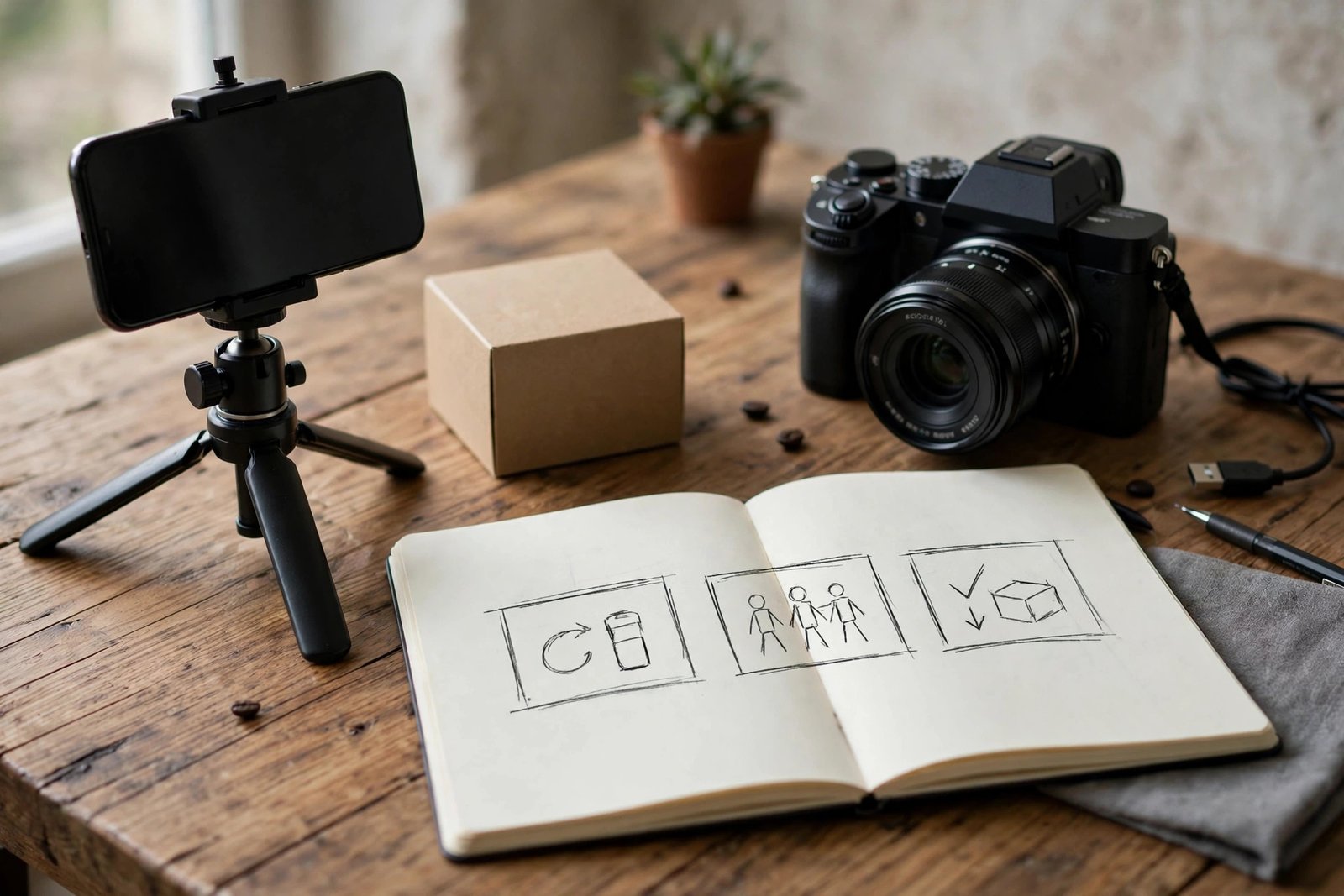
Different decisions need different video formats. Pick the format that matches the question, not the format you like most. A review suits a viewer who has narrowed the choice to one product and wants to know if it is worth it. A tutorial suits a viewer who wants to learn a task, and needs a tool to do it. A comparison suits a viewer who has two or three options and wants help choosing. A best-of list suits a viewer who wants a shortlist, with a clear winner for each type of user. An unboxing suits a viewer who wants to see what is in the box and how the product looks in real life, but it rarely converts on its own, because it answers fewer buying questions than a review or a tutorial.
| Format | Best for | What the viewer needs | Link tip |
|---|---|---|---|
| Review | One product, ready to decide | Proof from real use, drawbacks, price | Link in the first two lines of the description |
| Tutorial | A task that needs a tool | Steps shown on screen, a clear result | Link to the tool used in the video |
| Comparison | Two or three options | Same criteria for each, a winner per user type | One link per product, clearly labelled |
| Best-of list | A shortlist for a budget or a need | A winner for each type of user | Link each product once, in order |
| Unboxing | First look at a product | What is in the box, first impressions | Link to the full review for the verdict |
Step 3: Plan the video
Plan the video before you film it, in a short outline, not a word-for-word script. A good outline has five parts. A hook in the first 30 seconds, which names the question and the answer in one line. The main steps or points, in order, with the product shown in real use. A clear statement of who the product suits, and who it does not suit. The price, checked on the day you film, with the date noted. And a closing line that tells the viewer where the link is, and what they will find when they click it.
Show real use, not only talk about the product. Film the product doing its job, with your hands in the shot, and with the result on screen. If you claim a tool is easy to use, show a beginner using it. If you claim a product is quiet, film it running, so the viewer can hear it. Real use is the evidence that separates a trusted video from a sales pitch. It is also what Google and YouTube reward, because it shows first-hand experience.
Keep the video as short as the question needs. A simple tutorial may need 8 to 12 minutes. A comparison may need 12 to 18 minutes. A review may need 10 to 15 minutes. Do not pad a video to reach a length target. A viewer who leaves early tells YouTube the video did not help, and that hurts the next video too.
Step 4: Set up the channel
Set up your channel before you publish your first affiliate video, so every video starts from a clean base. Choose a channel name that says what the channel is about, and write a channel description in plain words that names your audience and the topics you cover. Add a profile picture and a banner that look clean on a phone, because most viewers will find you on a phone.
Set your upload defaults in YouTube Studio, which is the tool where you manage your channel. Upload defaults are settings that apply to every new video, such as a standard description block. Add a short disclosure line to your upload defaults, so every video starts with it, and then check it on each video before you publish. That habit saves you from forgetting disclosure on a busy day. Also set a default link label, so each product link is named clearly, such as "Writing app, affiliate link".
If you have not started a channel yet, read how to start a YouTube channel for the setup steps and the longer plan.
Step 5: Place the links
Place affiliate links where a viewer can find them without hunting. The first two lines of the description are the most important, because a viewer on a phone sees them without tapping to expand the text. Put the main product link there, with a clear label, such as "Writing app, affiliate link". Add a pinned comment with the same link, and label it in the same way. A pinned comment is a comment you fix to the top of the comments, so it stays visible.
Use one link per product, and label each link with the product name. Do not list five links for the same product, and do not hide the link behind a vague phrase such as "link below". Test each link from a phone before you publish, because a link that works on a computer can fail on a phone, and most viewers are on a phone. Check the link again a month later, because product pages move, and a broken link earns nothing.
Do not put affiliate links in a Shorts description and expect clicks, because links in Shorts descriptions and comments are not clickable. That limit is covered in Step 7. For a longer video, the description is the right place, and the pinned comment is a useful second place.
Step 6: Disclose properly
Disclose in two places: on camera, and in writing near the links. Say it in the video, in your own voice, near the start, such as "This video contains affiliate links, and I may earn a commission if you buy through them, at no extra cost to you." Then write the same disclosure in the description, near the links, so a viewer who reads the description sees it before they click. Also tick the paid promotion box in YouTube Studio where it applies, because YouTube asks creators to declare paid promotion, and the Federal Trade Commission expects disclosure in the video, not only in the description.
The Federal Trade Commission explains this rule in its Endorsement Guides FAQ, which says disclosures should be in the video, not only in the description, and that both audio and visual disclosure are more likely to be noticed. YouTube explains its own rule in its Branded Content Policies, which defines branded content, requires the paid promotion declaration in YouTube Studio, and says the creator is ultimately responsible for a clear and prominent disclosure. Those rules apply in the United States, and other countries have their own advertising rules, so check the rules that apply where you live.
Do not rely on a disclosure in your channel description alone. A viewer who watches one video may never open your channel page. The disclosure must travel with each video, and with each link.
Step 7: Shorts and livestreams
Shorts are short vertical videos, usually under 60 seconds, made for quick viewing on a phone. They can bring fast views, but they are a weak channel for direct affiliate sales, because links in Shorts descriptions and comments are not clickable. Use Shorts to point viewers to a longer video, or to a link in your bio, and say so in the Short itself, such as "the full review is linked in my bio". You can also tag products in Shorts where YouTube Shopping is available to you, as explained below. Do not expect a Short to earn on its own. Its job is to bring viewers to a place where they can click.
Livestreams are live videos where you talk to viewers in real time. They can work for affiliate marketing, because a viewer can ask a question and you can answer it live, with the product on screen. Product tags work in livestreams for eligible channels, and disclosure still applies, in the same way as in a recorded video. Say the disclosure out loud at the start of the stream, and put it in the stream description too. Keep the link list short during a stream, because a viewer who is watching live will not read a long list of links.
YouTube Shopping explained
YouTube Shopping is a separate feature that lets eligible creators tag products inside a video, so a viewer can tap the product and buy it. It is different from description links, because the product appears inside the video player, not only in the description. Eligibility depends on your channel, your country, and your content. The official YouTube Shopping affiliate program help page says the programme is available for eligible creators in listed countries, including the United Kingdom and the United States, requires YouTube Partner Programme membership and the Partner Programme subscriber threshold, excludes music channels and Made for Kids channels, and pays commissions through AdSense for YouTube within 60 to 120 days after purchase, as checked on 2026-11-06.
That list changes, so check the Earn tab in YouTube Studio for what your channel can access today, rather than trusting a number you read in a blog post. Some guides quote a subscriber number for Shopping, but the official help page says only that the channel must meet the subscriber threshold for the Partner Programme, without giving a single number that applies everywhere. Treat any threshold number as a check-in-Studio item, not as a fact to repeat.
To join, open YouTube Studio, go to the Earn tab, and follow the Shopping steps for your channel. If your channel is not eligible yet, keep using description links, and build the channel until it is. Shopping availability also differs by country, and the United Kingdom launch in July 2026 is an example of how availability can change. A feature that is not available in your country today may be available later, and a feature that is available today may change its rules.
Optimising for search
Optimising for search means helping YouTube and Google understand what your video answers, so it can show the video to the right viewer. Start with the title. Put the main question or product name near the front, and keep the title clear, not clever. A title such as "Writing App Review 2026: Is It Worth It for Beginners?" tells the viewer and the search engine what the video is, and who it is for. For the title method in detail, read how to write YouTube titles.
Write a description of 200 to 300 words, not one line. The first two lines should name the video, the product, and the link. The rest should summarise the main points, with the key terms a viewer would search for, used naturally. Add tags that name the product, the category, and the question, but do not stuff the description with keywords. Make a thumbnail that is clear on a phone, with one product, one short phrase, and a clean background. The thumbnail should promise the same video the title promises, not a different one.
Watch time matters more than view count. Watch time is how long viewers actually watch, and it tells YouTube whether the video helped. A video that holds viewers for most of its length will be shown more than a video with many clicks and fast exits. That is why the hook in the first 30 seconds matters, and why you should answer the question early, then give the detail below.
Measuring what matters
Measure four numbers, not views alone: views, click-through rate, link clicks, and sales. Views tell you how many people opened the video. Click-through rate tells you how many of those viewers clicked a link, as a percentage. Link clicks tell you how many people followed a link to the product. Sales tell you how many of those clicks became a purchase, as reported by the programme dashboard.
Check these numbers in two places: YouTube Studio for views and watch time, and the programme dashboard for clicks and sales. Your own sheet, as explained in how to track affiliate earnings, is where the two sets of numbers meet. If a video gets many views but few link clicks, the link may be buried, or the video may not have given the viewer a reason to click. If a video gets many clicks but few sales, the product page, the price, or the audience fit may need a closer look.
Attribution has limits, and you should know them. A viewer may watch on a phone and buy later on a computer, and that sale may not be linked to your video. Tracking is approximate, not exact, and cross-device attribution is imperfect. Compare trends over time, not single days, and do not judge a video on one week of data.
What it costs and what to expect
Video costs time before it costs money. A single video can take four to eight hours to plan, film, edit, and publish, including a thumbnail and a description. A phone and free editing software are enough to start. A microphone, a light, and a tripod help, and they can cost a modest sum, but they are not needed for your first videos. Do not buy expensive gear before you have proof that a topic works.
Expect a slow start. Most new channels take 6 months before consistent income is a realistic expectation, not a promise, and many take longer. The first months are for building a small library of useful videos, learning what your viewers ask, and improving each video. Results vary by niche, product, effort, and how well each video fits a buying question. A channel that publishes one useful video a week for six months will learn more, and earn more, than a channel that publishes ten rushed videos in one month and then stops.
Example only: these numbers are not typical results. Imagine a channel with ten videos after three months. One tutorial gets 800 views, 40 link clicks, and 1 sale, with a commission of 10 dollars. The other nine videos get fewer views and no sales. The channel earned 10 dollars in three months, which is a small sum, but the tutorial shows a format and a topic that works. The next step is to make two more videos like that one, not ten videos on new topics.
Common mistakes
- Chasing views, instead of answering a buying question for a viewer who is ready to decide.
- Promoting every product that offers a commission, so no single recommendation feels honest or tested.
- Hiding the disclosure in the description only, or in the channel page, instead of saying it in the video and in writing near the links.
- Burying links at the bottom of a long description, where a viewer on a phone will not find them.
- Linking to the wrong next step, such as a home page, instead of the product page the video talks about.
- Expecting Shorts to earn on their own, when Shorts links are not clickable and need a pointer to a longer video or a bio link.
- Judging a video on view count alone, instead of checking link clicks and sales.
- Buying views or subscribers, which do not buy, and can limit the channel.
Frequently asked questions
Can beginners use affiliate links on YouTube?
Yes, beginners can use affiliate links on YouTube, through description links, which any channel can use. You do not need subscribers to place a description link, and you do not need to join the YouTube Partner Programme for that method. You do need to disclose the link, in the video and in writing near the link, and follow the programme rules for each product.
Do I need subscribers to do affiliate marketing on YouTube?
No, you do not need subscribers for ordinary description links. You do need to meet the Partner Programme rules for YouTube Shopping, which has its own eligibility, including Partner Programme membership and a subscriber threshold. Check the Earn tab in YouTube Studio for what your channel can access today, because the threshold and the country list change.
Where do I put affiliate links on YouTube?
Put the main product link in the first two lines of the video description, so a viewer on a phone can see it without expanding the text, and add the same link as a pinned comment, clearly labelled. Use one link per product, label each link with the product name, and test each link from a phone before you publish.
Is YouTube Shopping available in my country?
It depends on your country and your channel. The official help page lists eligible countries, including the United Kingdom and the United States, as checked on 2026-11-06, but the list changes. Check the Earn tab in YouTube Studio for what your channel can access today, and do not trust a country list you read in a blog post without checking the official page.
Do I need the Partner Program for affiliate links?
No, you do not need the Partner Programme for ordinary description links. You do need Partner Programme membership for YouTube Shopping, which is a separate feature with its own eligibility. Ad revenue and affiliate commission are also separate: ad revenue comes from YouTube adverts, while affiliate commission comes from the programme that pays for the sale.
How much do YouTube affiliates earn?
There is no typical figure, because income depends on what you promote, how well it fits the viewer, and how many of those viewers buy. A video with many views can earn nothing if the viewers are not ready to buy, while a quiet tutorial can earn a sale if it reaches the right viewer. Do not trust a view-to-income promise, because no honest guide can promise what you will earn.
Conclusion: answer a buying question, show real use, and make the link easy to find
YouTube affiliate marketing works when you answer a buying question, choose a format that matches the decision, show the product in real use, disclose clearly in the video and in writing, and place one labelled link where a viewer on a phone can find it. Start with description links, add Shopping when your channel is eligible, and measure link clicks and sales, not views alone. Then make more videos like the ones that earn.
Your next step is to pick one question with a natural product decision, and film one review or tutorial this week. For the channel setup, read how to start a YouTube channel, and for monetisation in general, read how to monetize a YouTube channel. You can also browse all our guides in the affiliate marketing category, and in the YouTube earning category.