
How to Learn DevOps Online in 2026
Learning how to learn DevOps online is a strong choice if you like both building software and running it. DevOps is the set of practices that lets a team build, test and release software quickly and reliably. It is not one tool and it is not one job title. It is a way of working that joins development and operations, so that code moves from a laptop to a live server safely, and so that problems are found and fixed fast. This guide gives you the order that works, the free resources that teach it well, a hands-on lab plan, a 24 week study plan, honest costs and the mistakes that waste most learners' time.
In this guide
- What is DevOps, and what does a DevOps engineer do?
- What do you need before you start?
- Step 1: Learn Linux and the command line
- Step 2: Learn Git and version control
- Step 3: Learn networking and servers
- Step 4: Learn Docker and containers
- Step 5: Learn CI and CD pipelines
- Step 6: Learn Kubernetes and orchestration
- Step 7: Learn infrastructure as code and cloud
- Step 8: Learn monitoring and security basics
- A 24 week study plan
- How to learn DevOps online: what it costs
- Common mistakes to avoid
- Risks and scams to watch for
- Frequently asked questions
What is DevOps, and what does a DevOps engineer do?
DevOps is short for development and operations, and it describes how modern software teams work. In the old way of working, developers wrote code and handed it to an operations team, who ran it on servers. The handover was slow, errors were common, and nobody owned the whole process. DevOps joins the two sides. The same team builds the code, tests it, deploys it and watches it in production, using automation to make each step repeatable.
A DevOps engineer does not write the product itself. Instead, they build and maintain the system around it: the pipeline that tests and deploys code, the servers and containers that run it, the monitoring that warns when something breaks, and the security checks that keep it safe. A typical day might include fixing a broken deployment, writing a script that sets up a server automatically, or investigating why a service slowed down.
DevOps is a broad field, and that breadth is both its appeal and its challenge. You will touch Linux, networking, cloud, containers, automation and security, and you will never learn them all at once. The goal is to learn enough of each to build a working system, then to go deeper as you gain experience. If you want the cloud side first, read our guide on how to learn cloud computing online. If you want the security side, read our guide on how to learn cybersecurity online.
What do you need before you start?
You need three things before your first DevOps lab, and none of them is a degree. First, basic programming. You need to write simple scripts in Python or Bash, read error messages and debug your own code. If you cannot do that yet, spend three to four weeks on Python first. Our guide on how to learn coding for beginners is a good place to start.
Second, comfort with a computer. You need to install software, manage files and use a terminal. If you have only used a computer through a graphical interface, spend a week on the command line before you start.
Third, patience for troubleshooting. DevOps work is mostly debugging: a service that will not start, a pipeline that fails for an unclear reason, a server that runs out of disk space. The skill is not avoiding problems. It is finding them methodically and fixing them without panic.
You also need a computer with a browser and an internet connection. Most DevOps tools run on Linux, and you can practise them in a free virtual machine, in a browser-based lab, or in a cloud free tier. You do not need an expensive machine.
Step 1: Learn Linux and the command line
Linux is the foundation of DevOps, because most servers run Linux and most DevOps tools assume it. Learn the command line first: how to move between folders, list files, read logs, manage permissions and run commands. Then learn how to install and update software with a package manager, and how to manage services that run in the background.
The Bobby Iliev guide to learning DevOps from scratch recommends the DevOps Daily site and the iximiuz Labs for exactly this stage, because they give you a real Linux environment in the browser with tasks to complete. Use a free Linux lab such as Killercoda or a virtual machine on your own computer, and work through the exercises until you can set up a simple web server from the command line.
Step 2: Learn Git and version control
Git is the tool that tracks changes in code, and it is central to DevOps because every deployment starts with a change in Git. Learn the basics: create a repository, save changes with a commit, create a branch for a new feature, merge it back, and push your work to GitHub. Learn to write a clear commit message that says what changed and why.
Put every project in a GitHub repository with a README. Your GitHub profile becomes your portfolio, and hiring managers do look at it. The BestDevOps self-study guide makes the same point: a public record of your labs and projects is the proof that you can do the work, and it matters more than a certificate.
Step 3: Learn networking and servers
Networking is the part of DevOps that beginners find most abstract, and it is also the part that causes the most real problems. Learn the basics: IP addresses, ports, DNS, which turns a domain name into an address, HTTP, which is how browsers talk to servers, and firewalls, which control what traffic is allowed in.
Learn how a web server works. Install a simple server such as Nginx on a Linux machine, serve a static page, and then configure it to serve a small application. Learn how to read its logs, because logs are where you look first when something breaks. Learn SSH, which is how you connect to a remote server securely, and learn to use it without a password, with a key.
Step 4: Learn Docker and containers
A container is a small, self contained package that holds an application and everything it needs to run. Docker is the tool that builds and runs containers, and it is the single most important tool in modern DevOps. Learn to write a Dockerfile, which is the recipe for a container, build an image from it, run the container, and share the image with others.
Learn why containers matter. Without them, an application that works on your laptop may fail on a server because the server has a different version of a library. A container removes that problem, because the application carries its own environment with it. Learn Docker Compose, which runs several containers together, such as a web application plus its database, with a single command.
Practise by containerising a small application. Take a simple web app, write a Dockerfile for it, build the image, run it, and then run it with Docker Compose alongside a database. This exercise teaches you the workflow you will use every day in a DevOps role, and it is the project that most hiring managers ask about first.
Step 5: Learn CI and CD pipelines
CI and CD stand for continuous integration and continuous deployment, and together they form the pipeline that moves code from a commit to a live server. Continuous integration means that every change is tested automatically when it is pushed to Git. Continuous deployment means that a change that passes its tests is released automatically.
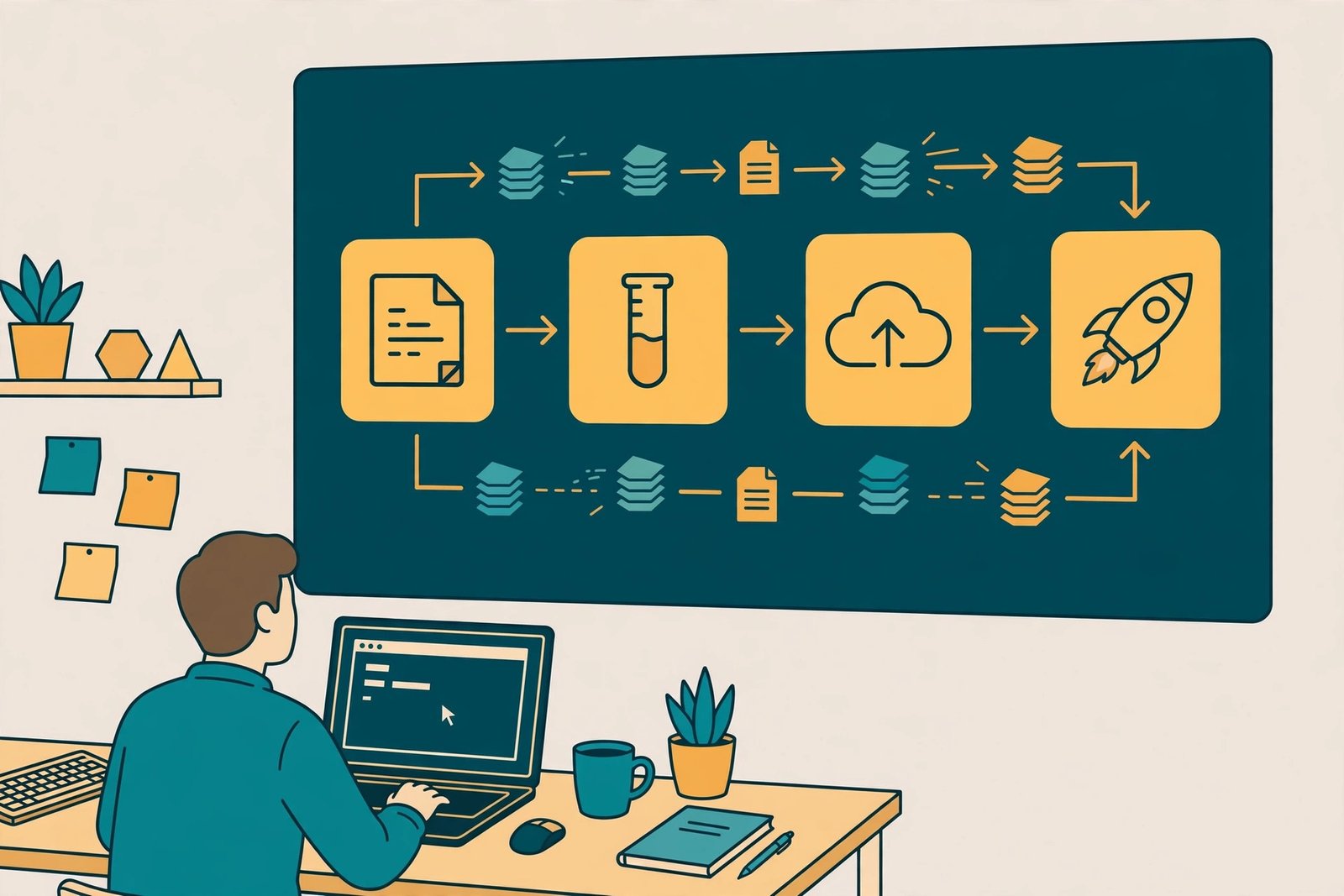
Learn to build a pipeline with GitHub Actions, which is free for public repositories and easy to start with. A basic pipeline has four stages: build the code, run the tests, build a container image, and deploy it to a server. Learn to read a pipeline failure, because a pipeline that fails is the most common problem you will fix, and the error message usually tells you exactly what went wrong.
Practise by building a pipeline for a small project. Push a change, watch the pipeline run, and break something on purpose to see the tests catch it. Then fix it and watch the pipeline pass. This loop, write, push, test, deploy, is the heart of DevOps work, and the BestDevOps guide lists it as the core skill that every learner should build first.
Step 6: Learn Kubernetes and orchestration
Kubernetes is the tool that runs containers at scale. When you have one container, Docker is enough. When you have dozens of containers across several servers, you need Kubernetes to decide where each one runs, to restart the ones that fail, and to scale them up when traffic grows.
Learn the core ideas first: pods, which are the smallest unit that Kubernetes runs, deployments, which describe how many copies of an application should run, and services, which give an application a stable address. Then learn how to use kubectl, the command line tool, to inspect and manage a cluster.
Start with a local cluster using Minikube or Kind, which run Kubernetes on your own computer, or use the free Killercoda labs, which give you a cluster in the browser. Deploy a small application, scale it from one copy to three, break one copy on purpose and watch Kubernetes replace it. The Kubernetes project publishes clear documentation for every concept, and you can read it on the Kubernetes Documentation page.
Step 7: Learn infrastructure as code and cloud
Infrastructure as code means describing your servers, networks and databases in files, rather than setting them up by hand. Terraform is the most widely used tool for this, and the HashiCorp tutorials teach it free with hands-on labs. Learn to write a Terraform file that creates a small cloud resource, run it, change it, and then destroy the resource when you are done.
Learn one cloud platform well. Amazon Web Services is the largest, Microsoft Azure and Google Cloud are close behind, and all three offer a free tier for beginners. Learn the basics: virtual machines, object storage, managed databases and identity management, which controls who can do what. The roadmap.sh DevOps guide gives a clear order for this stage, and you can read it on the roadmap.sh DevOps page.
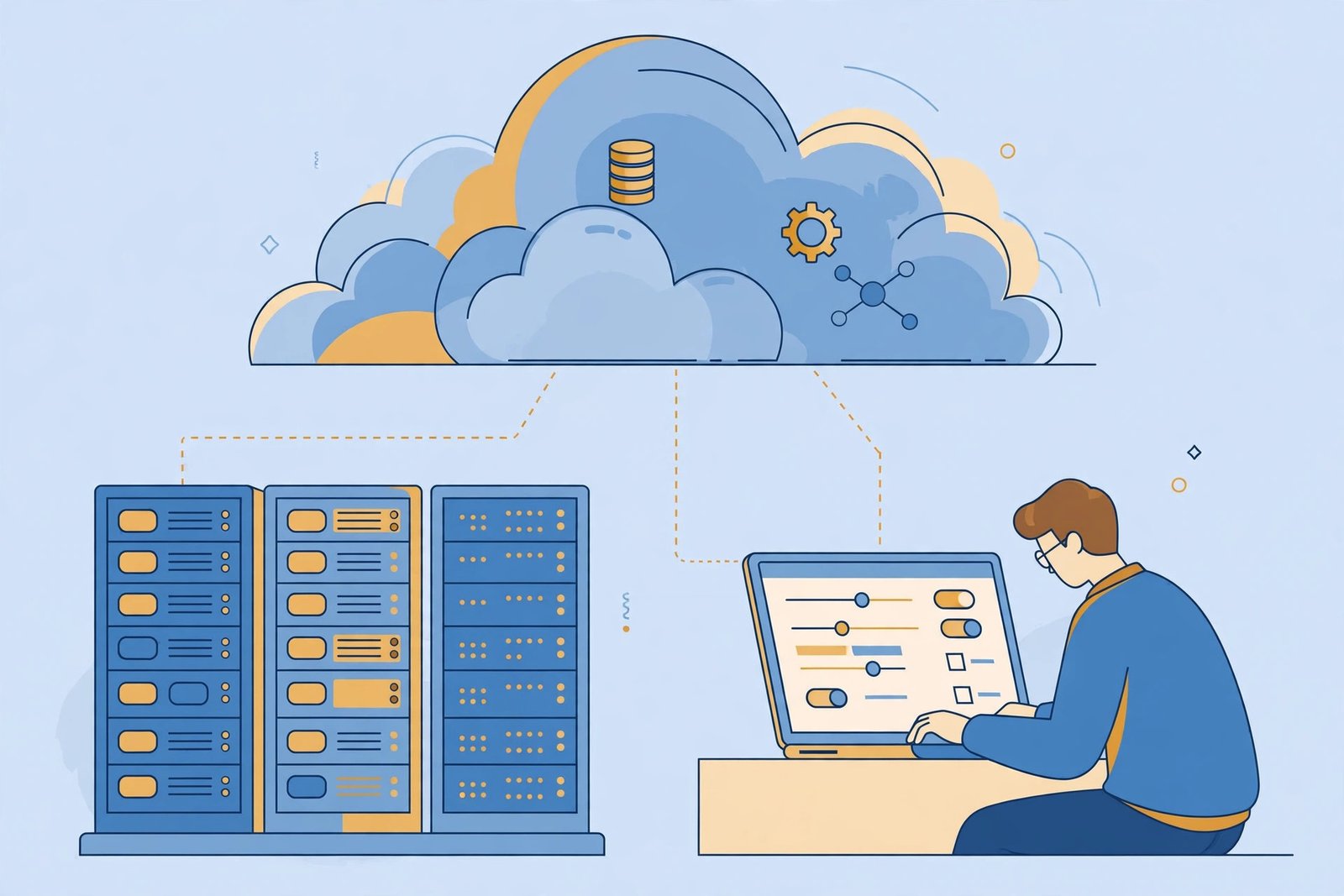
Set a billing alert on day one, before you create anything. Cloud costs grow quietly, and a forgotten test server can run for weeks. Set a spending limit, check your bill every week, and destroy test resources when you finish with them. This habit will save you real money, and it is a habit that employers value, because cloud waste is one of the most common problems in the industry.
Step 8: Learn monitoring and security basics
Monitoring is how you know whether a system is healthy. Learn the three signals: metrics, which are numbers such as CPU use and response time, logs, which are the records of what happened, and alerts, which tell you when something needs attention. Learn a simple monitoring stack, such as Prometheus for metrics and Grafana for dashboards, and set up an alert that fires when a service stops responding.
Learn security basics. Never store passwords or API keys in code. Use a secrets manager or environment variables. Keep software updated. Limit who can access a server. These habits are simple, and they prevent most common breaches. Our guide on how to learn cybersecurity online goes deeper if you want to specialise.
Learn incident response. When a service breaks, the first job is to restore it, the second is to understand what happened, and the third is to write down what you learned so it does not happen again. Practise by breaking a test service on purpose and timing how long it takes you to fix it. This is the closest thing to a real DevOps interview exercise.
A 24 week study plan
This plan assumes 10 to 12 hours a week. If you have less time, stretch each stage rather than skipping it.
| Weeks | Focus | What you finish |
|---|---|---|
| 1 to 4 | Linux and command line | A web server running from the command line, 5 Bash scripts |
| 5 to 6 | Git and GitHub | All projects in repositories, a clean commit history |
| 7 to 8 | Networking and servers | A server with Nginx, SSH keys, firewall rules |
| 9 to 11 | Docker and containers | A containerised app with Docker Compose |
| 12 to 14 | CI and CD pipelines | A GitHub Actions pipeline that builds, tests and deploys |
| 15 to 18 | Kubernetes | An app deployed to a local cluster, scaled and self-healing |
| 19 to 21 | Infrastructure as code and cloud | A Terraform project on a cloud free tier, billing alert set |
| 22 to 24 | Monitoring and portfolio | A monitoring dashboard, portfolio of 3 projects on GitHub |
Worked example, example only: these numbers are not typical results. Suppose you study 10 hours a week for 24 weeks. That is 240 hours in total. If you spend 40 hours on Linux, 20 hours on Git and networking, 40 hours on Docker, 30 hours on pipelines, 40 hours on Kubernetes, 40 hours on cloud and Terraform, and 30 hours on monitoring and your portfolio, you will have three finished projects and a clear record of your skill. If you can only study 5 hours a week, the same plan takes about 48 weeks. The hours matter more than the calendar.
How to learn DevOps online: what it costs
You can learn DevOps for almost nothing. Linux, Git, Docker, Kubernetes, Terraform and the HashiCorp tutorials are all free, and GitHub Actions is free for public repositories. The GUVI review of DevOps learning sites lists KodeKloud at about $15 a month billed annually, or about $180 a year, and GUVI self-paced courses from about 799 rupees. These prices are from the GUVI review published in August 2023 and updated in September 2026, and are given at the time of writing in November 2026, so check the course page before you enrol.
Cloud costs are the one expense to watch. The free tiers of Amazon Web Services, Microsoft Azure and Google Cloud cover beginner labs, but a forgotten server can still cost money. Set a billing alert before you create anything, check your bill weekly, and destroy test resources when you finish. A good rule is to spend no more than $10 a month on practice, and to stop and investigate the moment the bill passes that.
Expect 6 to 12 months to reach a level where you can apply for junior DevOps or site reliability roles at 10 to 12 hours a week, and 12 to 18 months at a slower pace. DevOps is a broad field, and junior roles are fewer than junior developer roles, so expect a longer search. What turns study into work is a portfolio of three projects that show a working pipeline, a containerised app and a cloud deployment, plus the ability to explain them in plain language. Results vary with your background, your location, the time you put in and local demand.
Common mistakes to avoid
- Jumping to Kubernetes before you understand Linux, Git and Docker, which makes every problem harder.
- Collecting tools without building anything, which feels like progress but builds no skill.
- Learning ten tools shallowly instead of three deeply, which leaves you unable to debug any of them.
- Never breaking anything on purpose, which means you never learn to fix things under pressure.
- Leaving test servers running in the cloud, which costs money and is easy to forget.
- Skipping the portfolio, which means nobody can see what you can do.
- Treating DevOps as a list of tools, when it is really a way of working: automate, test, monitor and learn.
- Studying alone, when a community or study partner would keep you going.
Risks and scams to watch for
Be careful with expensive bootcamps that promise a DevOps job. No course can guarantee employment, and the free material from HashiCorp, Kubernetes, Docker and the cloud providers covers the same ground. Check the refund policy, read independent reviews, and try the free material first. If a provider pressures you to sign up today, walk away.
Watch for courses that teach outdated tools or that list dozens of tools without teaching any of them well. A good course goes deep on a few tools and gives you labs to practise in. Watch for fake job offers that ask you to pay for training or software before you start work. Real employers do not ask applicants for payment.
Protect your accounts. Use a strong password on GitHub and cloud accounts, turn on two-factor authentication, and never share API keys or credentials. When you practise, use test data only, and never upload personal data or data that belongs to an employer.
Frequently asked questions
Can I learn DevOps online?
Yes. Every core skill in DevOps can be learned online, from Linux and Git to Docker, Kubernetes and Terraform. The official documentation and free labs from HashiCorp, Kubernetes and the cloud providers cover the full beginner path, and browser-based labs such as Killercoda let you practise without installing anything.
Do I need coding experience to learn DevOps?
You need basic scripting in Python or Bash, and the ability to read and debug code. You do not need to be a software developer first, but you do need to be comfortable writing and running scripts. If you cannot write a simple script yet, spend three to four weeks on Python first.
How long does it take to learn DevOps?
For a beginner studying 10 to 12 hours a week, expect 6 to 12 months to reach a level where you can apply for junior roles, and 12 to 18 months at a slower pace. The exact time depends on your starting point, your weekly hours and how much hands-on practice you do.
Is DevOps hard to learn?
It is demanding because it covers many areas, from Linux and networking to cloud and automation. It is learnable in small steps, and the fastest way to learn is by building and breaking real systems. Most learners find the first month the hardest, because the command line feels unfamiliar, and then progress speeds up.
Should I learn AWS, Azure or Google Cloud first?
Pick the one that has the most jobs where you want to work, and learn it well. Amazon Web Services has the largest market share, Microsoft Azure is common in large companies, and Google Cloud is strong in data and AI work. The concepts transfer between clouds, so the choice matters less than the depth of your learning.
Are DevOps certificates worth it?
Certificates from Amazon Web Services, Microsoft Azure, Google Cloud and the Cloud Native Computing Foundation can help your application stand out, and they show that you passed a structured exam. On their own they rarely land a job, so pair any certificate with three portfolio projects that prove you can build a pipeline, containerise an app and deploy to the cloud.
Conclusion
Learning how to learn DevOps online comes down to a simple order: Linux and the command line first, then Git, networking, Docker, pipelines, Kubernetes, infrastructure as code and cloud, and finally monitoring and security. Pick one free lab, follow the 24 week plan, and build something every week. Start today with a free Killercoda lab or a Linux virtual machine, and set up a web server from the command line this week.
To keep building, read our guides on how to learn cloud computing online, how to learn cybersecurity online and how to learn coding for beginners, and browse all our skill guides on the Digital Skills category page. Earning results vary; nothing on this site is financial advice.