
How to Start an Online Managed IT Services Business in 2026
How to start an online managed IT services business is a practical question for skilled technicians who want steady client work without a large office. This guide explains how to choose a niche, define services, set up contracts and pricing, pick remote tools, and win first clients honestly. It suits solo operators who know basic support and security tasks.
In this guide
You will learn what a managed service provider does, work through six steps, and see a worked pricing example with honest costs.
What an online managed IT services business is, and what it is not
An online managed IT services business looks after the day to day technology of other businesses, mostly from a remote location. You monitor computers and networks, fix problems through remote access, manage updates, and help staff when tools stop working. Clients pay a regular fee for this ongoing care.
A managed service provider is often called an MSP for short. Managed means you take ongoing responsibility for agreed tasks, rather than only fixing one fault at a time. That responsibility must be written down, because clients rely on you for systems they need every day.
This business is not the same as building software for clients. If you want to design and build apps, read our guide on how to start an app development agency online and compare the skills and risks. An MSP keeps existing systems running and secure, while an app agency creates new software.
This business is also not a promise that nothing will break or that no attack will succeed. Good tools and careful habits reduce risk, but they cannot remove risk in full. You must say this plainly to every client from the start.

Step 1: Choose a niche and write a clear services menu
Start by choosing who you will serve first. A niche is a small group of clients with similar needs, such as dental clinics, law firms, estate agents, or small shops. A clear niche helps you learn common tools faster and write better support guides.
Next, write a short services menu in plain words. List what you include, what you charge extra for, and what you do not offer. Clients trust a short and clear menu more than a long list that sounds vague.
| Service area | What you do | What you must explain |
|---|---|---|
| Help desk support | You fix common faults by phone, email, or remote access. | Your working hours and reply times. |
| Device monitoring | You watch computers and servers for faults and failed updates. | Which devices you cover. |
| Patching and updates | You install security updates on a set schedule. | When updates run and restarts happen. |
| Backup checks | You check backups and test that files restore. | What data you cover and test dates. |
| Security basics | You set up multi factor authentication and basic email protection. | That these steps reduce risk only. |
| User setup | You create and close accounts when staff join or leave. | Who approves new accounts. |
Keep your first menu small enough for one person to deliver well. You can add services later when you have more time or a trusted partner. If security work interests you most, study how to offer AI cybersecurity services to small businesses and decide where MSP work ends and specialist work begins.
Use trusted guidance to shape your security basics. The National Institute of Standards and Technology published a small business quick start guide that uses six functions called Govern, Identify, Protect, Detect, Respond, and Recover, and you can read it through the NIST SP 1300 guide. The guide is voluntary, and it suggests that a business that cannot do this work alone should discuss it with a managed security service provider.
Step 2: Set up the business and arrange insurance
Register your business in the way your country requires for a sole trader, partnership, or limited company. Open a separate business bank account, and keep clear records of income and costs from day one. Tax rules differ by country, so check your local tax authority or speak to a qualified accountant.
Talk to an insurance broker about cover that fits IT work. Many MSPs ask about professional indemnity cover, cyber liability cover, and public liability cover if they visit client sites. The right mix depends on your country and your contracts, so do not copy another firm without advice.
If you plan to sell hosting, first understand the extra duties that come with it. Our guide on how to start a web hosting business online explains why hosting adds support and uptime pressure. Many new MSPs resell a trusted host instead of running their own servers.
Step 3: Choose tools for remote monitoring and ticketing
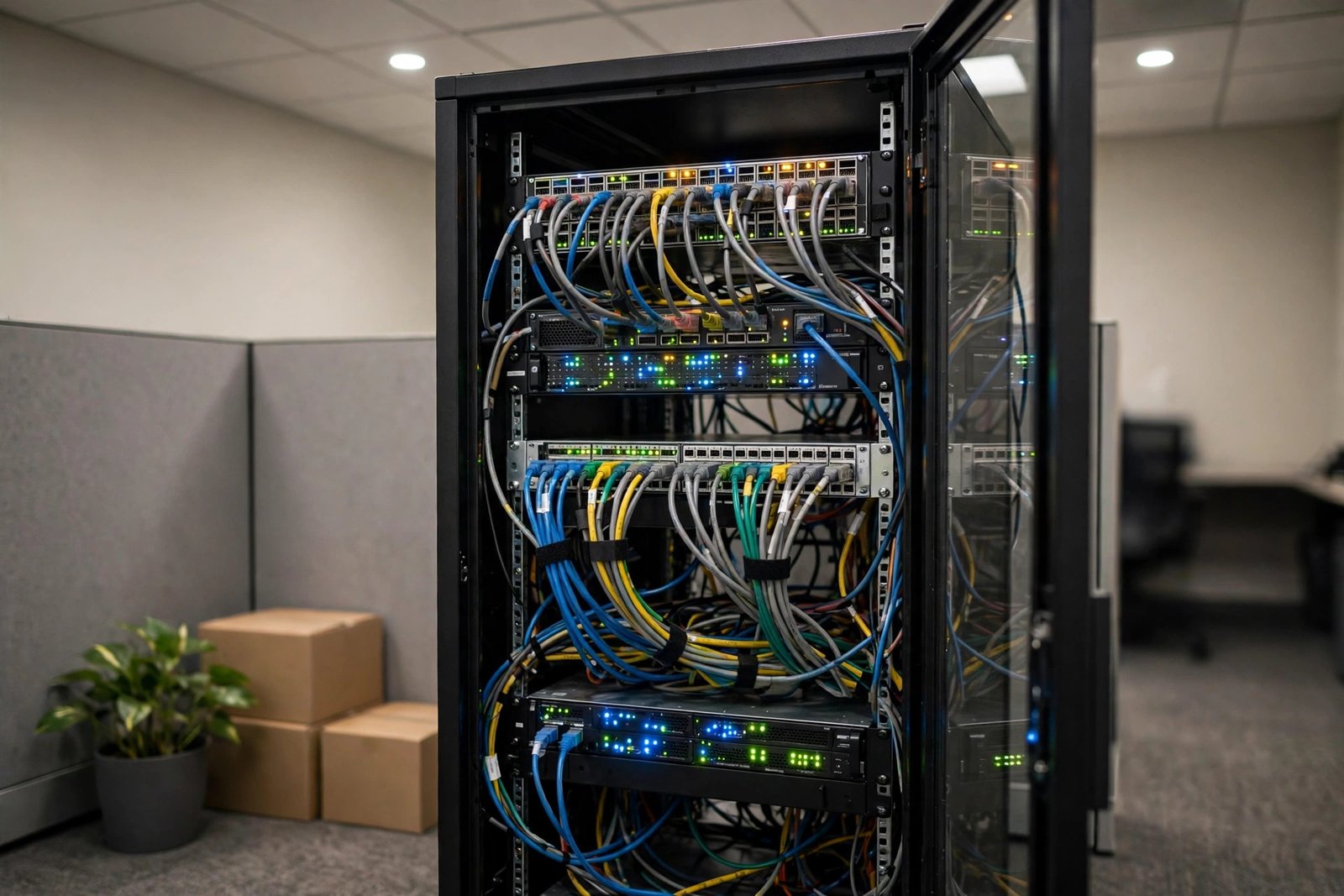
You need a small set of tools that you know well. Most MSPs use a remote monitoring and management tool to watch devices and push updates. They also use a ticketing system to record every request and every change, so nothing relies on memory alone.
Set up remote access with care. Use named accounts for each person, strong passwords, and multi factor authentication on every admin account. Remove access at once when a staff member or contractor leaves your team.
Use free and trusted resources to support clients. The Cybersecurity and Infrastructure Security Agency lists no cost help for small firms, including vulnerability scanning, a catalog of known exploited vulnerabilities, a tool called SCuBA, and a guide called Logging Made Easy, on the CISA small business resources page. These resources support your work, but they do not replace your own checks.
Plan support hours and on call cover before you sell anything. Clients will ask what happens at night, at weekends, and during holidays. If you work alone, set honest hours and explain what counts as a true emergency.
Step 4: Write contracts and agree service levels
Every client needs a written contract before you start work. The contract should name the services, the price, the term, and how either side can end the agreement. It should also state what you do not cover, so clients do not assume you handle every task.
Agree service levels in plain words. A service level agreement sets targets for reply times and fix times for different fault types. You might reply to a full outage faster than to a minor question, and you must only promise targets you can meet.
Write down how you handle security duties. State who approves new users, who owns backup checks, how you report suspected incidents, and how fast you tell the client. Never promise to prevent all attacks, because no honest provider can keep that promise.
Step 5: Set pricing models that you can explain
Clients understand simple pricing better than complex pricing. Choose one main model for your core service, and keep extra work separate and clear. Review prices when tool costs or time per client change.
| Pricing model | How it works | When it fits best |
|---|---|---|
| Per user per month | A set fee for each staff member you support. | Firms where each person uses similar tools. |
| Per device per month | A set fee for each device you manage. | Firms with shared devices or a clear device count. |
| Flat fee per site | One monthly fee for an agreed site and service list. | Very small sites with stable needs. |
| Block hours | The client buys support hours in advance. | Clients who want help without a monthly contract. |
| Project fee | A fixed fee for a defined project. | One off work such as a new office setup. |
Do not copy prices from forums without checking your own costs. Your price must cover tools, insurance, tax, and time, including time on records and reports. If a price is too low to deliver well, it will harm you and the client.
Worked example. Example only: these numbers are assumed for learning, and they are not typical results or a promise of income. Assume you support 8 clients, and assume each client pays an assumed monthly fee of 400 units of your local currency. The maths is 8 times 400, which equals 3,200 per month before costs and tax.
Now assume tool and software costs come to 500 units, and assume insurance and other costs come to 200 units. Total assumed costs are 500 plus 200, which equals 700. The assumed amount left before tax is 3,200 minus 700, which equals 2,500. Check again: 8 times 400 equals 3,200, and 3,200 minus 700 equals 2,500, so the example adds up.
Step 6: Win first clients and onboard them well
Start with people and firms you already know. Offer a short technology review that checks updates, backups, passwords, and user accounts, and give a clear written summary. A small and honest review can lead to monthly work if the client sees real value.
Use simple outreach that respects local marketing rules. Visit local business groups, ask happy clients for referrals, and publish helpful guides on your own site. Our guide on how to get first customers for an online business gives more ideas for small service firms.
Onboard each new client with a checklist. Record devices and software, test backups, set up monitoring, create user accounts, and agree who approves changes. Send a welcome note that explains how to ask for help and what happens next.
What it costs and what to expect
Your main cost categories are tools, insurance, registration, accounting, phone and internet, and your own time. You may also pay for training, a work laptop, and backup storage. Prices vary by country and vendor, so get quotes and write them into your plan.
| Cost category | What it covers | How to control it |
|---|---|---|
| Tools | Monitoring, ticketing, and remote access licences. | Start with one core tool only. |
| Insurance and advice | Insurance, legal review, and accounting help. | Get quotes each year. |
| Hardware and connectivity | Laptop, phone, internet, and backup storage. | Buy reliable kit and avoid long contracts. |
| Training | Courses and exams that build skills. | Learn one skill at a time. |
Expect a slow start in most cases. Many new MSPs spend months on setup and outreach before monthly income feels steady. Plan savings and time with that slow start in mind. Clients may also leave when budgets change, so keep looking for new clients.
Expect on call pressure even when you work from home. Clients call when email fails or a till stops working, and those calls can come outside normal hours. Set clear hours, charge fairly for urgent work, and protect rest time.
Common mistakes
Many new MSPs promise too much in the first sales meeting. Promise only what your contract and hours can support, and put every promise in writing.
Many new MSPs skip backup tests and only check that a backup job ran. Test restores on a set schedule, because an untested backup may fail when the client needs it most.
Many new MSPs use one shared admin password across clients. Use separate named accounts and multi factor authentication, so one leak does not open every client system.
Many new MSPs price too low to win the first deal. Price from real costs and real time, because low prices make good service hard to sustain.
Risks and scams to watch for
Security incidents are a real risk for you and your clients. A phishing email, a weak password, or a missed update can lead to stolen data or locked files. Plan how you detect, report, and respond to incidents, and never promise to prevent all attacks.
Scope creep can drain time and income. A client may ask for website changes or staff training that your contract does not cover. Agree extra work in writing and charge for it in a fair and clear way.
Late payers can harm a small firm fast. Use clear payment terms, send invoices on time, and pause non urgent work if a client ignores agreed terms after fair notice. Keep polite records of every reminder.
Watch for scams that target new IT firms. Be careful with fake clients who ask you to buy kit on their behalf, and with fake tool offers that ask for card details. Verify firms through official sites before you share access or money.
Frequently asked questions
How much does it cost to start a managed IT services business?
The cost depends on your tools, insurance, and setup needs in your country. List each cost category, get real quotes, and add a buffer for slow early months. No single startup figure fits every solo operator.
What services does a managed service provider offer?
Most MSPs offer help desk support, device monitoring, patching, backup checks, user setup, and basic security tasks. Some firms add project work or cloud setup for an extra fee. Your menu should match your skills and hours.
Do you need certifications to start an MSP?
You do not need one single certificate to start in most places, but skills and proof of skill help you win trust. Training in networks, cloud tools, and security can help. Check the rules in your country and niche.
How do managed IT services businesses make money?
Most MSPs make money from monthly fees per user, per device, or per site, plus fees for projects. Steady monthly fees help planning, but they must cover tools, insurance, and tax. Income is not guaranteed, and clients can leave.
Can you start an MSP business from home as a solo operator?
Yes, many solo operators start from home with remote tools and a small client list. Set clear hours, arrange cover for holidays, and turn down work you cannot support alone. A home base works best with simple services.
How do you price managed IT services per user?
Add up tool costs, insurance, tax, and support time, then set a per user fee that covers those costs with a fair margin. Test the price with a worked example before you quote a client. Review the price when needs or costs change.
Conclusion
Start with a clear niche, a short services menu, strong basic security, written contracts, and simple pricing that you can explain. Win first clients through honest reviews and referrals, onboard them with a checklist, and report work in plain words each month.
For next steps, read how to learn cybersecurity online, compare freelance work in our guide on how to work as a freelance cybersecurity consultant, and study growth in our guide on how to start a SaaS business. You can browse more guides in the online business category.
Facts checked on 2026-11-28 against the NIST and CISA sources linked in this guide. Rules, tool prices, and insurance needs vary by country, so check local sources before you trade.
Earning results vary; nothing on this site is financial advice.